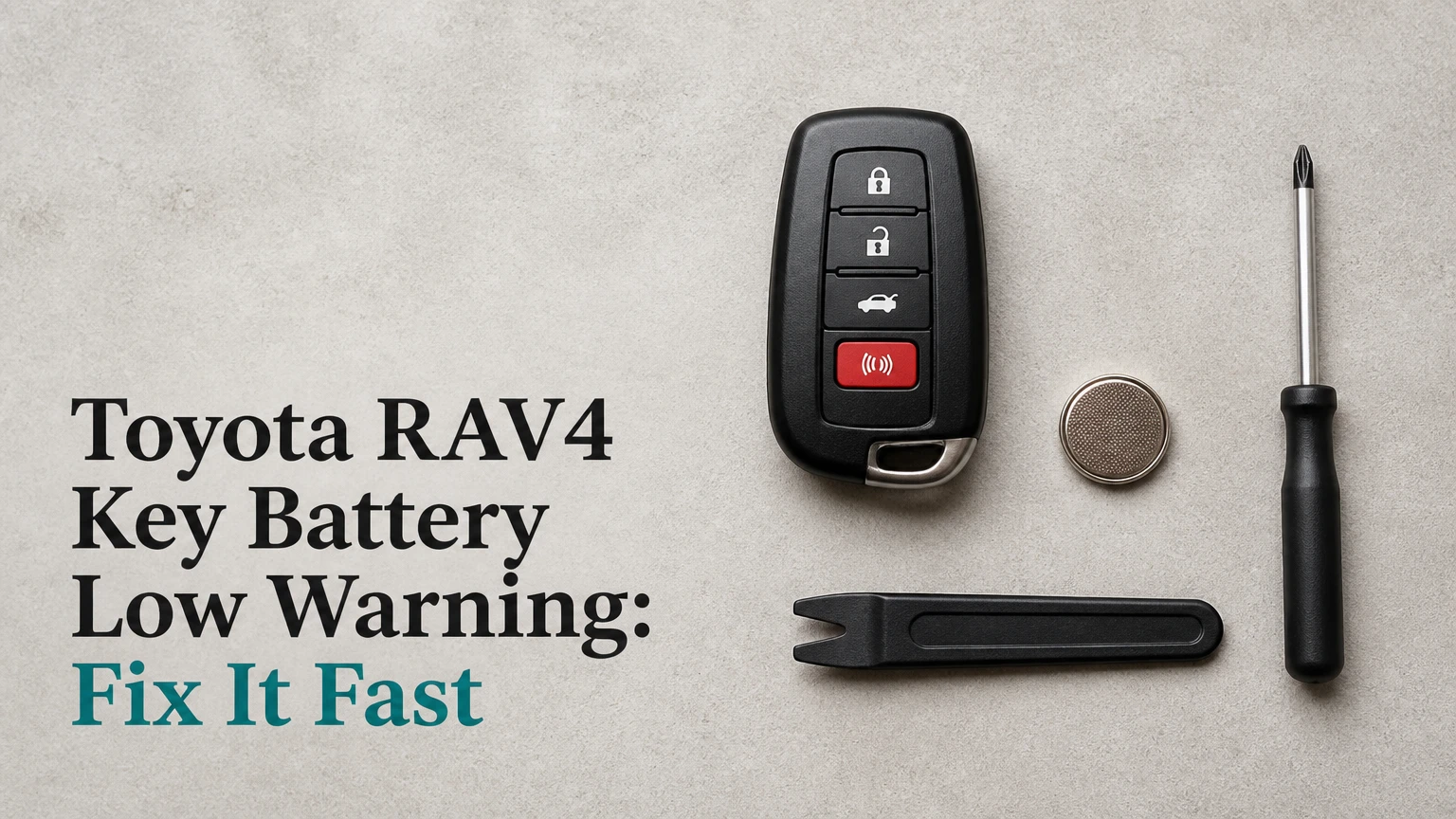
The Toyota RAV4 “Key Battery Low” warning means the coin-cell battery in a smart key or remote key fob is nearing the end of its useful charge. Replace the cell before passive entry or remote buttons stop working. A normal battery change does not erase the key’s security programming, but the exact replacement cell depends on the fob design and model year.
Key Facts
- A Toyota RAV4 key-fob warning concerns the fob battery, not normally the vehicle’s 12-volt battery.
- Most fifth-generation RAV4 smart keys use a 3-volt CR2032 coin cell.
- Some earlier RAV4 remotes use CR2016, CR2025, or CR2032 cells, so the installed marking is the final check.
- Replacing the battery normally takes 2-5 minutes and does not require key reprogramming.
- A dead fob can usually start the RAV4 by touching the Toyota-emblem side of the fob to the engine switch while pressing the brake.
- Toyota does not publish one universal warning threshold or guaranteed one-to-two-week remaining-life period for every RAV4 year.
What Does the Toyota RAV4 Key Battery Low Warning Mean?
The Toyota RAV4 key battery warning is a preventive message from the vehicle’s smart-entry system. The fob still has enough energy to communicate, but its coin cell may no longer provide reliable range, lock-button operation, or passive door unlocking. The message is usually safe to drive with temporarily, although postponing replacement creates a preventable lockout risk.
The warning does not usually indicate a fault in the immobilizer, push-button starter, or hybrid traction battery. It also does not prove that the battery has reached a particular voltage. Battery voltage changes with temperature, load, contact pressure, and measurement method, so a displayed value such as 2.93 volts should not be treated as a universal Toyota specification.
Toyota owner manuals generally describe the message as a low electronic-key battery condition and provide a replacement procedure. Toyota’s manuals also describe an emergency starting method that uses the electronic key near the engine switch. The exact wording and fob layout vary by year and market.
Is the warning urgent?
The warning is not normally an immediate driving emergency. Replace the battery within the next few days, especially if the remote range has shortened, the LED looks dim, or the RAV4 sometimes fails to detect the key inside the cabin.
A key may continue operating for days or weeks, but no reliable universal countdown exists. A new cell can also lose performance quickly if it is old, counterfeit, contaminated, or exposed to severe cold.
How Does the RAV4 Detect a Weak Key Battery?
A Toyota RAV4 smart-key system exchanges short-range radio signals between the vehicle and fob. The vehicle searches for an authorized key, the fob responds with identification data, and the vehicle evaluates whether communication remains adequate for entry, locking, and starting.
The system is more complicated than a simple battery-voltage meter. The fob’s coin cell supplies the transmitter, receiver, buttons, and LED, while the vehicle can use a low-power detection process for proximity functions. The immobilizer also includes a backup communication path that can work when the coin cell is fully depleted.
The warning can appear earlier or later depending on fob use. Repeated remote starts, frequent lock and unlock commands, long periods near the vehicle, and cold temperatures increase battery demand. A spare fob stored within a few feet of the RAV4 can also drain faster because the key may repeatedly respond to the vehicle.
Toyota does not provide a single public voltage threshold that applies to every RAV4 generation. Treat the commonly repeated 2.93-volt figure as a field estimate, not a guaranteed diagnostic limit.
Which Battery Does Each RAV4 Fob Use?
The correct key battery is determined by the fob’s internal holder and marking, not by the RAV4 badge alone. Fifth-generation RAV4 smart keys commonly use CR2032, while earlier remotes can use different cells depending on the transmitter design, market, and trim.
| RAV4 application | Typical battery | Nominal voltage | Final identification method |
|---|---|---|---|
| 2019-2025 fifth-generation smart key | CR2032 | 3 volts | Read the old cell and holder |
| 2013-2018 smart key designs | CR2032 or CR2016 | 3 volts | Read the installed cell |
| Earlier conventional remote | CR2016, CR2025, or CR2032 | 3 volts | Match the case or manual |
| Dealer-replacement or aftermarket fob | Varies by circuit board | 3 volts in common cells | Open fob and inspect holder |
CR2016, CR2025, and CR2032 cells all have a 20-millimeter diameter, but their thickness differs. CR2016 is 1.6 millimeters thick, CR2025 is 2.5 millimeters, and CR2032 is 3.2 millimeters. Substituting a thicker cell can prevent the case from closing or over-stress contacts; substituting a thinner cell can create intermittent contact.
Use a reputable lithium coin cell from Panasonic, Energizer, Maxell, Duracell, or another established manufacturer. Check the expiration date and avoid batteries that have been loose in a parts bin.
How Do You Replace the RAV4 Key-Fob Battery?
Replacing a Toyota RAV4 key-fob battery usually takes 2-5 minutes, requires no reprogramming, and depends most on correct polarity and gentle handling of the retaining contacts.
Before you start
| Item | Typical requirement | Why it matters |
|---|---|---|
| Replacement cell | 1 correct 3-volt coin battery | Match the old marking |
| Small flat screwdriver | 1, 2-3 millimeters wide | Opens the housing |
| Soft cloth | 1 clean cloth | Reduces plastic scratches |
| Work time | 2-5 minutes | Includes inspection and test |
| Difficulty | Low | Plastic clips and contacts need care |
Work over a table rather than a vehicle seat or driveway. Keep the replacement cell away from children and pets because lithium coin cells are dangerous if swallowed.
Step 1: Remove the mechanical key
Slide the release marked “PUSH” or the equivalent key-release control, then pull the metal emergency key from the fob. Put the key on the cloth so it cannot scratch the housing while you work.
Success checkpoint: The metal blade separates without force, and the release slider returns to its normal position.
Common mistake: Pulling the blade without moving the release. That can damage the lock mechanism inside the fob.
Step 2: Open the fob housing
Insert the tip of the mechanical key or a small flat screwdriver into the molded separation notch exposed after removing the blade. Twist gently until the retaining clips release, then work around the seam rather than forcing one corner.
Wrap a screwdriver tip in a thin cloth if cosmetic marks matter. Do not insert the tool deeply because the circuit board and waterproof seal may sit immediately below the plastic shell.
Success checkpoint: The two case halves separate while the circuit board remains seated.
Common mistake: Prying against buttons or the circuit board. Use the designated notch instead.
Step 3: Identify the old battery and polarity
Before removing the cell, photograph its position. Read the code printed on the top surface, such as CR2032, and note which side faces upward. In most Toyota smart-key layouts, the positive side marked with “+” faces up, but the holder markings take priority.
Hold the electronic module by its edges. Skin oils are less dangerous than a metal short, but clean handling reduces contamination on contacts and rubber seals.
Success checkpoint: You can state the battery code and identify the positive side before lifting the old cell.
Common mistake: Assuming every Toyota fob uses CR2032. Earlier RAV4 fobs do not all share one battery specification.
Step 4: Remove the old coin cell
Use a small nonmetallic pry tool where possible. If a screwdriver is necessary, slide it under the battery’s exposed edge and lift it away from the spring clip without bending the clip or its plastic anchor.
Do not lever directly against the circuit board. A damaged contact can produce an intermittent warning that appears fixed during a bench test but returns while driving.
Success checkpoint: The old battery comes out and the metal contacts remain aligned and springy.
Common mistake: Pulling upward from the retaining finger. Move the battery sideways or out from its designed opening.
Step 5: Install the new cell
Slide the new battery into the holder with the polarity matching the original position. Press it down only after the edge is under the retaining tab. Avoid touching both faces with metal tools because a short can discharge the cell.
Success checkpoint: The battery sits flat, the positive marking faces the correct direction, and the holder does not flex.
Common mistake: Installing the cell upside down. Reverse polarity can stop the fob from working immediately.
Step 6: Reassemble and test
Check that the rubber weather seal remains in its groove, if the fob uses one. Refit the electronic module, align the case halves, and press around the perimeter until every clip closes. Reinsert the mechanical key.
Press lock or unlock once. A bright red indicator LED usually confirms that the fob has power, but the LED alone does not prove that passive entry works.
Success checkpoint: The case seam is even, the buttons have normal travel, and the vehicle responds from a normal distance.
Common mistake: Closing the fob with the gasket displaced. The case may look shut while losing water resistance.
Does a New Battery Need Key Programming?
A normal coin-cell replacement does not require reprogramming because the security identity is stored in the fob’s electronics, not in the disposable battery. The vehicle should recognize the same key after the new cell is installed.
A key may need programming when the entire fob is replaced, when a new key is added, or when the circuit board has failed. Battery replacement and key registration are separate services. A dealer or qualified automotive locksmith may need the vehicle, an existing key, proof of ownership, and model-specific equipment for registration.
If the RAV4 does not recognize the fob after replacement, test the battery orientation and contacts before assuming that programming was lost. Coin-cell replacement alone does not normally erase the immobilizer code.
What Does RAV4 Key Battery Replacement Cost?
Typical DIY replacement costs $2-$6 for a single branded cell or multipack. A locksmith or battery retailer commonly charges $10-$25, while a Toyota dealer may charge approximately $15-$45 depending on local labor policy and whether the technician performs additional testing.
| Replacement option | Typical parts cost | Typical total cost | Typical time |
|---|---|---|---|
| DIY branded cell | $2-$6 | $2-$6 | 2-5 minutes |
| Automotive parts retailer | $3-$10 | $10-$25 | 10-20 minutes |
| Locksmith | $3-$10 | $10-$30 | 10-20 minutes |
| Toyota dealer parts counter | $3-$10 | $15-$45 | 10-45 minutes |
DIY is the sensible choice when the fob opens cleanly and the owner can identify the correct cell. Professional help is reasonable when the case is damaged, the contacts are loose, the fob has water exposure, or the owner needs a second key diagnosed at the same time.
A dealer is not automatically better for a routine battery swap. Dealer value increases when the warning remains after a verified replacement or when the vehicle has a separate smart-entry fault.
Is DIY Better Than a Dealer or Locksmith?
DIY replacement is cheapest and fastest, while a locksmith or dealer reduces the risk of broken clips and can diagnose a damaged fob. The best option depends on whether the job is only a battery swap or part of a broader key-recognition problem.
| Decision factor | DIY | Locksmith or retailer | Toyota dealer |
|---|---|---|---|
| Typical total price | $2-$6 | $10-$30 | $15-$45 |
| Appointment requirement | None | Usually none | Often recommended |
| Programming capability | No | Often available | Available |
| Fob-contact repair | Limited | Sometimes available | Inspection available |
| Best use case | Routine cell swap | Damaged or uncertain fob | Persistent vehicle-side fault |
Avoid paying for key programming when the old fob is still the same programmed device. Ask the service provider whether the quoted price covers only the battery or includes diagnostic work.
Why Does the Warning Remain After Replacement?
A Toyota RAV4 warning that remains after a battery change usually results from an incorrect cell, reversed polarity, weak contact, a second low fob, or a vehicle-side communication issue. The message may also take time to update, but a guaranteed five-minute drive-cycle reset is not a Toyota-wide rule.
Use this diagnostic order:
- Confirm the cell code. Compare the new battery with the old one and the holder marking.
- Confirm polarity. The positive face must match the original orientation.
- Check the package date. A very old or damaged cell can measure near 3 volts without supplying adequate current under load.
- Inspect contacts. Look for a flattened spring, corrosion, dirt, or a contact pushed below the battery surface.
- Test the spare key. The warning may refer to the other registered fob, especially if both keys are stored near the vehicle.
- Operate the buttons. A weak LED, short range, or one dead button indicates a fob issue.
- Try the emergency start method. If the vehicle starts with the fob touching the engine switch, the immobilizer backup path works even if normal detection does not.
- Seek diagnosis if both keys fail. A vehicle antenna, smart-entry ECU, 12-volt supply, or software fault becomes more likely.
Do not bend a contact aggressively. A slight adjustment with a nonmetallic pick may restore pressure, but a broken spring requires fob repair or replacement.
Can cold weather cause the message?
Cold weather can reduce the usable output of a lithium coin cell and shorten remote range. A warning that appears only below freezing may indicate a marginal battery rather than a failed smart-key system.
Warm the fob naturally indoors and test it again. Do not heat the battery with a flame, hair dryer on high, or other concentrated heat. Replace the cell if the message returns.
Can a phone or wireless device interfere?
A phone normally does not create a genuine low-battery condition, but strong local radio noise, metal objects, and close proximity to other keys can reduce detection reliability. Keep the RAV4 fob away from another vehicle key, wireless charging pad, and thick metal case while testing.
Interference generally causes missed detection rather than a persistent low-battery warning. A fresh battery remains the first diagnostic step.
How Can You Start a RAV4 With a Dead Fob?
A Toyota RAV4 can generally be started with a depleted key-fob battery by unlocking the driver’s door with the mechanical key, pressing the brake pedal, and touching the Toyota-emblem side of the electronic key to the engine switch. Toyota owner manuals describe this backup procedure, although the exact contact point can vary by model year.
- Slide out the mechanical key.
- Use the blade in the driver’s door lock cylinder.
- Enter the vehicle and close the door.
- Press the brake pedal firmly.
- Touch the Toyota-emblem side of the fob directly to the engine switch.
- Press the engine switch while holding the fob in position.
The emergency transponder path does not mean the coin cell is healthy. It allows the vehicle to authenticate the key at very short range when ordinary wireless operation has failed.
If the engine still does not start, check whether the brake lights operate, confirm that the transmission is in Park, and try the spare key. A weak vehicle 12-volt battery can create similar starting symptoms, especially in a hybrid RAV4.
How Can You Prevent Another Low-Battery Warning?
A RAV4 key-fob coin cell commonly lasts about 1-3 years in ordinary use, but actual life depends on remote-start use, temperature, storage location, and how often the fob communicates with the vehicle. These figures are typical field ranges, not Toyota service-life guarantees.
Store the spare key away from the parked RAV4, particularly in a garage where the vehicle and fob remain within several feet. Avoid leaving the fob in a hot vehicle, exposing it to water, or carrying it loose with objects that can press buttons.
| Condition | Likely effect | Practical response |
|---|---|---|
| Fob stored near parked RAV4 | Repeated communication | Store it farther away |
| Temperature below 32°F / 0°C | Lower temporary output | Replace a marginal cell |
| Frequent remote starts | Higher battery consumption | Keep a spare cell available |
| Loose key in a pocket | Accidental button presses | Use a protective case |
| Water exposure | Corrosion and board damage | Open, dry, and inspect promptly |
Dispose of lithium coin cells through a household battery-recycling program or local hazardous-waste service. Tape over the terminals before transport so loose batteries cannot contact metal objects.
What Are the Most Common Replacement Mistakes?
| Failure mode | Observable symptom | Corrective action |
|---|---|---|
| Wrong cell thickness | Case will not close or buttons stick | Match CR2016, CR2025, or CR2032 |
| Reversed polarity | No LED and no remote response | Reinstall according to holder marking |
| Bent retaining contact | Intermittent operation | Restore light spring pressure or repair fob |
| Displaced gasket | Uneven seam or water vulnerability | Reseat the seal before closing |
| Old counterfeit cell | Warning returns quickly | Install a fresh branded cell |
| Damaged circuit board | LED or buttons remain dead | Use locksmith or dealer diagnosis |
The most counterintuitive mistake is choosing a cell by RAV4 year alone. Toyota used multiple remote designs across generations and markets, so the physical fob and installed battery provide stronger evidence than a generic online compatibility chart.
Another practitioner rule is to test both keys before ordering parts. A second low fob can make a successful repair appear unsuccessful if the vehicle is still detecting the other key.
A final limitation matters: a new coin cell cannot repair a cracked case, corroded circuit board, failed button membrane, or vehicle-side antenna. Battery replacement is a first-line fix, not a universal smart-entry repair.
Frequently Asked Questions
Can I drive with the RAV4 key battery warning on?
Yes, you can usually drive temporarily while the warning is displayed because the fob still communicates with the vehicle. Replace the battery promptly if remote range has fallen or the key is intermittently undetected. Carry the mechanical key and keep the emergency starting procedure available until the repair is complete.
How do I know whether my RAV4 has CR2032 or CR2016?
Open the fob and read the code printed on the installed coin cell. CR2016, CR2025, and CR2032 share a 20-millimeter diameter but have different thicknesses, so visual similarity is not enough. The fob holder marking and the vehicle’s owner manual provide useful confirmation when the old label is unreadable.
Will disconnecting the RAV4 battery clear the key warning?
Disconnecting the vehicle’s 12-volt battery is not a recommended way to clear a smart-key battery warning. It does not replace the depleted coin cell and can create unrelated settings or initialization issues. Install the correct fob battery first, then allow the vehicle to recognize the key during normal locking and starting.
Why does the remote work while passive entry does not?
Passive entry can fail before button operation when the fob battery is marginal, because proximity detection and remote-button transmission use different communication conditions. Replace the cell, inspect its contacts, and test the fob away from other wireless devices. If passive entry fails with both keys, investigate the vehicle system.
Can I use a rechargeable coin cell in a RAV4 key?
Use the battery type specified for the fob, normally a 3-volt primary lithium coin cell such as CR2032. Rechargeable cells can have different voltage characteristics, charging requirements, and dimensions. A rechargeable substitute may damage the fob or fail to provide stable operation unless Toyota specifically specifies it for that device.
When should I replace the entire key fob?
Replace or professionally repair the fob when a verified new battery produces no LED, the circuit board shows corrosion, the case cannot retain its clips, or buttons remain unresponsive. A battery warning alone does not justify a new programmed key. A locksmith can often repair contacts or supply a compatible replacement for less than a dealer.
The Bottom Line
The Toyota RAV4 key battery low warning normally means the smart-key coin cell is weak, not that the vehicle immobilizer has failed. Identify the installed battery code, replace it with a fresh branded cell using the correct polarity, preserve the contacts and gasket, and test both normal operation and emergency starting. If the warning remains with both keys, pursue vehicle-side diagnosis rather than repeated battery changes.


