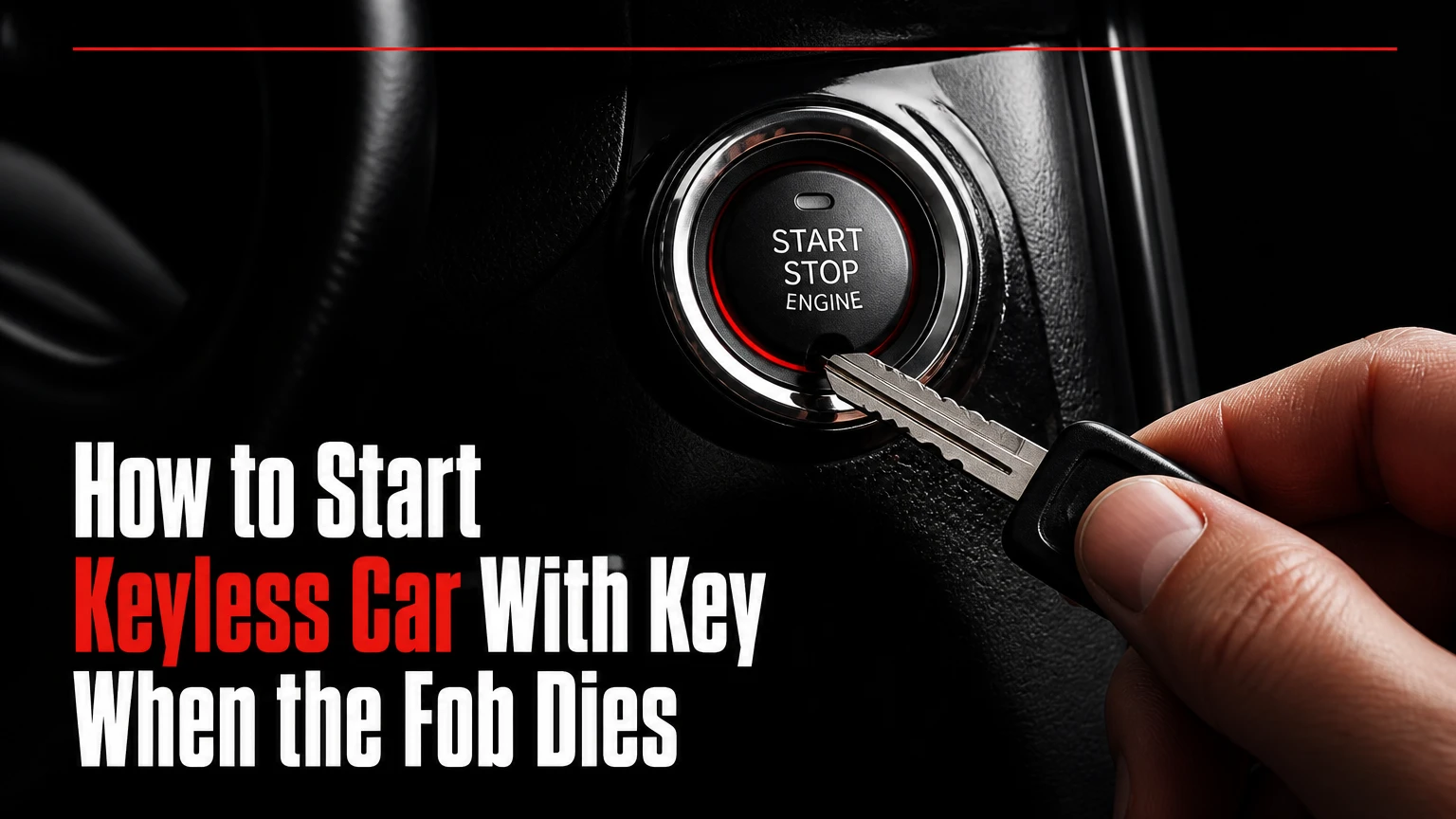
To start a keyless car with a key when the fob battery is dead, unlock the door with the fob’s hidden mechanical key, place the fob against the vehicle’s emergency backup sensor or Start/Stop button, and press the brake while starting. The exact sensor location depends on the vehicle’s make, model year, and trim.
Key Facts
A dead key-fob battery usually does not disable the fob’s passive immobilizer transponder.
Most push-button vehicles require the transmission in Park and the brake pedal pressed.
The emergency sensor may be inside the Start/Stop button, steering column, center console, cup holder, or glove box.
A completely dead 12-volt vehicle battery cannot be overcome with the dead-fob procedure.
Manual door unlocking may trigger the alarm until the authorized fob starts the vehicle.
Typical emergency-start time is 30 seconds to 3 minutes after you locate the backup key and sensor.
How Does a Keyless Car Start With a Dead Fob?
A keyless car can start with a dead fob because many smart keys contain two separate systems: a battery-powered radio transmitter for normal proximity functions and a passive transponder for immobilizer authorization. The passive transponder receives energy from an antenna inside the vehicle, so it can identify an authorized fob without the coin cell.
The backup method is not a universal NFC standard. Depending on the manufacturer, the vehicle may use a low-frequency immobilizer antenna, a near-field contact area, or a dedicated reader slot. The practical result is similar: the car must detect the fob at a precise location rather than several meters away.
The engine-control and body-control modules still require power from the vehicle. A dead key-fob battery is therefore different from a flat 12-volt battery. If the dashboard, interior lights, and instrument display remain completely dark, diagnose the vehicle battery first.
What the passive transponder actually does
The vehicle’s antenna creates a short-range electromagnetic field. The transponder inside the fob uses that field to return an encrypted identification response, which the immobilizer system checks against the vehicle’s stored authorization data.
The transponder does not replace the fob’s remote-control battery for every function. Lock buttons, passive-entry detection, remote start, and long-range communication may remain unavailable until the coin cell is replaced.
Before You Start
Prepare the vehicle before attempting the emergency start. The process normally takes 1-3 minutes, requires no special tools, and costs nothing if the mechanical key and fob are intact.
| Requirement | Typical value | Why it matters |
|---|---|---|
| Vehicle electrical power | 12 volts nominal | Powers the dashboard, immobilizer, and starter control |
| Transmission position | Park, or Neutral for some manuals | Prevents unsafe starting |
| Brake-pedal pressure | Firm, continuous pressure | Satisfies the start interlock |
| Emergency-start time | 30 seconds-3 minutes | Covers key removal and sensor positioning |
| Tools | None for starting | The hidden blade is built into the fob |
| Replacement coin cell | CR2032 or CR2025, 3 volts | Restores normal fob operation |
Keep the fob away from an RFID-blocking wallet, large metal key ring, wireless charging pad, and phone case with substantial metal components. Those objects can interfere with the short-range backup handshake, although they do not usually damage the vehicle.
Do not attempt to bypass the immobilizer with exposed wiring, a screwdriver, or an unprogrammed key. The emergency procedure is designed to authenticate an already authorized fob, not to defeat the vehicle’s security system.
How to Start a Keyless Car With Key, Step by Step
The reliable sequence is: enter with the mechanical blade, confirm vehicle power, select Park, hold the fob at the specified reader, and press the brake and Start button. The location of the reader is the main factor that determines success.
Step 1: Remove the hidden mechanical key
Find the release slider, button, or latch on the smart-key housing. Hold the release while pulling the metal blade from its channel. Some fobs release the blade by sliding a cover; others require pressing a small button before the blade can move.
Inspect the blade before use. A bent blade may enter the lock but fail to turn, while an incorrectly cut replacement blade may unlock nothing even though the fob electronics are programmed correctly.
Success checkpoint: The metal blade separates from the electronic fob without cracking the housing.
Common mistake: Pulling on the key ring instead of operating the release latch can damage the fob shell.
Step 2: Expose the driver’s door lock cylinder
Many modern door handles hide the keyhole beneath a painted trim cap. Look for a small slot, seam, or molded mark on the underside or rear of the handle. The owner’s manual normally shows the removal point.
Insert the blade into the designated slot and apply gentle leverage in the direction specified by the manual. Use the blade to release the cover, not as a crowbar. Place the cap in a pocket so it does not fall into a drain or become scratched.
Success checkpoint: The cover releases and reveals a conventional lock cylinder.
Common mistake: Twisting aggressively against the cap can break retaining clips or chip painted trim.
Step 3: Unlock the driver’s door manually
Insert the blade into the exposed cylinder and turn it in the unlocking direction. The direction varies by vehicle, and some locks require returning the blade to the center position before removing it.
The alarm may sound when the mechanically unlocked door opens. That reaction is normal on many vehicles because the door was opened without a recognized active proximity signal. Keep the authorized fob with you and proceed directly to the backup-start position.
Success checkpoint: The driver’s door opens and the interior lights or dashboard respond.
Common mistake: Assuming an alarm means the fob is invalid. A brief alarm can result from mechanical entry alone.
Step 4: Sit correctly and press the brake
Place an automatic transmission in Park. If the vehicle is already in Park, move the selector firmly into Park and confirm the instrument cluster displays the position. For a manual transmission, select Neutral and apply the parking brake; the exact clutch requirement varies by manufacturer.
Press the brake pedal firmly and keep it depressed. Some vehicles will illuminate the Start/Stop button or display a brake-related prompt only after detecting sufficient pedal pressure.
Success checkpoint: The dashboard recognizes the brake and the vehicle remains stationary.
Common mistake: Pressing the accelerator instead of the brake, or pressing the brake too lightly, prevents the start interlock from completing.
Step 5: Place the fob at the emergency reader
Start with the most common location for your vehicle. If the manual identifies a slot or pocket, use that location instead of pressing the fob against the Start button.
| Backup-reader location | What to look for | Typical vehicle examples |
|---|---|---|
| Start/Stop button | Fob face touching the button | Toyota, Lexus, Honda, Hyundai, Kia, Nissan |
| Steering column | Key icon or marked plastic patch | Ford, Chevrolet, Mazda, some BMW models |
| Center console slot | Narrow molded reader or vertical pocket | Ford, Lincoln, GM, Cadillac |
| Cup-holder base | Rubber mat, recess, or key symbol | Mercedes-Benz, BMW, selected Ford models |
| Glove-box reader | Cartridge-like slot inside compartment | Some older Audi, Volkswagen, and BMW models |
The examples are not universal rules. A Toyota model may use the Start button while another year or trim uses a console pocket, and a replacement interior panel may hide the identifying symbol.
Remove the fob from a metal keychain and hold the shell in the orientation shown in the owner’s manual. If the first orientation fails, turn the fob over and retry. Some transponder antennas sit closer to the emblem side, while others sit near the end of the housing.
Success checkpoint: The vehicle stops displaying “Key Not Detected,” or the start indicator changes when the fob reaches the reader.
Common mistake: Leaving the fob on the passenger seat. Passive readers often work only within a few centimeters.
Step 6: Press Start while holding the fob in position
With the brake pedal held down, press the Engine Start/Stop button while keeping the fob against the button or inside the designated reader. Hold the button for approximately 1-3 seconds if the vehicle does not start immediately.
Some vehicles require a normal brief press, while others respond when the fob itself is used to press the button. Follow the vehicle’s written instruction if it differs from this general sequence.
Success checkpoint: The instrument cluster illuminates, the ready or engine-running indicator appears, and the alarm stops if it was active.
Common mistake: Removing the fob immediately after the first dashboard light. Keep it at the reader until the vehicle confirms ignition or ready mode.
Step 7: Confirm the vehicle is running before driving
Check the instrument cluster for an engine-running symbol, a “Ready” indicator on a hybrid, or the normal ignition-on state. An electric vehicle may produce no engine sound, so rely on the vehicle’s ready indicator rather than noise.
Move the fob away from the reader only after the vehicle starts. The car may continue driving without a detected fob, but it may not restart after shutdown. Replace the fob battery before switching off if you are far from home.
Which Emergency-Start Method Does Your Car Use?
Vehicle manufacturers place the backup antenna where it can be reached during a dead-battery event, but the location differs across platforms and model years. The owner’s manual is more reliable than a brand-wide rule because trim level, market, and production changes can alter the reader position.
Search the manual for terms such as “smart key battery depletion,” “key battery discharge,” “engine start with electronic key,” or “key not detected.” The emergency procedure may appear in the roadside-emergency or starting section rather than under routine key replacement.
A physical key slot is more common on older smart-key systems. Newer designs often use a marked console pocket or Start-button contact method. Do not force the fob into an unmarked opening because USB ports, wireless charging trays, and storage slots are not immobilizer readers.
What If the Car Says Key Not Detected?
A “Key Not Detected” message usually means the active radio signal is unavailable, the fob is outside the detection zone, or the vehicle cannot complete its authorization check. Place the fob at the specified backup reader, remove shielding objects, and repeat the brake-and-start sequence before assuming the fob is defective.
Use this diagnostic order:
- Confirm the cabin lights and dashboard operate.
- Put the transmission in Park or the manual gearbox in Neutral.
- Press the brake firmly.
- Remove the fob from a metal wallet or crowded key ring.
- Try both sides of the fob against the Start button.
- Try the documented console, column, cup-holder, or glove-box reader.
- Test the spare fob if available.
- Replace the coin cell after the vehicle starts or arrange roadside help.
The passive antenna has a limited operating area. A fob that works at the Start button may fail from two centimeters away, even though the active remote normally works across a parking space.
How do you tell whether the vehicle battery is dead?
A dead vehicle battery is likely when the interior lights are absent, the horn is weak, the instrument cluster stays dark, or the Start button produces no response. A dead fob battery normally leaves the dashboard and accessories working while the vehicle reports that no key is detected.
| Symptom | More likely cause | Next action |
|---|---|---|
| Cabin lights and cluster are completely dark | Flat 12-volt battery | Use approved jump-start or roadside service |
| Cluster works, “Key Not Detected” appears | Fob battery, location, or interference | Use backup reader and replace coin cell |
| Engine cranks but does not start | Fuel, ignition, or engine fault | Stop repeating the fob procedure |
| Alarm sounds after manual unlocking | Normal anti-theft response | Start with the authorized fob at the reader |
| One fob works and another fails | Failed or unprogrammed fob | Replace or program the affected fob |
| Both fobs fail after a weak start | Vehicle battery or immobilizer issue | Test 12-volt voltage and seek service |
A jump start restores vehicle electrical power but does not program a fob; the jumpstart cable order is useful when the battery appears discharged. Hybrid vehicles also contain high-voltage systems, so connect jump leads only to the manufacturer-designated 12-volt terminals and never touch orange high-voltage cables.
What Alternatives Work When the Fob Cannot Start the Car?
A replacement coin cell is the fastest fix when the fob electronics and passive transponder remain intact. If the shell, circuit board, transponder, or programming has failed, the practical alternatives are a spare programmed fob, a manufacturer digital key, an automotive locksmith, or roadside assistance.
| Option | Typical cost | Typical time | Best use |
|---|---|---|---|
| CR2032 or CR2025 battery | $2-$10 | 5-10 minutes | Dead coin cell with intact fob |
| Spare programmed fob | $0 already owned | 1-5 minutes | Immediate authorized access |
| Digital key application | $0-$150 setup, model-dependent | 10-30 minutes | Previously enrolled phone |
| Automotive locksmith | $75-$300 service call, typical | 30-120 minutes | Lost, damaged, or unprogrammed key |
| Dealer replacement fob | $150-$600 typical | Same day to several days | Programming or security-system repair |
| Roadside assistance | Membership or $50-$150 typical | 30-90 minutes | Dead 12-volt battery or lockout |
Digital keys are not automatically battery-independent. A phone with no charge cannot authenticate, and some systems require the digital key to have been enrolled before the physical fob failed. Apple Car Key and manufacturer applications also vary by vehicle, region, phone, and model year.
Should you replace the fob battery immediately?
Yes. Replace a weak coin cell before relying on the emergency reader, especially if the remote range has shortened, the lock buttons respond intermittently, or the vehicle repeatedly reports low key-battery voltage.
Use the exact battery number printed in the fob or owner’s manual. CR2032 and CR2025 cells both provide 3 volts, but they differ in thickness, so substituting one for the other can cause poor contact or prevent the housing from closing.
Record the old battery’s orientation before removing it. Most fobs place the positive side outward, but the correct polarity is determined by the markings inside the battery tray. Test lock, unlock, passive entry, and remote-start functions after reassembly.
How Much Does a Keyless-Car Recovery Cost?
A simple fob-battery replacement typically costs $2-$10 and takes under 10 minutes, while complete key replacement and programming commonly costs $150-$600. A jump-start may be included with roadside membership or cost approximately $50-$150 without coverage.
The final price depends on whether the fob is merely unpowered, whether the mechanical blade is cut, and whether the vehicle requires dealer-only security programming. European models, luxury vehicles, proximity keys with multiple antennas, and newer encrypted systems often cost more.
A locksmith can be less expensive than a dealer for a lost or damaged fob, but verify that the locksmith supports your exact model year. Ask whether the quoted price includes the fob, cutting, programming, travel, emergency service, and tax.
Common Mistakes and Their Fixes
Using the wrong backup location
A brand name does not guarantee one reader position. Check the model-specific manual, then inspect the Start button, steering-column markings, console pockets, cup-holder mat, and glove box without forcing the fob into any opening.
Holding the fob too far away
The emergency antenna is short range. Touch the fob to the button or place it fully into the molded pocket, and remove metal objects that separate the fob from the reader.
Forgetting the brake or Park interlock
The immobilizer can authenticate the fob while the starter remains disabled. Select Park, press the brake firmly, and hold the fob at the reader during the Start-button press.
Assuming the alarm indicates a failed key
Manual unlocking can trigger the alarm because the door was opened without an active proximity unlock. Start the vehicle with the authorized fob; do not repeatedly lock and unlock the handle.
Replacing the wrong coin cell
A CR2025 may fit loosely in a CR2032 holder, while a thicker CR2032 may stress a thinner compartment. Match the printed specification and polarity.
Continuing after the main battery fails
The fob cannot energize a dark vehicle. Stop the procedure when the dashboard has no power and use an approved jump-start point or roadside service.
Situational Variations
Manual-transmission vehicles
Select Neutral and apply the parking brake. Many manuals also require the clutch pedal fully depressed, but the exact interlock is manufacturer-specific. Never attempt the procedure with the transmission in gear.
Hybrid vehicles
A hybrid may start silently. Look for a green “Ready” indicator, a drive-ready message, or the vehicle-specific equivalent. Do not interpret the absence of engine noise as a failed start.
Vehicles with remote start
Remote start does not necessarily provide a way to drive the vehicle. Many systems require the recognized fob to be present before the brake is pressed or the transmission is shifted from Park.
Lost mechanical blade
If the fob battery is dead and the hidden blade is missing, use a spare key, a previously enrolled digital key, or an automotive locksmith. Avoid wedging the door frame, because modern weather seals, wiring, and side-curtain airbags can be damaged.
When Should You Call a Locksmith or Dealer?
Call an automotive locksmith when the physical blade is missing, the blade does not fit, the fob is damaged, or no authorized spare is available. Call the dealer when the immobilizer module, receiver, software authorization, or vehicle security system may require manufacturer-level programming.
A locksmith cannot always create a working key from a visibly damaged fob. The passive transponder may be separate from the buttons and circuit board, or it may be integrated into a sealed assembly. Bring the vehicle registration and identification documents required in your jurisdiction.
Professional help is also appropriate after repeated failed attempts with two known-good fobs. That pattern points away from a coin cell and toward the vehicle’s 12-volt supply, antenna, brake switch, gear-position sensor, receiver, or immobilizer module.
Frequently Asked Questions
Can I drive with a dead key-fob battery?
Usually, yes, after the vehicle starts through its emergency reader. The vehicle may continue driving because authorization was completed at startup, but it may not restart after you switch it off. Keep the fob with the car and replace the battery before parking somewhere remote.
Will a keyless car start without the metal key?
Yes, the metal blade is normally used for door entry, not engine authorization. An intact authorized fob can often start the vehicle with a dead coin cell through the passive backup reader. If the fob itself is missing or unprogrammed, the metal blade alone cannot authorize ignition.
How long does a CR2032 key-fob battery last?
A CR2032 commonly lasts about 2-4 years, although frequent passive-entry use, extreme temperatures, repeated button presses, and a vehicle stored close to the fob can shorten that period. Replace the cell when range declines or the vehicle displays a low-battery warning.
Can a phone start a car if the key fob is dead?
A phone can start the car only if the vehicle supports a digital-key system and the phone was enrolled beforehand. Compatibility depends on the manufacturer, model year, phone operating system, region, and phone charge. A new app installation normally cannot replace an unprogrammed physical key during an emergency.
Why does the car unlock but not start?
Unlocking and starting can use different authorization paths. The door may respond to a partial radio signal while the immobilizer fails to recognize the transponder, or the vehicle may block starting because Park, Neutral, the brake switch, or the 12-volt supply is incorrect. Use the backup reader and check the dashboard messages.
Can a dead fob cause the car alarm to stay on?
A dead fob battery can contribute to an alarm during mechanical entry because the vehicle cannot receive the normal wireless unlock signal. Starting with the authorized fob at the emergency reader usually disarms the system. A continuously active alarm after successful authorization indicates a separate door, hood, or security fault.
The Bottom Line
To start a keyless car with key access after the fob battery dies, remove the hidden mechanical blade, unlock the driver’s door, place the fob at the model-specific backup reader, select Park or Neutral, press the brake, and press Start. The procedure cannot revive a vehicle with a dead 12-volt battery. Replace the CR2032 or CR2025 promptly, and consult the owner’s manual for the exact reader location before relying on a general brand rule.


