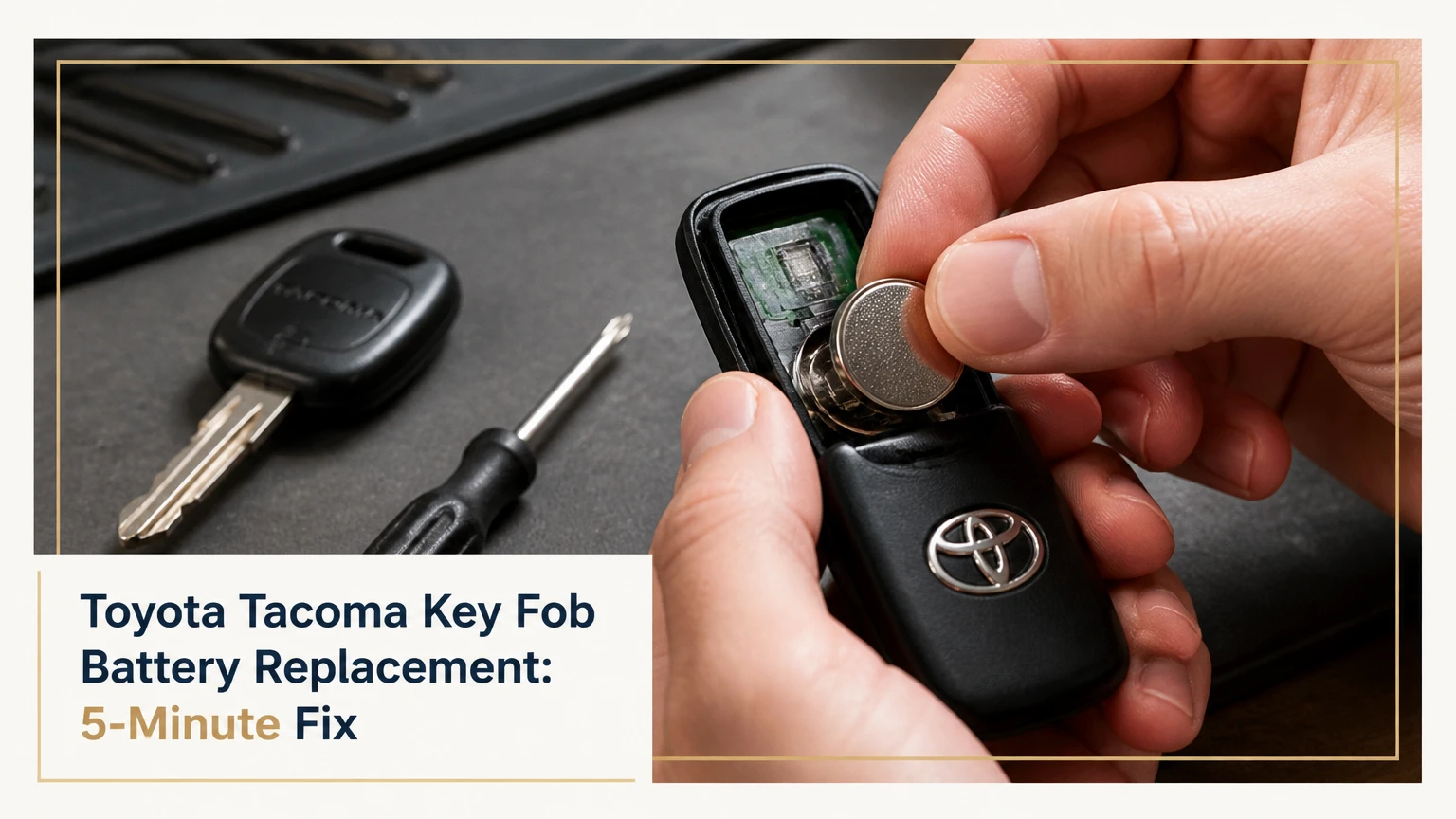
Toyota Tacoma key fob battery replacement usually takes 5 minutes and requires one 3-volt lithium coin cell, a mechanical key, and a small pry tool. Most 2016-2023 Tacoma smart keys use a CR2032, while many 2024 and newer smart keys use a CR2450, but the installed battery marking and owner’s manual are the final authority.
Key Facts at a Glance
- A Tacoma remote battery powers lock, unlock, panic, and remote-entry functions, not the truck’s immobilizer code.
- A CR2032 is 20 mm wide and 3.2 mm thick; a CR2450 is 24 mm wide and 5.0 mm thick.
- A fresh battery normally does not erase key-fob programming or require a new pairing procedure.
- Smart-key polarity is commonly positive side up, but the battery holder marking determines the correct orientation.
- A dead smart-key battery usually prevents passive entry, but Tacoma emergency-start functions may still work.
- A replacement cell typically costs $2-$7, while a dealer or locksmith commonly charges $10-$35 for battery service.
What the Tacoma Key Fob Battery Powers
The Toyota Tacoma key fob is a low-power radio transmitter that sends a coded command to the truck’s body control and smart-entry systems. Pressing a button consumes power only during transmission, while a proximity smart key also performs periodic low-power communication with the vehicle.
The coin cell does not contain the key’s immobilizer identity. On many Toyota keys, the transponder and remote electronics are separate functions, so replacing a depleted battery normally leaves engine-start authorization unchanged. A fob can therefore lock the doors unreliably while the truck still starts normally with the physical key.
Reduced operating range is usually the first warning. Other signs include a flashing key indicator, intermittent button response, a “key battery low” message on equipped Tacomas, or passive unlocking that works only when the fob is very close to the door handle.
Toyota’s owner information identifies the electronic key as using a lithium battery and directs owners to observe polarity during replacement. The exact cell remains dependent on the transmitter housing, market, and trim, which is why a year-only lookup is less reliable than reading the old battery.
Which Battery Fits Your Tacoma?
The correct Tacoma fob battery is the code printed on the removed cell or specified for the exact transmitter part number. Model-year ranges narrow the search, but they do not replace physical verification because dealer-installed remotes, integrated keys, regional versions, and aftermarket housings can differ.
| Tacoma application | Common fob design | Typical cell | Verification requirement |
|---|---|---|---|
| 1995-2004 models | Dealer-installed rectangular remote | CR2016 or CR2032 | Read the removed cell and inspect the transmitter label |
| 2005-2015 models | Oval standalone remote | CR2032 | Confirm the battery marking inside the remote |
| 2005-2015 models | Integrated remote-head key | CR2016 or CR2032 | Match thickness and holder clearance |
| 2016-2023 models | Smart key with push-button start | CR2032 | Confirm the holder marking before installation |
| 2016-2023 models | Conventional H-key with buttons | CR2032 or model-specific cell | Match the installed battery, not only the truck year |
| 2024-present models | Newer smart key | CR2450 in many versions | Verify the cell in the fob because regional variants can differ |
Battery codes are physical specifications, not interchangeable performance labels. Energizer’s published nomenclature identifies the CR2032 as a 20 mm diameter, 3.2 mm thick cell and the CR2450 as a 24 mm diameter, 5.0 mm thick cell. A CR2450 cannot replace a CR2032 merely because both provide approximately 3 volts.
| Battery | Nominal voltage | Diameter | Thickness | Typical Tacoma relevance |
|---|---|---|---|---|
| CR2016 | 3 V | 20 mm | 1.6 mm | Older integrated remote-head keys |
| CR2032 | 3 V | 20 mm | 3.2 mm | Common Gen 2 and Gen 3 remotes |
| CR2450 | 3 V | 24 mm | 5.0 mm | Many 2024-present smart keys |
| CR2025 | 3 V | 20 mm | 2.5 mm | Do not substitute unless the holder specifies it |
The safest buying method is simple: remove the old battery first, photograph its marking and orientation, then buy a name-brand replacement from a reputable battery, automotive, or electronics retailer. Do not install two thin cells to imitate one thick cell. Stacked coin cells can damage the contacts and create a short circuit.
What Should You Do Before Opening the Fob?
Prepare the replacement battery, a clean work surface, and a non-marring plastic pry tool before separating the housing. A small flathead screwdriver works, but its metal tip can mark the plastic or slip into the circuit board, so a plastic spudger is safer.
Before You Start
| Requirement | Typical value | Practical standard |
|---|---|---|
| Replacement cell | 1 battery | Match CR2016, CR2032, or CR2450 marking |
| Work time | 3-8 minutes | Allow 10 minutes for an unfamiliar fob |
| Battery cost | $2-$7 | Use a fresh, reputable 3 V lithium cell |
| Tools | 1-2 tools | Mechanical key plus plastic pry tool |
| Programming equipment | 0 devices | Not normally required for a battery-only swap |
| Safety condition | Dry surface | Keep coin cells away from children and pets |
Keep the second working key nearby if one is available. Test the old fob before opening it, because that confirms whether the original fault is limited to battery power. Photograph the internal layout once the shell opens, particularly if the battery is held in a removable module.
How Do You Replace a Tacoma Smart-Key Battery?
Replace a Tacoma smart-key battery by removing the emergency key, opening the seam, matching the original polarity, and securing the cell under the retaining clips. The process generally takes 3-5 minutes, and the most important checkpoint is confirming that the new battery sits flat without bending the metal contacts.
Step 1: Remove the mechanical key
Slide or hold the release latch on the side or rear of the smart key, then pull the metal emergency key from its slot. Put the key on the work surface instead of using it immediately as a pry lever if the tip is sharp or heavily worn.
You will know the key is released when it slides out without force. Do not pull against the latch at an angle, because that can damage the small release spring.
Step 2: Find the case-opening notch
Inspect the edge of the fob for a narrow seam or recessed slot near the mechanical-key channel. Insert the key tip or a plastic pry tool only far enough to engage the notch.
Twist gently rather than levering sideways. The housing should separate with controlled pressure; excessive force usually indicates that the tool is in the wrong slot.
Step 3: Separate the housing
Work around the seam until the upper and lower covers release. Keep the buttons, rubber pad, circuit board, and small retaining pieces in their original positions.
Some Toyota smart keys open into two halves with the circuit board remaining in one side. Other versions allow the electronic module to lift out. Do not drag the board across the plastic or touch its contacts unnecessarily.
Step 4: Remove the old coin cell
Use a plastic tool or a small precision screwdriver to push against the battery’s exposed edge. Release one retaining clip at a time, and avoid prying directly against the circuit board.
Stop if the contact tab begins to flatten. A bent tab can leave the replacement battery loose, producing intermittent operation that resembles a defective transmitter.
Step 5: Install the matching cell
Place the new battery into the holder in the same orientation as the old one, using the plus and minus markings molded into the holder as the deciding reference. Positive side up is common on Tacoma smart keys, but it is not a universal rule for every Toyota transmitter.
The success checkpoint is a flat battery with the retaining clips gripping its rim. Wipe fingerprints from the cell with a clean, dry cloth before closing the case. Do not use water, alcohol inside the holder, or a sharp object across the battery surface.
Step 6: Close and test the fob
Align the housing covers and press around the perimeter until every clip engages. Reinsert the mechanical key until its release latch locks, then test lock, unlock, panic, and passive entry if equipped.
A properly closed fob has an even seam and no loose button movement. Test the remote beside the truck first, then from a normal distance of approximately 20-50 feet in an open area. Range varies with interference, vehicle orientation, and battery condition.
How Do You Replace an Older Turn-Key or Remote-Head Battery?
Older Tacoma remote-head keys and standalone remotes open at a molded seam or notch, but their battery orientation and internal layout vary more than smart keys. Open the outer shell carefully, retain every insert, and photograph the remote module before removing its battery.
Step 1: Separate the outer key shell
Find the small notch on the key head or the seam around the standalone remote. Insert a coin, plastic pick, or thin flathead screwdriver and twist gradually until the shell releases.
Older plastic can become brittle from heat and ultraviolet exposure. If the shell begins whitening or cracking, stop forcing it and consider a replacement housing.
Step 2: Protect the transponder insert
Look for a small, loose transponder capsule or chip inside the key shell. The immobilizer component may not be attached to the battery circuit, and losing it can produce a crank-but-no-start condition after reassembly.
Place the shell halves and every insert in a tray. The remote can still operate its buttons without the immobilizer chip, but the Tacoma may not authorize engine start.
Step 3: Open the remote module
Lift the sealed electronic module from the outer shell and release its clips. Do not pull on the circuit board or rubber button pad, since older modules can have fragile retaining tabs.
Record the battery polarity with a phone photograph. Some older integrated remotes place the positive face downward, so the “positive side up” instruction from a smart key should not be copied automatically.
Step 4: Swap and secure the cell
Pry the old coin cell from its edge, install the identical code, and verify that the clips hold it firmly. A loose battery can interrupt power when the key is carried in a pocket or subjected to vibration.
Reassemble the module, return it to the outer shell, and confirm that the transponder insert remains in its original cavity. Test both the remote buttons and engine starting.
What Are the Replacement Options and Costs?
DIY replacement is the least expensive option at a typical $2-$7 and usually takes under 10 minutes. A dealer or automotive locksmith costs more but reduces the risk of damaged clips, lost transponder inserts, or confusion when the fob has additional faults.
| Service option | Typical price | Typical time | Best use |
|---|---|---|---|
| DIY battery swap | $2-$7 | 3-10 minutes | Intact fob with an identified cell |
| Toyota parts counter | $5-$15 | 5-20 minutes | Correct battery with basic installation |
| Toyota service department | $10-$35 | 15-30 minutes | Damaged housing or uncertain fob design |
| Automotive locksmith | $10-$25 | 5-15 minutes | Battery service plus signal or key inspection |
| Complete replacement key | $150-$500+ | 30 minutes to several hours | Lost, broken, or unprogrammed transmitter |
Prices are typical U.S. retail ranges, not fixed Toyota charges. A complete replacement key is a different service from a battery swap because it may require cutting, immobilizer registration, smart-key authorization, or proof of ownership.
A locksmith can often test transmitter output and inspect the remote while replacing the cell. A dealer is the stronger choice when the vehicle has no functioning key, because registration procedures and security credentials may be required.
Does Battery Replacement Erase Tacoma Key Programming?
Replacing the coin cell normally does not erase Tacoma key-fob programming because the transmitter’s stored identity is retained in nonvolatile electronic memory. If the fob worked before the battery became weak, installing the correct cell should restore operation without a programming sequence.
Programming becomes a separate diagnosis when a new battery produces no response, the remote was previously lost from the vehicle’s memory, or the circuit board was damaged. Do not begin random online programming sequences before checking polarity, contact pressure, battery quality, and button condition.
| Symptom after replacement | More likely cause | First check |
|---|---|---|
| No buttons respond | Reversed or dead cell | Confirm code, polarity, and voltage |
| One button fails | Worn rubber switch or contact | Inspect pad and board contact |
| Short range remains | Interference or weak cell | Test a second fresh battery outdoors |
| Remote works, truck will not start | Transponder displacement or vehicle fault | Check chip position and security indicator |
| Passive entry fails, buttons work | Smart-entry setting or antenna issue | Test buttons, door sensors, and backup key |
| Fob works only when pressed hard | Loose retaining clip | Inspect battery fit and terminal tension |
Why Does a Tacoma Fob Still Fail With a New Battery?
A Tacoma fob can remain inoperative after battery replacement because the cell is wrong, reversed, discharged, poorly connected, or unable to compensate for a damaged switch or circuit board. The fastest diagnosis separates the fob from the truck by testing a second key and checking whether the original remote produces any response at close range.
Use this troubleshooting sequence:
- Verify the battery code. A CR2025, CR2032, and CR2450 have different dimensions even though their nominal voltage is 3 volts.
- Check polarity. Match the holder symbol and the photograph taken before removal.
- Inspect the clips. The battery must not rock, spin, or lift from one side.
- Test the second key. If both keys fail, investigate the vehicle, settings, receiver, or vehicle battery.
- Inspect the button pad. A collapsed rubber dome or contaminated contact can disable one command.
- Check for water damage. Green corrosion, white residue, or a dull contact indicates contamination.
- Consider signal interference. Metal cases, wireless chargers, crowded parking structures, and other transmitters can reduce practical range.
Expert rule of thumb: do not reprogram a fob until a known-good battery and secure mechanical contact have been confirmed. Programming cannot repair a missing electrical connection.
What If the Tacoma Smart Key Battery Dies Away From Home?
A Tacoma with a dead smart-key battery can often be unlocked with the emergency metal key and started by holding the smart key against the engine-start switch. The exact backup-start location and procedure depend on the model year, so the owner’s manual takes priority over a generic sequence.
For many push-button Toyota systems, insert the mechanical key into the driver-door cylinder, unlock the door, press the brake pedal, and touch the Toyota-emblem side of the smart key to the engine switch while pressing it. The vehicle detects the transponder at close range even when the coin cell cannot transmit normally.
The procedure is not a substitute for a battery replacement. If the truck does not recognize the fob after close-contact starting, inspect the transponder, security indicator, and vehicle 12-volt battery rather than repeatedly pressing the start button.
How Long Should a Tacoma Fob Battery Last?
A Tacoma fob battery commonly lasts 1-3 years, with smart keys and frequent short-range use tending toward the lower end. Heat, cold, constant proximity to the truck, accidental button presses, and poor-quality cells can shorten the interval substantially.
Replace the cell when range declines or the truck reports low key-battery power instead of waiting for total failure. Fleet operators and off-road travelers may choose a two-year preventive interval, while occasional drivers can keep a correctly sized spare in its original packaging.
Do not store a loose coin cell in a glovebox with metal objects. A key ring or coins can bridge the terminals and discharge the battery or generate heat.
What Mistakes Damage a Tacoma Fob?
The most expensive mistakes involve force, polarity, and loose components rather than the battery itself. A careful five-minute replacement costs less than a damaged smart-key housing or a replacement immobilizer key.
- Using a screwdriver as a wedge too deeply: Keep the tip in the molded notch and twist slightly. Deep insertion can scratch the board or tear a seal.
- Installing the correct diameter at the wrong thickness: A CR2016 may fit a 20 mm holder but fail to maintain clip pressure where a CR2032 is specified.
- Flattening the spring terminal: Release the cell from its edge instead of levering against the contact.
- Losing the immobilizer chip: Keep older key shells in a tray until the key starts the truck.
- Closing the case over a displaced button pad: Confirm every rubber dome sits over its switch before snapping the covers together.
- Assuming a new battery fixes water damage: Corroded boards require electronic inspection, cleaning, or replacement.
A practitioner’s checkpoint is mechanical, not electronic: shake the closed fob gently. Nothing should rattle, the seam should remain even, and each button should have consistent travel.
Should You Use a Dealer, Locksmith, or DIY Replacement?
Choose DIY when the fob housing is intact and the battery code is visible. Choose a locksmith when you need battery replacement plus transmitter testing, and use a Toyota dealer when the key is damaged, unregistered, missing, or part of an immobilizer-start problem.
| Situation | DIY choice | Locksmith choice | Dealer choice |
|---|---|---|---|
| Weak remote range | Suitable at $2-$7 | Useful at $10-$25 | Usually unnecessary |
| Cracked housing | Risk of losing parts | Suitable for shell service | Suitable for genuine parts |
| No spare key works | Limited diagnosis | Can test remotes | Can diagnose vehicle authorization |
| Lost all keys | Not possible | Often available with ownership proof | Available with security registration |
| Crank-but-no-start after opening | Recheck transponder | Strong diagnostic option | Strongest vehicle-specific option |
A battery replacement is not a key replacement. Dealers and locksmiths may quote a higher price when cutting, programming, shell replacement, or vehicle diagnosis is involved.
Frequently Asked Questions
Will a Tacoma start if the key-fob battery is dead?
A Tacoma may still start with a dead smart-key battery because the immobilizer transponder can operate at close range without normal remote transmission. Use the mechanical key for entry and follow the year-specific emergency-start procedure, commonly placing the smart key against the engine switch while pressing the brake.
Which side of a Toyota key battery faces up?
The correct side depends on the Tacoma transmitter design, although many smart keys place the positive side up. Read the plus symbol on the holder and compare the old battery before removal; older remote-head keys can use the opposite orientation.
Can I use a CR2032 instead of a CR2450?
A CR2032 should not replace a CR2450 unless the exact fob holder explicitly permits it. Both cells provide nominally 3 volts, but the CR2032 is 20 mm by 3.2 mm and the CR2450 is 24 mm by 5.0 mm, so fit and contact pressure differ.
How can I tell whether the fob or Tacoma is faulty?
Test the second programmed key, install a verified fresh cell, and operate the original fob next to the truck. If both keys fail, inspect the vehicle’s 12-volt battery, receiver, settings, and smart-entry system; if only one fails, inspect that fob’s contacts, switches, and circuit board.
Does a Tacoma key fob need to be reset after a battery change?
A normal battery change does not require a reset or programming procedure. The fob’s identity remains stored in its electronics, so perform programming diagnostics only after confirming the battery code, polarity, terminal pressure, button condition, and absence of water damage.
Where should I keep a spare key-fob battery?
Keep one sealed, correctly sized lithium coin cell at home and another in protected packaging for travel. Avoid loose storage near coins or keys, and do not leave the battery in extreme heat, since temperature and accidental shorting can reduce its usable life.
The Bottom Line
Toyota Tacoma key fob battery replacement is usually a short DIY repair, but the battery code must match the transmitter housing. Confirm the installed cell, preserve the polarity and internal components, and test the remote before considering programming or expensive key replacement. For most 2016-2023 smart keys, start by checking for CR2032; for many 2024-present smart keys, check for CR2450, then verify the marking before installation.


