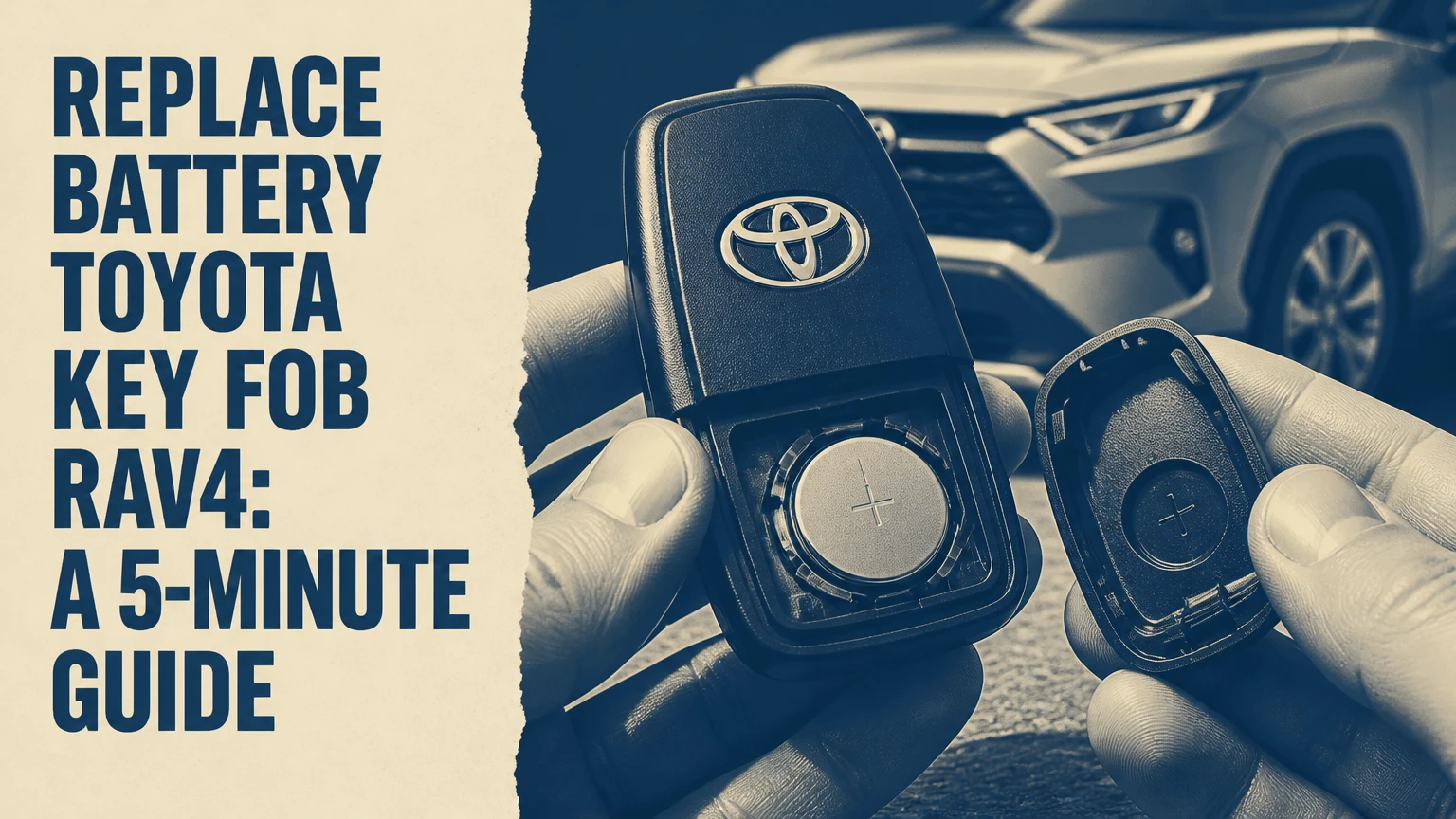
To replace the battery in a Toyota RAV4 key fob, identify the correct coin-cell number, open the housing through its designed notch, install the battery with the marked positive side facing correctly, and test every function. Most replacements take 2-5 minutes and cost about $2-$8 at home, but the exact battery depends on the fob housing and model year.
Key Facts at a Glance
- Most 2019 and newer Toyota RAV4 Smart Key fobs use a CR2032 3-volt lithium battery.
- Many 2013-2018 Smart Key fobs also use a CR2032, while some remote-head keys use a CR2016.
- Older 2006-2012 RAV4 keys may use a CR2016 or CR1620, so the old cell or owner’s manual should decide the replacement.
- A battery swap normally does not erase the fob’s programming or require reprogramming.
- A dead Smart Key battery usually does not prevent emergency engine starting when the fob is held against the START button.
- The most damaging mistake is forcing a battery with the wrong thickness into the retaining clips.
What Battery Does a RAV4 Key Fob Use?
A Toyota RAV4 key fob commonly uses a CR2032, CR2016, or CR1620 lithium coin cell, depending on the key design, model year, trim, and market. The battery number is printed on the old cell, and that marking is more reliable than choosing solely from the vehicle’s year.
Toyota’s owner manuals specify the battery for each particular key design. A 2019-2026 RAV4 Smart Key commonly takes a CR2032, which is 20 millimeters in diameter and approximately 3.2 millimeters thick. A CR2016 has the same diameter but is approximately 1.6 millimeters thick, so the two cells are not interchangeable merely because both are 3-volt batteries.
The distinction matters mechanically. A CR2032 can be too thick for a holder designed for a CR2016, while a CR2016 in a CR2032 holder may fit loosely and lose electrical contact. Never stack two CR2016 cells to imitate a CR2032. The combined voltage can damage the key-fob circuit.
RAV4 Battery Compatibility by Key Design
| RAV4 model period | Common fob design | Typical battery | Verification method |
|---|---|---|---|
| 2019-2026 | Angular Smart Key, push-button start | CR2032, 3 V | Read old cell and manual |
| 2019-2026 | Switchblade or flip-key remote | Usually CR2032, 3 V | Match old cell marking |
| 2013-2018 | Oval Smart Key, 3 or 4 buttons | Usually CR2032, 3 V | Inspect internal holder |
| 2013-2018 | Remote-head mechanical key | Often CR2016, 3 V | Read cell before purchase |
| 2006-2012 | Integrated remote key | CR2016 or CR1620, 3 V | Confirm housing and old cell |
The table gives typical applications rather than a universal fitment chart. Toyota used different key assemblies across trims and markets, and replacement housings can also differ from the original. The printed number on the installed battery remains the final check.
How Does a Toyota RAV4 Key Fob Work?
A Toyota RAV4 key fob sends coded radio commands when a user presses a lock, unlock, liftgate, or panic button. A Smart Key also communicates with the vehicle through short-range proximity detection, while a separate immobilizer transponder authorizes starting without relying entirely on the coin-cell battery.
The common description that a Smart Key emits one continuous low-energy signal is misleading. The fob and vehicle exchange low-frequency and radio-frequency signals during proximity operations, but the remote is not simply broadcasting one uninterrupted command. The vehicle validates the fob through Toyota’s electronic security system and rolling or encrypted identifiers.
The coin cell powers button transmission and much of the proximity operation. The metal emergency key blade still opens the door mechanically, and the embedded transponder can support a backup starting procedure on equipped RAV4 models. Replacing the coin cell therefore restores convenience functions, but it does not cut a new metal key or repair a damaged transponder.
Which Fob Type Does Your RAV4 Have?
| Visible feature | Likely key type | Typical battery | Main replacement clue |
|---|---|---|---|
| No exposed metal blade, push-button ignition | Smart Key | CR2032 | Release latch hides emergency blade |
| Metal blade folds into the fob | Switchblade key | CR2032 or CR2016 | Battery is inside layered housing |
| Metal blade is fixed beside buttons | Remote-head key | Often CR2016 | Outer shell may contain a removable module |
| Separate metal key and small remote | Older integrated system | CR2016 or CR1620 | Exact cell varies by housing |
Push-button start identifies a Smart Entry and Start system, but it does not identify the battery with absolute certainty. Confirm the cell number before opening the package.
What Should You Prepare Before Replacing the Battery?
Prepare one verified lithium coin cell, a plastic pry tool or the emergency key blade, a clean work surface, and optional isopropyl alcohol. The replacement itself usually requires no programming equipment, soldering, scan tool, or vehicle disassembly.
Before You Start
| Requirement | Typical specification | Why it matters |
|---|---|---|
| Replacement battery | CR2032, CR2016, or CR1620, 3 V | Correct diameter and thickness protect contacts |
| Work time | 2-5 minutes | Includes opening, replacement, and testing |
| DIY cost | $2-$8 per multipack | Brand and quantity change the price |
| Primary tool | Emergency key blade or plastic spudger | Reduces housing scratches |
| Optional cleaner | 70% or higher isopropyl alcohol | Removes light residue from contacts |
| Workspace | Dry table with bright light | Prevents lost clips and reversed assembly |
Buy a fresh cell from a reputable battery manufacturer and check its expiration date. Coin cells stored loose in a pocket or toolbox can short against keys, coins, or metal hardware, which drains them and creates a heat risk.
Toyota key fobs contain small circuit boards and spring contacts. Work over a table rather than a driveway, because a dropped retaining clip can be difficult to locate and a damaged contact can make a new battery appear defective.
How Do You Replace Battery Toyota Key Fob RAV4?
The standard RAV4 Smart Key battery replacement has four core steps: remove the emergency key, separate the case, install the matching coin cell, and test the fob. The most important success factor is preserving the battery contact clips while opening and closing the housing.
Step 1: Remove the Emergency Key
Slide or hold the small release latch on the Smart Key’s edge, then pull the mechanical key blade out of the housing. Put the blade on the work surface because it will open the case and must be reinstalled afterward.
On many 2019-2026 RAV4 Smart Keys, the blade slides out from the narrow end. The release may need to remain in the unlocked position while the blade is pulled. Do not pry against the latch with force, because a broken release can prevent the emergency key from locking into place.
Success checkpoint: The blade separates cleanly and exposes a molded opening or seam near the key slot.
Common mistake: Pulling on the metal blade without moving the release latch can strain the plastic retainer.
Step 2: Open the Key-Fob Housing
Insert the tip of the emergency key blade or a plastic spudger into the molded notch exposed by the removed blade. Twist gently to release the two shell halves, then work around the seam only if the first opening does not separate the case.
Use a thin cloth around a metal tool if no plastic tool is available. Avoid inserting the tool deeply, because the circuit board, button membrane, and battery clips may sit immediately below the case. Do not force a screwdriver into a random corner or twist against a button.
Some older remote-head keys use an external groove near the key ring and a removable electronic module. That construction requires the outer shell and module cover to be opened separately, as described in the alternate procedures below.
Success checkpoint: The cover separates without cracked tabs, scraped circuit traces, or dislodged rubber buttons.
Common mistake: Bending the housing by opening only one corner. Release the seam gradually instead.
Step 3: Remove and Install the Coin Cell
Photograph the old battery before removing it, then note its printed number and orientation. Lift the cell from its retaining clip with a fingernail or plastic pick, keeping metal tools away from the circuit board.
Install the new battery in the same orientation unless the housing’s polarity marking states otherwise. In many RAV4 Smart Key designs, the positive side with the printed label faces upward, but the molded plus sign inside the holder is the controlling instruction. Hold the replacement by its edge rather than rubbing both flat faces.
Press the cell under the fixed retaining lip first, then lower the opposite edge beneath the spring contact. The battery should sit flat, with no rocking or visible gap.
Success checkpoint: The battery number matches the removed cell, the polarity mark agrees with the holder, and the contact clips touch firmly without being crushed.
Common mistake: Substituting CR2032 for CR2016 because both cells show 3 V. Thickness, not voltage alone, determines fit.
Step 4: Close and Test the Fob
Align the shell halves, confirm that the rubber buttons and circuit board remain seated, and press around the perimeter until every clip engages. Reinsert the emergency key blade and test lock, unlock, liftgate, panic, and proximity functions where fitted.
Pressing a button may illuminate a small red indicator on some fobs, but not every Toyota fob provides an obvious external LED. A missing flash therefore does not prove the replacement failed. Test the actual vehicle functions from several feet away, then test passive unlocking at the door handle if the RAV4 has Smart Entry.
Success checkpoint: The case seam is closed evenly, the emergency blade locks in place, and the vehicle responds consistently.
Common mistake: Testing only the LED and assuming the fob is functional. The vehicle response is the more useful test.
How Do Older RAV4 Remote Keys Open?
Older RAV4 remote-head keys may require the outer case and an inner electronic module to be opened separately. Remove the outer cover at its seam, lift out the module, release its small clips, and replace the cell only after confirming whether the module uses CR2016 or CR2032.
The exact construction varies more widely from 2006 through 2018 than the year-based charts suggest. A 2013 RAV4 with a fixed metal blade can have a different holder from a 2013 RAV4 with a Smart Key. Replacement cases sold online can also change the appearance while retaining the same internal board.
Use this sequence for a remote-head design:
- Find the groove near the key-ring end or along the case seam.
- Twist a coin, plastic pry tool, or cloth-wrapped flat tool gently in the groove.
- Lift the electronic module from the outer shell.
- Release the module cover clips without bending the circuit board.
- Read the old battery number and match its polarity.
- Close the module, reinstall it in the shell, and snap the outer case shut.
A fixed-blade fob may not provide the same emergency-start behavior as a Smart Key. The mechanical key can unlock the door, but engine authorization depends on the transponder and ignition design.
Which Battery Replacement Option Should You Choose?
DIY replacement is usually the best choice when the housing opens normally and the battery number is clear. An auto-parts store or locksmith is preferable when the case is damaged, the contacts are bent, or the owner cannot identify the correct internal assembly.
| Replacement option | Typical cost | Typical time | Best use case |
|---|---|---|---|
| DIY with multipack cell | $2-$8 | 2-5 minutes | Clear battery marking and intact housing |
| Auto-parts store | $5-$15 | 5-15 minutes | Buyer wants help fitting the cell |
| Automotive locksmith | $10-$25 | 5-15 minutes | Damaged shell or uncertain key construction |
| Toyota dealership | $15-$45 | 15-30 minutes | Warranty records or difficult Smart Key access |
| New programmed fob | $150-$500+ | 30 minutes to several hours | Lost, damaged, or nonfunctional entire key |
Prices are typical United States consumer ranges, not fixed Toyota rates. A dealership may charge only for the battery during another service visit, while a locksmith’s price can rise if diagnosis, case replacement, or key programming is included.
A battery replacement does not normally require key registration. Programming becomes relevant when replacing the entire remote, losing all working keys, or repairing a failed transponder.
Is a Dealership Battery Better Than a DIY Battery?
A dealership battery is not automatically more capable than a reputable CR2032, CR2016, or CR1620 purchased elsewhere. The dealership’s advantage is correct identification and inspection, not a special battery voltage.
DIY is a poor choice when the fob has water intrusion, cracked clips, intermittent buttons, or a history of being dropped. A new cell cannot repair a broken switch or corroded circuit path.
What Mistakes Cause a RAV4 Fob to Fail?
Most post-replacement failures come from an incorrect cell, reversed polarity, weak contact pressure, or a case that was not fully closed. Replacing the battery again without checking those conditions often wastes time and can further bend the holder.
| Failure symptom | Likely cause | Corrective action |
|---|---|---|
| No buttons work | Reversed, flat, or wrong battery | Match number and polarity, then retest |
| Works only when squeezed | Loose contact or incomplete case closure | Inspect clips and reseat the shell |
| Short range | Weak cell, interference, or damaged antenna | Try a fresh cell and test near vehicle |
| Buttons work, proximity fails | Smart Entry setting, contact issue, or fob fault | Test remote buttons and vehicle settings |
| Case will not close | Cell too thick or board misaligned | Stop forcing it and verify battery size |
| One button fails | Worn rubber pad or switch | Inspect button membrane and seek repair |
Avoid metal tools touching both battery surfaces at once. A short circuit can rapidly discharge the cell and heat the tool. Also avoid bending a spring contact upward repeatedly; one careful adjustment is safer than repeated flexing that causes metal fatigue.
Counterfeit or old coin cells create another practical failure mode. Packaging that looks legitimate does not prove the cell has full capacity, so buy from an established retailer and keep unused batteries in their original package.
Why Does the Fob Still Not Work After Battery Replacement?
A Toyota RAV4 key fob that remains inoperative after a new battery usually has a polarity, contact, fitment, housing, or vehicle-side problem rather than a programming problem. Diagnose the fob in a fixed order so a damaged circuit board is not mistaken for a dead cell.
Follow this sequence:
- Confirm the battery number. Compare the installed cell with the old marking and the holder specification.
- Confirm polarity. Look for the plus sign inside the fob, not only the orientation remembered from opening it.
- Inspect contact pressure. The spring tab must touch the cell firmly, without sitting underneath it.
- Check seating. Ensure the circuit board, rubber button pad, and shell clips are aligned.
- Clean light residue. Use a cotton swab with a small amount of isopropyl alcohol, then allow complete evaporation.
- Test close to the vehicle. A weak vehicle 12-volt battery can make remote operation appear inconsistent.
- Test the spare fob. If both remotes fail, investigate the vehicle rather than replacing both coin cells.
- Inspect for water damage. Green or white corrosion, rust, or sticky residue requires board-level repair or fob replacement.
A fob may lock and unlock the doors while passive entry remains disabled because the Smart Key system is switched off, the vehicle battery is weak, or the fob has a separate proximity fault. Button operation and passive operation should be treated as separate tests.
Does a RAV4 Key Fob Need Reprogramming After a Battery Change?
A Toyota RAV4 key fob normally does not need reprogramming after its coin-cell battery is replaced. The fob’s identity and immobilizer data remain stored in its electronics, so correct battery installation should restore operation without a scan tool.
If a previously working fob fails immediately after replacement, inspect fitment and contacts first. Reprogramming is a later diagnosis for a replacement remote, lost-key situation, damaged electronics, or a system fault, not the normal response to a routine cell change.
How Can You Start a RAV4 With a Dead Smart Key Battery?
A Toyota RAV4 with push-button start can often start when the Smart Key battery is dead by holding the Toyota-emblem side or designated end of the fob directly against the ENGINE START STOP button while pressing the brake. The passive transponder and vehicle receiver can authorize starting without normal remote-battery power.
The exact contact position varies by generation, so consult the owner’s manual if the first position fails. Use the mechanical key blade to unlock the driver’s door, enter the vehicle, press the brake firmly, and hold the fob against the button while pressing START.
This procedure does not recharge the coin cell or restore remote locking. It is an emergency bypass for equipped Smart Key systems. A conventional remote-head key may use a different ignition and transponder arrangement, so do not assume the same button-contact procedure applies.
How Long Does a RAV4 Key Fob Battery Last?
A RAV4 key-fob battery typically lasts 1-3 years under ordinary use, although frequent remote operation, long periods near the vehicle, extreme temperatures, and a weak cell can shorten that range. Toyota systems may display a low-key-battery warning before complete failure.
Shortened life can result from storing the fob immediately beside the vehicle or from a contact that remains partially compressed. Keep the spare fob away from the RAV4 when possible, and replace both fob batteries only when each shows symptoms rather than changing them on an arbitrary schedule.
Dispose of lithium coin cells through a battery-recycling program. Tape the flat faces before transport so loose cells cannot contact metal objects.
FAQ
Can I use a CR2025 instead of a CR2032 in a RAV4 fob?
A CR2025 has the same 20-millimeter diameter as a CR2032 but is thinner, approximately 2.5 millimeters rather than 3.2 millimeters. It may make temporary contact in some holders, but it is not the specified replacement unless the fob’s manual or holder identifies CR2025. Use the exact battery number whenever possible.
Can I replace the battery without removing the metal key?
Some RAV4 housings expose a separate seam or notch, but many Smart Key designs use the removed emergency blade as the opening tool. Removing the blade gives access to the designed pry point and reduces the risk of damaging the outer shell. Do not force a seam that lacks a visible release point.
Why does my RAV4 say key battery low after replacement?
The warning can remain if the new cell is weak, installed upside down, or not touching the spring contact. It can also appear briefly after replacement because the vehicle has not yet detected a valid signal. Confirm the cell number, test the buttons, and drive or lock the vehicle normally before pursuing a vehicle-side diagnosis.
Will changing the battery erase my RAV4 key?
Changing the coin cell normally does not erase the RAV4 key’s programming. The remote identity and immobilizer information reside in the fob electronics rather than in the removable battery. A lost programming state points toward a different fault, such as a damaged fob, replacement remote, vehicle receiver issue, or incorrect diagnostic procedure.
Should I replace both RAV4 key-fob batteries at the same time?
Replace both batteries when both fobs are the same age and show reduced range, but do not replace a working cell solely for symmetry. Confirm the battery number in each fob because a spare key may use a different housing or replacement case. Test each remote separately after installation.
The Bottom Line
The fastest way to replace battery Toyota key fob RAV4 is to read the old cell, match its thickness and polarity, open the housing through the designed notch, and test the vehicle rather than relying only on an LED; the Audi Q3 fob-opening steps show how cover and tray designs change the procedure. Most newer Smart Keys use CR2032 batteries, while older remote-head keys may require CR2016 or CR1620. A careful DIY replacement costs about $2-$8 and normally takes less than five minutes.


