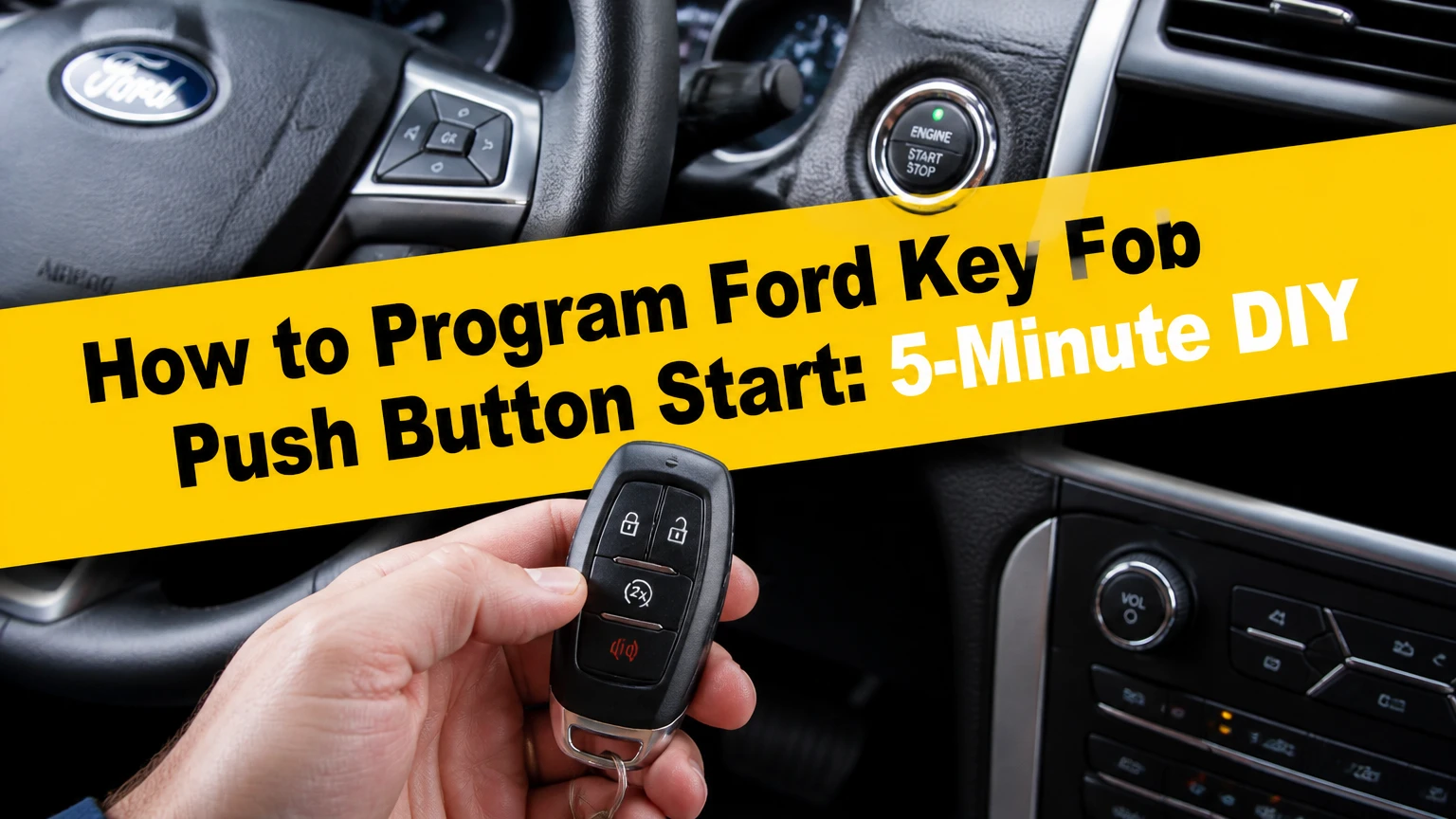
To program a Ford key fob with push-button start, place two previously programmed keys and the new compatible fob in the vehicle’s passive key backup slot while following the model-specific ignition sequence. The on-board method usually takes 2-5 minutes, but Ford models without that menu path require a locksmith, dealer, or compatible PATS diagnostic tool.
Key Facts at a Glance
Ford Intelligent Access fob programming pairs the vehicle with the fob’s security identity; it does not merely activate the lock buttons.
The common self-programming method requires two individually programmed keys, not two copies with the same electronic identity.
Backup-slot location varies by Ford model and year, including the center console, cup-holder area, and under a rubber tray.
Do not press the brake pedal during the ignition-cycle programming sequence unless the specific owner manual instructs otherwise.
A replacement fob must match the Ford part number, FCC ID, frequency, vehicle system, and model-year application.
A dead fob battery can prevent passive entry but may still allow backup-slot starting.
What Does Ford Key Fob Programming Actually Do?
Ford key fob programming adds the replacement fob’s authorized security identity to the vehicle’s Passive Anti-Theft System, commonly called PATS. The vehicle stores the pairing through control modules such as the body control module, instrument cluster, or powertrain-related security system, depending on the platform.
The remote buttons and engine authorization are related but separate functions. A fob may lock and unlock the doors while still failing to start the engine if its immobilizer credential is not accepted. Conversely, a properly programmed transponder can authorize starting even when a button battery is weak.
Ford Intelligent Access systems use proximity detection, low-frequency antennas, and encrypted radio communication. The vehicle checks whether an authorized fob is inside the cabin before enabling the push-button start request. The exact antenna layout, security module, and learning procedure differ across F-150, Explorer, Mustang, Fusion, Edge, Escape, and other Ford lines.
Ford owner manuals are the controlling source for the procedure. Online instructions often combine sequences from different generations, so an apparently minor difference in ignition timing or button operation can make a correct procedure fail on the wrong vehicle.
Before You Start
Prepare the vehicle, keys, and replacement fob before beginning. The typical on-board process takes 2-5 minutes and costs nothing beyond the replacement fob, but the method is available only on eligible vehicles with the required number of working keys.
| Requirement | Typical specification | Why it matters |
|---|---|---|
| Working programmed keys | 2 individually learned keys | Enables the security-authorized add-key path |
| New replacement fob | 1 compatible fob | Must match the vehicle’s system and frequency |
| Vehicle battery | 12.4-12.7 volts at rest, typical | Low voltage can interrupt module communication |
| Fob battery | CR2032 or CR2450 on many models | Supports remote and passive functions |
| Programming time | 2-5 minutes | Timing windows can cancel the sequence |
| Brake pedal | Not pressed during learning | Prevents engine-start mode on applicable procedures |
Confirm the replacement fob before inserting it. Compare the FCC ID, Ford engineering or service part number, button layout, frequency, emergency-blade design, and listed vehicle application. A visually identical fob can use a different radio frequency or immobilizer architecture.
Keep every key away from the vehicle except the key currently being used. Remove other fobs from a pocket, key ring, or nearby vehicle because passive antennas can detect more than one credential. Unplug aftermarket chargers, dash cameras, and accessories from the 12-volt outlets.
Safety and ownership note: Program only keys that you own or are authorized to add. Keep the vehicle stationary in Park with the parking brake applied, and stop if the security light behaves differently from the owner-manual instructions.
Where Is the Ford Passive Key Backup Slot?
The Ford passive key backup slot is the emergency transceiver pocket that reads a fob when its battery is weak and often provides the antenna used during key learning. The location is model-specific, so the owner manual is more reliable than a generic online diagram.
Common locations include the bottom of a center-console storage bin, beneath a removable cup-holder insert, under a rubber tray, and inside the center-console compartment. Some trucks place the pocket in a large center console or under the folding center seat.
| Ford vehicle example | Common backup-slot area | Verification point |
|---|---|---|
| F-150 | Center console bin, cup-holder mat, or center seat | Owner manual for exact model year |
| Super Duty | Center console or under center-seat storage | Check the molded pocket symbol |
| Explorer | Center console or lower cup-holder area | Remove the rubber insert carefully |
| Mustang | Center console tray or under cup-holder insert | Confirm fob orientation in manual |
| Fusion or Edge | Center console beneath a rubber tray | Look for passive-key pocket marking |
| Escape | Console storage area on applicable generations | Location changes by platform year |
Seat the fob fully in the pocket and observe the indicated orientation. Some vehicles require the buttons to face upward, while others specify a particular end toward the front or rear. The pocket is not always a visible electronic cradle; it may be a shallow molded recess.
How to Program Ford Key Fob Push Button Start
The common Ford on-board procedure uses two working programmed keys, three ignition cycles, and the passive key backup slot. The sequence generally takes less than five minutes, but Ford does not use one universal procedure for every push-button model, so confirm the exact sequence in the vehicle’s owner manual first.
Step 1: Turn the vehicle off
Place the transmission in Park and sit in the driver’s seat. Do not press the brake pedal, then place the first programmed key in the backup slot.
Success checkpoint: The first key is fully seated and the dashboard is off before the sequence begins.
Common mistake: Starting with the new fob or leaving another fob inside the cabin can cause the security system to reject the sequence.
Step 2: Put the first programmed key in Run
Press and release the Engine Start/Stop button once without pressing the brake. On many Ford procedures, this selects the ignition-on or Run state without starting the engine.
Wait approximately five seconds, then press the button again to switch the ignition off. Remove the first programmed key.
Success checkpoint: The instrument cluster has powered up, and the vehicle returns to the off state.
Common mistake: Holding the button or pressing the brake starts a different operating mode and may cancel key learning.
Step 3: Repeat the cycle with the second key
Within the model’s specified time window, usually about 10 seconds, place the second individually programmed key in the backup slot. Press the Start/Stop button once without the brake, wait about five seconds, and press the button again to turn the ignition off.
Remove the second key promptly. The vehicle may not display a separate confirmation after this stage.
Success checkpoint: Both master keys have completed the same on-off cycle without a “No Key Detected” or security fault message.
Common mistake: Assuming two physical keys are sufficient. The two keys must have different, valid security identities stored by the vehicle.
Step 4: Insert the new fob
Within the next permitted time window, place the new unprogrammed fob into the backup slot. Use the orientation specified by the owner manual.
Press and release the Start/Stop button once without touching the brake. Keep the ignition in the required state for the period specified by the manual, commonly 3-10 seconds.
Success checkpoint: The door locks cycle, hazards flash, a horn chirps, or the instrument cluster displays a confirmation. Not every Ford uses the same confirmation signal.
Common mistake: Removing the fob as soon as the ignition turns on. Premature removal can interrupt communication before the vehicle stores the identity.
Step 5: Finish and test every function
Press the Start/Stop button to turn the vehicle off, then remove the new fob. Test lock, unlock, panic, trunk or liftgate release, passive unlock if equipped, and engine starting.
Keep the new fob in the backup slot for the first start if the battery is new or uncertain. After the engine starts, test the fob from outside the vehicle and verify that the vehicle does not report a missing key.
Success checkpoint: The engine starts normally, the security indicator behaves normally, and the remote buttons operate from a reasonable distance.
Common mistake: Treating a successful engine start as proof that every remote feature works. Remote buttons, passive entry, remote start, and immobilizer authorization can require separate checks.
Do Two Keys Have to Be Original?
Ford’s two-key self-programming route requires two valid, separately learned keys, but the keys do not necessarily have to be factory-original units. A replacement key can qualify when the vehicle has independently stored its security identity, while a duplicated clone may appear to be the same key twice.
A hardware-store copy may reproduce the code from an existing key rather than create a distinct identity. The vehicle’s add-key logic is designed to require two authorized credentials, so two physically different shells can still fail the security test if their electronic identities are identical.
Ask a locksmith whether a proposed key is an individually programmable replacement or a clone. Request the compatible FCC ID and part number before purchase, and confirm whether the vehicle uses Intelligent Access, traditional PATS, or another Ford security configuration.
What Programming Does Not Do
Programming a Ford smart fob does not cut the emergency metal blade, repair a damaged door lock, or guarantee remote-start activation. The hidden blade must be cut separately, usually by a locksmith, key shop, or dealer using the vehicle’s key code and the correct blank.
Programming also does not fix a failed antenna, damaged fob circuit board, low vehicle voltage, broken Start/Stop switch, or defective body control module. A fob that starts the vehicle but cannot lock the doors has a remote-function problem, not necessarily an immobilizer-programming problem.
Remote start may require compatible vehicle hardware, an enabled feature, proper hood and door-ajar switches, and configuration in the vehicle’s modules. Adding a fob alone does not add those components.
Why Did Programming Fail?
A failed Ford key-learning attempt most often results from an incompatible fob, incorrect backup-slot placement, missed timing window, insufficient key count, or low vehicle voltage. Diagnose the failure in that order because replacing parts before confirming compatibility creates unnecessary cost.
| Symptom | Likely cause | Corrective action |
|---|---|---|
| No dashboard response | Vehicle battery low or button sequence wrong | Measure battery voltage and repeat manual sequence |
| “No Key Detected” | Fob misplaced or incompatible | Re-seat fob and verify FCC ID and part number |
| Doors work, engine does not start | Remote paired, PATS identity absent | Use the correct immobilizer programming path |
| Sequence cancels between keys | Timing exceeded | Rehearse steps and use a stopwatch |
| New fob never confirms | Two-key requirement not met | Verify both keys are individually programmed |
| One function remains dead | Wrong frequency or damaged fob | Test another compatible fob before module diagnosis |
Replace the coin-cell battery if the replacement fob is unresponsive, but do not assume a new battery programs the fob. A battery supplies power; it does not create the vehicle’s stored security relationship.
A useful practitioner rule is to test the old keys in the same backup slot before diagnosing the new fob. If neither known key is recognized, the problem may involve the slot antenna, vehicle battery, or security module rather than the replacement fob.
What If the Fob Battery Is Dead?
A dead Ford key fob battery can disable passive entry and reduce button range, but the vehicle can often start when the fob is placed in the passive key backup slot. The backup transceiver reads the fob’s immobilizer credential without relying on normal proximity transmission.
Ford support instructions for individual models identify the exact emergency-start location and orientation. Place the fob in that slot, press the brake only for the normal starting operation, and press the Start/Stop button. Replace the coin cell afterward using the polarity shown inside the fob.
| Fob condition | Lock buttons | Passive entry | Backup-slot start |
|---|---|---|---|
| Healthy CR2032 or CR2450 | Normal range | Usually available | Available |
| Weak coin cell | Reduced range | Intermittent | Usually available |
| Fully depleted coin cell | No response | Unavailable | Often available |
| Damaged circuit board | Unavailable | Unavailable | May fail |
| Wrong fob frequency | May appear functional on another car | Unavailable | Not authorized |
A failed backup start after a battery replacement points toward incorrect fob compatibility, a damaged transponder, poor slot placement, or a vehicle-side fault. It does not prove that the coin cell is the only problem.
Which Programming Method Fits the Situation?
The best method depends primarily on the number of valid keys, model-year support, ownership documentation, and tolerance for diagnostic risk. The two-key on-board route is fastest when available, while a qualified locksmith is usually the practical choice for one-key or all-keys-lost situations.
| Method | Typical U.S. cost | Typical time | Required capability |
|---|---|---|---|
| On-board add-key procedure | $0 plus fob cost | 2-5 minutes | Two individually programmed keys |
| FORScan with compatible adapter | $30-$100 for adapter and access | 20-60 minutes | Windows laptop and Ford diagnostic knowledge |
| Mobile automotive locksmith | $100-$300 typical package | 20-60 minutes | Vehicle access and ownership verification |
| Ford dealership | $200-$500 or more | 1-3 hours | Vehicle access, identification, factory equipment |
| Tow plus dealer service | $300-$800 total typical | Several hours to a day | Towing when the vehicle cannot be driven |
Costs vary by region, key type, after-hours service, whether cutting is included, and whether all lost keys must be erased. A dealer quote may include diagnostic labor, while a locksmith quote may bundle the fob, blade cutting, programming, and travel.
Is FORScan suitable for Ford key programming?
FORScan is a Windows-based diagnostic platform for Ford, Lincoln, and Mazda vehicles, and compatible hardware can expose PATS service procedures on supported vehicles. It is not a universal substitute for a locksmith tool, and the available functions depend on the vehicle’s year, module configuration, security access, and software version.
Use a reliable adapter designed for Ford communication, maintain stable vehicle voltage, and follow the official FORScan procedure rather than changing unrelated body-control configuration. A failed security procedure can leave the vehicle with no usable key, while an incorrect configuration change can create additional module faults.
FORScan is best for an experienced owner who can identify the correct PATS menu and recover from a communication problem. It is a poor choice when the car is the only transportation, the battery is weak, or the owner cannot verify the exact module procedure.
When should you use a locksmith or dealer?
A mobile automotive locksmith is usually the best value when one or zero working keys remain, the emergency blade must be cut, or the vehicle cannot reach a dealer. A Ford dealer is preferable when the vehicle has a warranty concern, unusual security configuration, module faults, or a key system that local locksmiths do not support.
| Situation | Best first option | Reason |
|---|---|---|
| Two working keys and compatible new fob | Owner-manual procedure | Lowest cost and shortest time |
| One working key | Automotive locksmith | Adds a key without relying on two-key access |
| All keys lost | Locksmith or Ford dealer | Requires security access and key deletion options |
| Fob starts car but buttons fail | Fob retailer or locksmith | Remote compatibility diagnosis |
| Vehicle security module fault | Ford dealer or specialist locksmith | Factory-level diagnostics may be needed |
| Emergency blade needed | Automotive locksmith | Cutting and programming can occur together |
Verify the technician’s equipment before authorizing work. Ask whether the service adds an independent key, whether lost keys can be erased, whether the quoted price includes cutting, and what happens if the supplied fob is incompatible.
What If All Keys Are Lost?
When all Ford keys are lost, the two-key on-board procedure is unavailable because the vehicle cannot authenticate the required existing credentials. The remaining options are a qualified automotive locksmith, Ford dealer, or supported diagnostic programming process that performs security access and creates a new authorized key.
Prepare the vehicle identification number, registration, driver’s license, and a clear description of the key system. Some locksmiths can travel to the vehicle, verify ownership, cut the emergency blade, retrieve or generate the required key data, and program one or more fobs.
Ask whether the service deletes missing keys from the vehicle’s authorized list. Deleting lost keys matters because a found key may otherwise continue to unlock or start the vehicle, depending on the model’s stored-key architecture.
Do not buy several inexpensive fobs before confirming the correct application. Some vendors list a fob by shell shape alone, which can produce a remote that fits the vehicle but cannot authenticate with its PATS system.
How Long and How Much Does Ford Fob Programming Take?
Ford fob programming takes 2-5 minutes through an eligible two-key procedure, 20-60 minutes through a diagnostic tool or locksmith, and approximately 1-3 hours at a dealer before possible waiting or towing time. Typical U.S. total prices range from the cost of an aftermarket fob to more than $500 for dealer service.
| Purchase or service item | Typical price | Typical variable |
|---|---|---|
| Aftermarket compatible fob | $20-$80 | Brand, FCC ID, model year |
| Genuine Ford fob | $80-$250 | Vehicle line and Intelligent Access design |
| Coin-cell battery | $2-$8 | CR2032 versus CR2450 |
| Emergency blade cutting | $10-$40 | Key code and local shop |
| Locksmith programming | $100-$300 | Travel, after-hours, all-keys-lost service |
| Dealer programming package | $200-$500+ | Diagnostic labor, parts, and region |
The lowest purchase price is not always the lowest completed cost. An incompatible $25 fob can require a second replacement and a locksmith visit, while a verified compatible fob may succeed through the owner-manual procedure.
How Do You Choose the Correct Replacement Fob?
Choose a Ford replacement fob by matching the vehicle’s year, model, trim, FCC ID, Ford part number, frequency, button layout, emergency-blade style, and Intelligent Access system. The seller’s compatibility list should identify the exact application rather than only saying “Ford smart key.”
Compare the circuit board and markings if buying an aftermarket unit. Confirm whether the unit is new, refurbished, unlocked, or previously assigned to another vehicle. Some used fobs can be relearned on certain systems, while others remain locked or require specialist preparation.
The fob shell, internal transmitter, immobilizer transponder, and emergency blade are separate attributes. A replacement shell may restore appearance but cannot solve an electronic pairing problem.
Expert Rules That Prevent Expensive Errors
Rule one: diagnose authorization before replacing batteries. If the fob buttons work but the engine will not start, changing the CR2032 will not add a missing PATS identity. Test the backup slot and compare the behavior with a known programmed key.
Rule two: use the owner manual for the exact vehicle, not merely the model name. A 2018 F-150 and a 2023 F-150 can use different key-learning architecture, slot locations, timing rules, and diagnostic requirements.
Rule three: preserve a working key. If two keys currently work, do not experiment with deletion or module configuration before successfully adding the replacement. A failed diagnostic session is more manageable when an authorized key remains available.
Rule four: separate remote pairing from engine authorization. A lock-button response proves radio communication, not necessarily immobilizer approval. A successful start proves authorization, not that passive entry, trunk release, or remote start is configured.
Frequently Asked Questions
Can I program a Ford push-button fob with only one working key?
Usually not through the common on-board add-key sequence, because that route requires two individually programmed keys. A compatible locksmith tool, Ford diagnostic system, or supported FORScan procedure may add a key when one key remains, but availability depends on the exact year, model, and PATS configuration.
Will a Ford dealer program an aftermarket key fob?
A Ford dealer may program an aftermarket fob if the unit is technically compatible, but many dealers limit programming to parts that meet their source and warranty policies. Confirm the FCC ID, part number, and total labor charge before buying the fob, because a rejected aftermarket unit can still incur diagnostic time.
Can I drive the Ford if the key fob battery is dead?
Yes, many Ford Intelligent Access vehicles can start when the dead-battery fob is placed in the passive key backup slot. The exact pocket and orientation vary by vehicle. Passive unlocking and remote buttons may remain unavailable until the coin-cell battery is replaced.
Does programming a new fob erase the old Ford keys?
The normal add-key process generally adds an authorized key rather than erasing existing keys. All-keys-lost or security-reset procedures may delete stored keys, so ask the locksmith or dealer whether missing keys will be removed and request confirmation after the procedure.
Can a Ford key fob be programmed outside the vehicle?
The vehicle must usually be present because the security identity is stored in the vehicle’s modules. A seller or locksmith can prepare some fobs before arrival, but final pairing normally requires the Ford vehicle, a compatible diagnostic path, or the model’s on-board learning sequence.
Does Ford key fob programming cut the physical key?
No. Programming authorizes the electronic fob and immobilizer functions; it does not cut the emergency metal blade. A locksmith or key shop must cut the blade separately, and the blade must match the vehicle’s lock cylinder and key profile.
The Bottom Line
The fastest answer to how to program Ford key fob push button start is the owner-manual backup-slot procedure, but only when the vehicle supports on-board learning and two individually programmed keys are available. Verify the fob’s FCC ID and part number, follow the exact model-year timing, and test both engine authorization and remote functions. With one key, no keys, an unknown fob, or a security fault, use a qualified automotive locksmith or Ford dealer instead of guessing with PATS settings.


