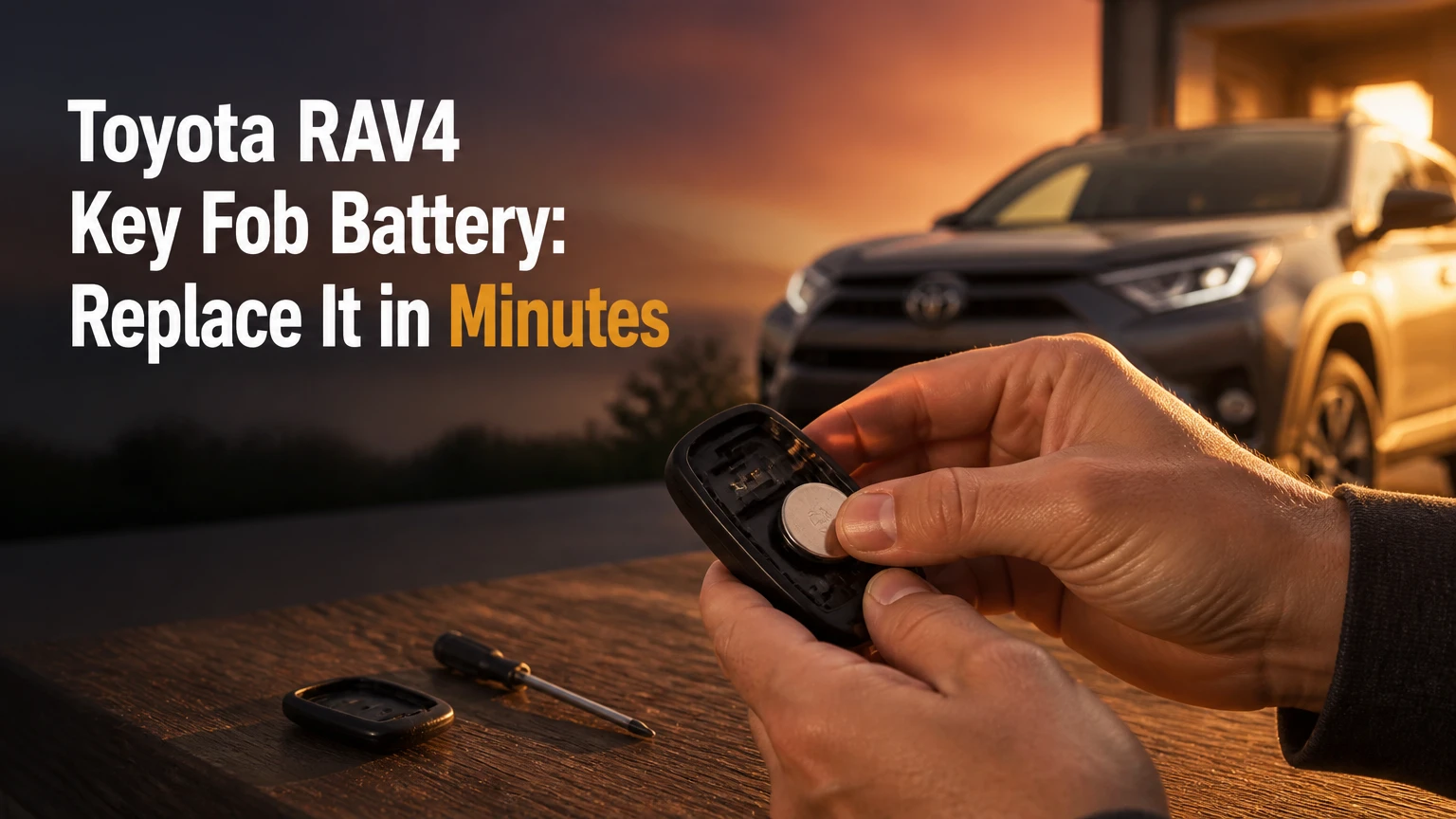
The correct Toyota RAV4 key fob battery is usually a 3-volt lithium coin cell, but the exact number depends on the fob design, model year, and ignition system. Many RAV4 Smart Key fobs use a CR2032 or CR1632, while some conventional remotes use a CR2016. Confirm the number printed on the old cell or specified in the vehicle’s owner’s manual before buying a replacement.
Key Facts
- A Toyota RAV4 key fob battery replacement usually takes 2-5 minutes.
- The replacement cell is normally a 3-volt lithium coin battery.
- CR2032, CR1632, and CR2016 cells are different thicknesses and are not interchangeable in every fob.
- The positive side usually faces upward, but the markings inside the housing are the final authority.
- Changing the coin cell normally does not erase the RAV4 key’s programming.
- A dead key-fob battery does not necessarily prevent emergency unlocking or engine starting.
Which Toyota RAV4 Key Fob Battery Fits?
The correct battery depends on the physical key fob, not on the RAV4 badge alone. Toyota has used multiple remote designs across RAV4 generations, markets, trim levels, and key systems, so a model-year chart is useful for narrowing the choice but cannot replace checking the old battery.
A CR2032 measures approximately 20 millimeters in diameter and 3.2 millimeters thick. A CR2016 has the same diameter but is half as thick, while a CR1632 is 16 millimeters in diameter and 3.2 millimeters thick. A cell that fits the diameter can still fail because its thickness does not allow the retaining contacts to clamp it correctly.
| Battery marking | Nominal voltage | Approximate size | Common RAV4 application |
|---|---|---|---|
| CR2032 | 3.0 V | 20 x 3.2 mm | Many later Smart Key fobs |
| CR1632 | 3.0 V | 16 x 3.2 mm | Some earlier Smart Key fobs |
| CR2016 | 3.0 V | 20 x 1.6 mm | Some conventional remote keys |
| CR2025 | 3.0 V | 20 x 2.5 mm | Possible substitute only when specified by the fob design |
Toyota’s owner’s manuals generally identify the required battery in the key-information or battery-replacement section. The safest three-part check is the number printed on the removed cell, the battery diagram molded into the fob, and the manual for the vehicle identification number.
How can you identify the fob type?
A RAV4 with a metal ignition key and remote buttons commonly uses a conventional transmitter. A RAV4 with a hidden mechanical key, proximity locking, and push-button start uses a Smart Key fob. The outside appearance is not enough because replacement shells and aftermarket cases can resemble factory remotes.
Look for these identifiers:
- Remove the emergency key and inspect the inside of the shell.
- Read the old cell before discarding it.
- Photograph the battery orientation and contact arrangement.
- Check the owner’s manual or Toyota parts information using the vehicle identification number.
- Match the replacement cell’s diameter and thickness exactly.
What Does a RAV4 Key Fob Battery Power?
A RAV4 key-fob battery powers the remote transmitter, indicator LED, and, on Smart Key versions, the low-power communication functions used for vehicle access. The battery does not directly power the engine, starter motor, or immobilizer transponder in the same way the vehicle’s 12-volt battery powers those systems.
When a driver presses lock or unlock, the transmitter sends a coded radio signal to the vehicle. A Smart Key also exchanges short-range signals with the vehicle for passive entry and push-button starting. Frequency and communication details vary by market and equipment, so claims that every RAV4 uses one fixed frequency are unreliable.
The immobilizer function is separate from the coin cell’s main job. Many Toyota keys contain a passive transponder that can remain recognized even when the remote battery is weak, although the exact emergency-start procedure varies by generation.
A weak cell often produces a gradual warning pattern: shorter operating range, intermittent lock commands, or a Smart Entry system that works only when the fob is very close to the door. Total failure can also result from a damaged contact, water intrusion, or a vehicle battery problem.
What Do You Need Before Replacing It?
You need the correct coin cell, a clean work surface, and either the emergency key or a small plastic pry tool. A 2- to 5-minute replacement is typical for an intact factory fob, and the job requires no key-code reset when the battery is changed without damaging the circuit board.
| Item | Typical quantity | Purpose | Typical cost |
|---|---|---|---|
| Correct lithium coin cell | 1 | Electrical power | $2-$5 |
| Small flathead screwdriver | 1 | Opening stubborn housing | $3-$10 |
| Plastic pry tool | 1 | Lower scratch and shorting risk | $2-$8 |
| Isopropyl alcohol wipe | 1 | Cleaning contaminated contacts | $0.25-$1 |
| Small tray or cloth | 1 | Containing shell parts | Under $1 |
Before opening the fob, keep the buttons facing upward. Some shells contain a loose rubber button membrane, a transponder component, or a small spring that can move when the case separates. Work over a table rather than a driveway or vehicle seat.
Safety rules for coin cells
Button and coin batteries are dangerous if swallowed. The U.S. Consumer Product Safety Commission and the National Capital Poison Center advise keeping loose cells away from children and pets, and used batteries should be covered with tape before disposal or recycling.
Do not puncture, crush, heat, recharge, or connect the battery to another metal object. Child-resistant or bitter-coated cells can have a surface treatment that interferes with electrical contact, so inspect the package instructions and clean only the contact surface if necessary.
How Do You Replace a Toyota RAV4 Key Fob Battery?
Replace the battery by removing the emergency key, opening the shell at its designated notch, lifting the old cell without stressing the circuit board, installing the new cell with the marked polarity in the correct direction, and snapping the housing shut. The decisive checkpoint is a firm, flat battery connection under the retaining clips.
Step 1: Remove the emergency key
Press or slide the mechanical-key release, then pull the metal emergency blade from the fob. Place the blade beside the shell so it cannot be mistaken for a loose internal component.
The emergency-key slot often exposes the case-opening notch. Do not force the shell from the button side or insert a tool into the seam at random, because that can mar the plastic or separate the rubber button membrane.
You will know it worked when: the metal blade is fully removed and the notch is visible inside or beside its slot.
Common mistake: pulling on the blade without holding the release slider fully open. Release the slider first, then pull straight.
Step 2: Open the fob housing
Insert the tip of the emergency key or a plastic pry tool into the molded notch. Twist gently, using controlled leverage until the two plastic halves separate.
A small flathead screwdriver works when used carefully, but wrap its tip with thin tape if the shell is easily scratched. Keep the tool against the plastic opening point, not against the green circuit board or electrical components.
You will know it worked when: the perimeter clips release and the shell opens without bending.
Common mistake: twisting aggressively at one corner. Move around the molded opening point instead of using force at the button seam.
Step 3: Lift out the battery module or cover
Depending on the fob design, the circuit-board assembly may remain in the front shell while a separate battery cover lifts away. Some Toyota fobs have an inner module that can be removed from alignment tracks.
Lift only by the plastic edges. Avoid touching the circuit board, antenna traces, or button contacts with a metal tool. Photograph the internal layout before removing anything if the battery orientation is not obvious.
You will know it worked when: the battery face, retaining clips, and polarity marking are visible.
Common mistake: turning the opened shell upside down. Loose buttons or a transponder piece can fall out.
Step 4: Remove the old coin cell
Use a plastic pry tool or the designated battery-release point to lift one edge of the cell. Slide the battery out from beneath the retaining clip rather than bending the clip upward farther than necessary.
If a metal tool is the only option, touch the battery rim rather than bridging both battery terminals or scraping the circuit board. Do not pry directly against delicate solder joints.
You will know it worked when: the old battery comes out and the contact tabs remain flat and aligned.
Common mistake: bending a spring contact so far that the new cell will not sit level. If a tab is displaced, reposition it gently before inserting the new battery.
Step 5: Install the new battery
Match the new battery to the removed cell. In many RAV4 Smart Key designs, the side marked with a plus sign faces upward, but the housing symbol and contact layout override that general rule.
Push the cell under the retaining lip, then press the opposite edge down until it lies flat. Do not stack two thin batteries to imitate one thick battery. That arrangement can produce unreliable contact and may damage the shell.
You will know it worked when: the coin cell does not rattle, its marked side matches the housing diagram, and the clips hold it evenly.
Common mistake: installing a CR2016 where a CR2032 is required. The thinner cell may appear to work briefly but can lose contact when the fob moves.
Step 6: Reassemble and test
Reinstall the inner module in its guide tracks, align the two shell halves, and press around the perimeter until every clip engages. Reinsert the emergency key and press lock or unlock near the vehicle.
A flashing red indicator LED confirms that the fob is receiving electrical power, but it does not prove that the vehicle receiver, buttons, antenna, or Smart Entry system is healthy. Test lock, unlock, panic, liftgate, and passive-entry functions where equipped.
You will know it worked when: the shell closes evenly, the key blade locks in place, and the vehicle responds from a normal short distance.
Common mistake: assuming a flashing LED proves successful vehicle communication. Use the vehicle response as the final test.
Which Battery Brand Should You Buy?
Buy a fresh CR2032, CR1632, or CR2016 from a reputable manufacturer when the number matches your fob. Panasonic, Energizer, and Duracell are common choices because sealed lithium coin cells have long storage lives, while an inexpensive multi-pack can be reasonable if the package is genuine and the cells have not been stored in heat.
| Buying option | Typical price | Main advantage | Main limitation |
|---|---|---|---|
| Panasonic lithium cell | $2-$5 each | Consistent factory supply | Higher unit price |
| Energizer lithium cell | $2-$5 each | Broad retail availability | Counterfeit risk from unknown sellers |
| Duracell lithium cell | $2-$5 each | Easy local replacement | Bitter coating may affect contacts |
| Reputable value multipack | $6-$10 for 4-10 | Lowest cost per cell | Greater need to check freshness and packaging |
Check the expiration date, package seal, and physical condition. A coin cell that has been loose in a toolbox can discharge against keys or coins before installation. Do not judge quality solely by brand name when the seller’s storage and authenticity are unknown.
Are child-safety coated batteries suitable?
A child-safety coated battery is suitable only when the coating does not prevent clean electrical contact. Some bitter coatings are placed on the battery’s exterior surfaces, and residue can increase contact resistance in a closely fitted fob.
If the new cell produces no LED response, inspect the terminals and follow the battery manufacturer’s cleaning instructions. Use a small amount of isopropyl alcohol on a lint-free swab, allow the surface to dry completely, and never soak the circuit board.
How Much Does Replacement Cost?
A DIY Toyota RAV4 key-fob battery replacement typically costs $2-$5 and takes 2-5 minutes. A dealership or locksmith commonly charges about $15-$35 for a simple cell replacement, while a complete replacement or reprogrammed key can cost substantially more because it includes a transmitter, immobilizer registration, cutting, and labor.
| Service or option | Typical total cost | Typical time | What the price includes |
|---|---|---|---|
| DIY single cell | $2-$5 | 2-5 minutes | Battery only |
| DIY multipack | $6-$10 | 2-5 minutes | Several replacement cells |
| Dealership cell replacement | $15-$35 | 10-30 minutes | Cell and technician labor |
| Mobile locksmith service | $15-$40 for battery work | 10-30 minutes | Cell replacement, sometimes inspection |
Battery life commonly falls in the 2-4 year range, but heavy use, heat, frequent passive-entry communication, and repeated button presses can shorten it. The key’s storage environment matters; prolonged heat inside a vehicle accelerates degradation.
A dead key fob does not justify buying a complete replacement key immediately. Confirm the battery number, contacts, shell condition, and vehicle 12-volt battery first.
What Can You Do If the Key Fob Stops Working?
If the RAV4 key fob remains inoperative after a battery change, check polarity, cell voltage, contact pressure, shell alignment, and the vehicle’s 12-volt battery before assuming that programming was lost. Replacing the coin cell normally does not erase the transmitter’s registration.
Use this diagnostic sequence:
- No LED flash: Reopen the fob and verify polarity, battery freshness, contact cleanliness, and clip pressure.
- LED flashes but no car response: Test the spare key, move closer to the vehicle, and check whether the vehicle battery is weak.
- Only one button fails: Inspect that button’s rubber membrane and the circuit-board contact; a coin cell will not repair a worn switch.
- Intermittent operation: Confirm that the cell sits flat and that the shell is fully clipped together.
- Smart Entry fails but buttons work: Check vehicle-side settings, door-handle sensors, interference, and the vehicle battery.
- Both keys fail suddenly: Suspect the vehicle’s 12-volt battery, receiver, fuse, or system setting before blaming two coin cells.
Do not bend the contacts upward repeatedly. A small adjustment can restore pressure, but excessive bending can fatigue the metal and create a permanent intermittent fault.
Why does the LED flash while the car does nothing?
A flashing fob LED proves only that the fob has some electrical power. It does not prove that the radio signal is transmitted correctly, that the vehicle receiver is powered, or that the vehicle recognizes the code.
Try the spare key and test the vehicle’s interior lights, horn, and ignition response. If both keys fail and the vehicle shows weak electrical symptoms, inspect the 12-volt battery first. If one key fails while the other works, the problem is more likely inside that key.
Does a battery change require reprogramming?
A normal coin-cell replacement does not require reprogramming because the fob’s identification and encryption data remain stored in its electronics. Pairing becomes a separate issue when the transmitter, circuit board, vehicle receiver, or complete key has been replaced.
Toyota programming procedures vary by generation and equipment. A dealer or qualified automotive locksmith may be required for a replacement Smart Key, especially when no working key remains.
How Can You Unlock and Start a RAV4 With a Dead Fob?
Use the emergency metal key to unlock the driver’s door, then follow the vehicle-specific emergency-start procedure for the push-button system. On many Toyota Smart Key vehicles, holding the Toyota-emblem side of the fob directly against the engine-start button while pressing the brake allows the vehicle to detect the passive transponder.
The exact procedure differs by model year and manual. Remove the mechanical key from the fob and use it at the concealed driver-door cylinder, which may sit behind a handle cap or cover. After entry, keep the fob against the start button and press the button with the brake pedal depressed if the owner’s manual gives that instruction.
A dead fob battery does not make the vehicle battery irrelevant. The starter and vehicle electronics still require a charged 12-volt battery.
What if the emergency key will not unlock the door?
Confirm that the blade belongs to that vehicle and is fully inserted into the cylinder. A replacement shell can contain a blade that looks correct but is not cut for the vehicle.
Avoid forcing the cylinder. If the lock has not been used for years, dirt or corrosion may make it stiff. A locksmith can verify the blade and service the cylinder without damaging the handle or door trim.
When Is a Battery Replacement Not the Real Fix?
A new coin cell will not fix a cracked circuit board, liquid corrosion, failed tactile switch, broken antenna connection, damaged shell, disabled Smart Entry setting, or failed vehicle receiver. Battery replacement is appropriate when the fob shows reduced range, intermittent commands, or a low-power warning without visible physical damage.
| Symptom | Most likely area | First check | Likely next action |
|---|---|---|---|
| No LED and no response | Cell or contacts | Polarity and freshness | Clean or replace cell |
| LED works, spare key works | Individual fob | Buttons and shell | Repair or replace fob |
| Both keys fail | Vehicle side | 12-volt battery | Test vehicle power and receiver |
| Passive entry fails, buttons work | Smart Entry system | Settings and handle sensors | Diagnostic scan |
| Case will not close | Wrong cell or displaced part | Cell thickness and alignment | Reopen and reseat module |
| Water damage visible | Circuit board | Corrosion and residue | Professional inspection |
Do not continue prying once the shell has opened. Repeated force can break clips, and a damaged enclosure may expose the board to moisture even after the battery is correctly installed.
What Are the Most Common Replacement Mistakes?
The most frequent errors are choosing a battery from a generic year chart, reversing polarity, bending the retaining tabs, and testing the fob before the shell is fully aligned. Each mistake has a different remedy, so replacing the battery again is not always the correct response.
- Wrong thickness: Replace the cell with the exact printed number. A CR2016 and CR2032 share a diameter but not a height.
- Reversed polarity: Remove the cell, compare the plus symbol with the housing diagram, and reinstall it correctly.
- Damaged contact tab: Reposition it slightly, without repeated bending or sharp creasing.
- Dirty terminal: Wipe the contact surfaces with isopropyl alcohol and let them dry.
- Lost rubber button membrane: Reinstall the membrane in its molded position before closing the shell.
- Incomplete closure: Check for a misaligned module, trapped membrane, or oversized cell.
A useful practitioner rule is to photograph the open fob before touching the battery. That image preserves the orientation of the cell and the position of loose components.
Frequently Asked Questions
How often should a RAV4 key fob battery be replaced?
Replace the battery when range decreases, commands become intermittent, the vehicle displays a key-battery warning, or the fob stops responding. A typical lithium coin cell lasts 2-4 years, although heat, frequent Smart Entry use, and long periods of button pressing can shorten that interval.
Can a weak key fob battery drain the RAV4 battery?
A weak coin cell normally does not drain the vehicle’s 12-volt battery. A damaged fob, stuck button, aftermarket remote, or vehicle-side Smart Entry fault can create unusual communication activity, but repeated vehicle battery discharge requires separate electrical testing.
Can I use a CR2025 instead of a CR2032?
Use a CR2025 only if the fob’s manufacturer documentation permits it. The CR2025 is thinner than the CR2032, so it may produce weak or intermittent contact in a housing designed for the thicker cell. Match the original marking whenever possible.
Where can I buy a RAV4 key fob battery?
Automotive-parts stores, electronics retailers, supermarkets, Toyota dealers, and established online sellers commonly stock CR2032, CR1632, and CR2016 cells. Buy sealed packaging with a future expiration date, and verify the number before opening the package.
Will the RAV4 remember the key after the battery is removed?
The RAV4 normally retains the key’s registration while the coin cell is removed. If the key does not work afterward, inspect polarity, contact pressure, shell alignment, and vehicle power before pursuing reprogramming.
The Bottom Line
The correct Toyota RAV4 key fob battery is the exact coin-cell number specified by the fob or owner’s manual, not automatically the battery associated with a particular model year. Remove the emergency blade, open the shell at its molded notch, install the matching 3-volt cell with the correct polarity, and test both the LED and vehicle response. If a new battery does not restore operation, diagnose the contacts, buttons, Smart Entry system, and vehicle 12-volt battery before replacing the key.
Title tag: toyota rav4 key fob battery: Replace It in 5 Minutes
Meta description: Match the cell to your fob, replace it safely in minutes, and fix pairing, LED, and dead-key problems without guessing the battery size.


