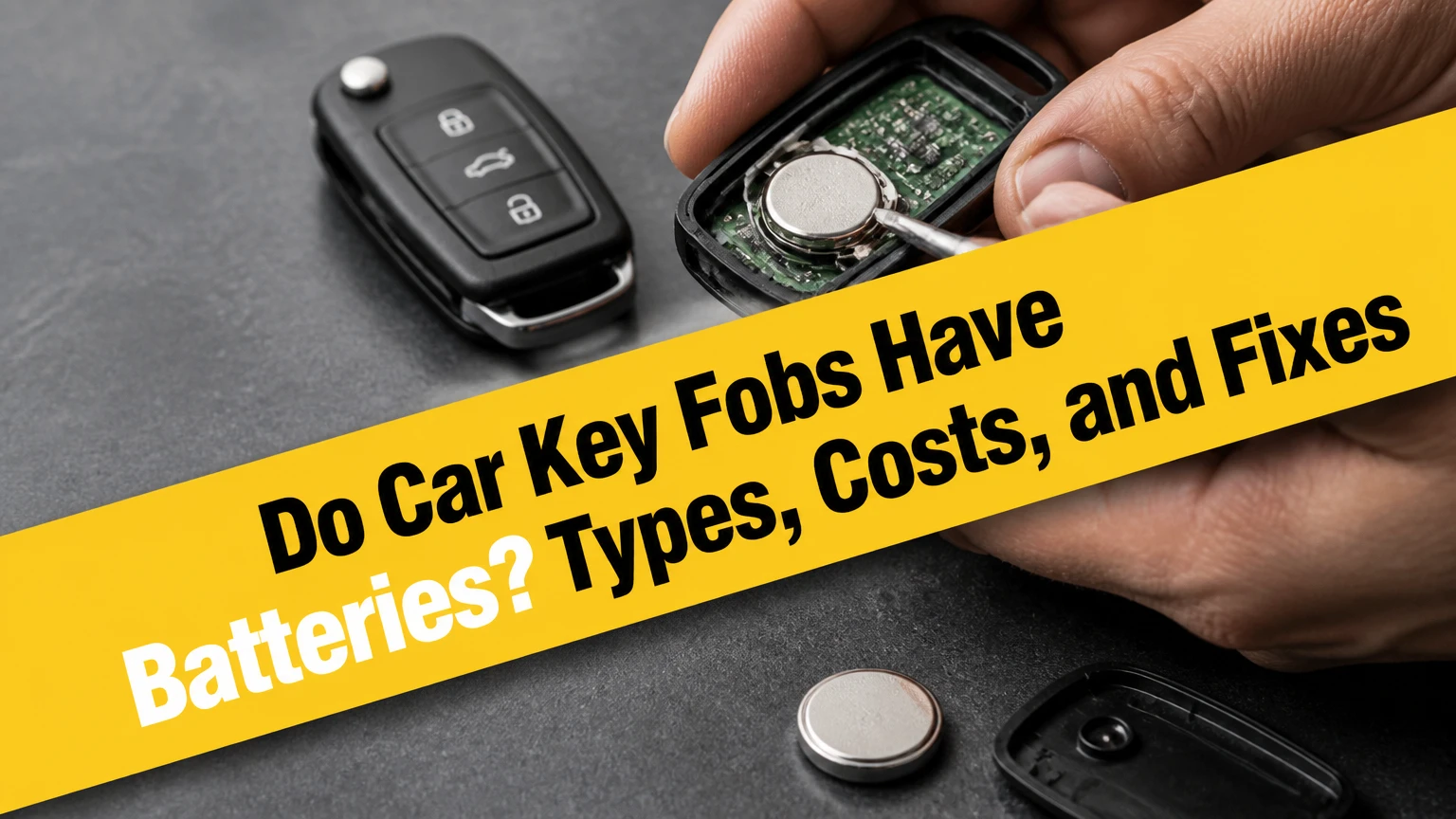
Yes, almost every modern car key fob with lock, unlock, trunk, panic, keyless-entry, or push-button-start functions contains a small battery. Most use a 3-volt lithium coin cell such as CR2032, CR2025, or CR2016. A traditional metal key and some passive immobilizer keys may work without a replaceable battery, but remote features will not.
Key Facts at a Glance
- Most remote car key fobs use a replaceable 3-volt lithium coin-cell battery.
- CR2032 is common, but the correct battery is the code printed in the fob or vehicle manual.
- A standard button-operated remote typically lasts about 3-5 years on one battery.
- A smart key with passive entry commonly lasts about 1-2 years because proximity functions require more activity.
- Replacing the coin cell normally does not erase the fob’s vehicle pairing or immobilizer code.
- A dead fob battery usually does not prevent emergency entry or engine starting when the vehicle has a backup procedure.
Do Car Key Fobs Have Batteries?
Car key fobs have batteries when they transmit commands or participate in a proximity-entry system. Pressing a button sends a radio-frequency signal from the fob to the vehicle, while a smart key may also respond to low-frequency signals from antennas around the car. The battery supplies power for that electronic communication.
A plain metal key has no battery because it performs a mechanical function. Some older ignition keys also contain a passive transponder chip that receives energy from the vehicle’s immobilizer antenna rather than from a replaceable cell. Such a key may start the engine without a battery, although it cannot operate remote locking without an electronic remote section.
Which keys usually contain a battery?
| Key type | Replaceable battery | Typical function | Typical battery situation |
|---|---|---|---|
| Metal-only key | No | Mechanical door and ignition operation | No electrical power |
| Transponder ignition key | Usually no | Immobilizer authentication | Passive chip uses vehicle antenna |
| Button remote key | Yes | Lock, unlock, trunk, panic | One coin cell commonly lasts 3-5 years |
| Smart proximity key | Yes | Passive entry and push-button start | One coin cell commonly lasts 1-2 years |
| Aftermarket remote starter | Usually yes | Remote start and auxiliary controls | Coin cell or proprietary battery pack |
The fob’s physical appearance is not enough to identify the battery. Two keys for similar vehicles can use different cells because the circuit board, battery holder, and case thickness differ.
How Does a Key Fob Battery Work?
A key fob battery powers a small transmitter, processor, indicator LED, and, in smart keys, proximity-detection circuitry. The processor generates an authenticated command, the transmitter sends it over a short range, and the car verifies the command before changing the locks or permitting keyless ignition.
A button-operated remote is normally dormant until a user presses a button, so its battery drain is relatively low. A passive-entry smart key periodically communicates with the vehicle and must detect challenge signals, which explains its shorter typical battery life.
The immobilizer function is separate from the remote-locking function in many vehicles. A fob can therefore fail to lock the doors while its passive transponder still permits engine operation. Conversely, a damaged or unprogrammed transponder can prevent starting even when the lock buttons work.
Does the battery power the immobilizer chip?
The coin cell does not always power the immobilizer transponder. Many vehicles use a passive RFID-style transponder that receives energy inductively from an antenna near the ignition switch or designated backup reader. Push-button vehicles commonly place that reader inside or beside the start-button area.
This distinction matters during a dead-battery emergency. Holding the fob at the manufacturer-specified backup location may allow the car to authenticate the key, but the exact location varies by model. The owner’s manual takes priority over generic instructions.
Which Battery Does a Car Key Fob Use?
The correct battery is the exact code specified for the fob, commonly CR2032, CR2025, or CR2016. These cells share a nominal 3-volt output and a 20-millimeter diameter, but their thickness and capacity differ. A cell that physically fits may still make unreliable electrical contact.
| Battery code | Nominal voltage | Diameter | Thickness | Typical capacity |
|---|---|---|---|---|
| CR2032 | 3.0 V | 20 mm | 3.2 mm | About 220-240 mAh |
| CR2025 | 3.0 V | 20 mm | 2.5 mm | About 150-170 mAh |
| CR2016 | 3.0 V | 20 mm | 1.6 mm | About 80-100 mAh |
| CR2450 | 3.0 V | 24.5 mm | 5.0 mm | About 550-620 mAh |
Capacity varies by manufacturer, discharge rate, and temperature. The code is more important than the advertised milliamp-hour value because the fob’s holder and circuit were designed around a specific thickness.
Can you replace a CR2032 with a CR2025?
A CR2025 should not replace a CR2032 unless the vehicle or fob manufacturer explicitly lists both. The thinner CR2025 can sit loosely in a CR2032 holder, causing intermittent contact when the fob moves. A CR2032 may be too thick for a CR2025 holder and can bend or break the retaining clip.
Some devices use two CR2016 cells stacked together, but a single CR2032 is not an automatic substitute. Two stacked CR2016 batteries can produce approximately 6 volts, and installing them in a holder designed for one 3-volt cell can damage the circuit.
Read the code printed on the old cell only when the marking is legible and the cell is original. A previous owner may have installed the wrong replacement. Confirm the specification in the owner’s manual, an OEM parts catalog, or the fob’s molded battery label.
How Long Does a Key Fob Battery Last?
A standard remote key fob battery typically lasts 3-5 years, while a passive-entry smart-key battery commonly lasts 1-2 years. Those are practical ranges rather than guarantees. Frequent button use, a vehicle parked close to the fob, cold temperatures, damaged battery contacts, and a stuck button can shorten service life.
| Fob use pattern | Typical life | Common warning point | Main drain factor |
|---|---|---|---|
| Occasional button remote | 4-5 years | Reduced range | Infrequent use |
| Daily button remote | 2-4 years | Delayed response | Frequent transmissions |
| Passive-entry smart key | 1-2 years | Dashboard warning | Proximity polling |
| Remote-start fob | 1-3 years | Shorter range | Extra transmitter commands |
| Fob stored beside vehicle | 6-18 months | Intermittent operation | Repeated vehicle-fob communication |
The battery can drain while the key remains in a house, garage, or office near the vehicle. Passive-entry systems may repeatedly detect the key, especially when the fob is within several feet of the car.
Temperature also changes performance. Lithium coin cells deliver less effective power in cold conditions, so a marginal battery may operate indoors but fail outdoors during winter. A low-battery warning in cold weather can therefore appear before the cell is completely depleted.
What Are the Signs of a Weak Key Fob Battery?
A weak key fob battery usually causes shorter operating range, delayed button response, repeated presses, or a low-key-battery message on the dashboard. A red or green indicator LED may become dim or fail to illuminate, but LED behavior is not a definitive diagnosis because some fobs omit the light.
Common symptoms include:
- The vehicle responds only when the fob is close to the door.
- Lock or unlock requires two or more presses.
- The trunk or panic button works inconsistently.
- The car displays “Key Battery Low” or a similar warning.
- The fob works intermittently after being dropped or exposed to moisture.
- The vehicle does not detect the key inside the cabin.
A new battery will not fix every no-response condition. Corroded contacts, a cracked circuit board, water intrusion, a stuck button, radio interference, a failed vehicle receiver, or lost programming can produce similar symptoms.
How can you distinguish a dead battery from a damaged fob?
Test the spare key first. If the spare works normally at the same distance, the original fob likely has a depleted cell or physical damage. If both fobs fail simultaneously, inspect the vehicle’s 12-volt battery, receiver system, and dashboard warnings before buying replacement cells.
Check the battery voltage only with a meter that makes secure contact, and interpret the result cautiously. A coin cell can show close to 3 volts with no load yet collapse under transmission load. Physical inspection and a known-good replacement provide a more useful field test.
How Do You Replace a Car Key Fob Battery?
Replacing a car key fob battery usually takes 2-10 minutes and requires the correct coin cell plus a small flat screwdriver or plastic opening tool. The decisive factors are battery orientation, the exact cell code, and opening the case at its designed seam without breaking retaining clips.
Before you start
| Requirement | Typical value | Practical note |
|---|---|---|
| Replacement battery | 1 cell | Match CR2032, CR2025, CR2016, or listed code |
| Time | 2-10 minutes | Glued or screw-secured cases take longer |
| Tool | 1 small flat screwdriver | A plastic pry tool reduces scratches |
| Cost | $2-$8 DIY | Two-packs are common at retail stores |
| Workspace | 1 clean, dry surface | Prevents lost springs and buttons |
Step 1: Remove the emergency key
Find the release slider or button on the fob’s side or rear. Hold the release and pull out the mechanical key blade. The empty blade channel may reveal the case-opening notch.
You will know this step worked when the metal key separates without force. Do not twist the blade sideways because its channel may contain a plastic release mechanism.
Step 2: Inspect for a screw and opening notch
Look around the back cover, blade channel, and seam for a small Phillips or Torx screw. Remove the screw before separating the case. If no screw exists, locate the molded notch intended for a screwdriver or pry tool.
Do not insert a tool near the buttons or circuit-board edge. A deep insertion can damage the rubber keypad, antenna, or printed circuit board.
Step 3: Separate the case
Insert the tool into the notch and twist gently to release the clips. Work around the seam rather than forcing one corner. Some cases snap open; others have hinged sections or separate battery covers.
You will know the case is open when the clips release with moderate pressure. A strong resistance usually means a hidden screw remains installed, not that more force is required.
Step 4: Install the new cell
Photograph the old battery before removal, then note the positive and negative orientation. In many fobs, the positive side faces upward, but the holder design determines the correct direction. Lift the old cell from its edge and press the new cell under the retaining tab.
Hold the replacement by its edges. Finger oils are not normally catastrophic, but contamination on the contact surfaces can increase resistance and cause intermittent operation.
Step 5: Reassemble the fob
Check that the rubber buttons, circuit board, battery, and any loose transponder capsule remain in their original positions. Align the case halves and press around the perimeter until each clip engages. Reinstall the screw and slide the emergency key back into place.
The case should close evenly without a gap. A bulging cover indicates a wrongly sized cell, a displaced component, or a damaged case.
Step 6: Test every function
Test lock, unlock, trunk, panic, passive entry, and push-button starting where equipped. Test from several distances and confirm that the mechanical key still releases the door.
A successful battery replacement restores consistent operation without a programming procedure in most vehicles. If the buttons work only after repeated presses, reopen the fob and inspect the battery contacts for bending, oxidation, or inadequate pressure.
Does Replacing the Battery Require Reprogramming?
Replacing a car key fob battery normally does not require reprogramming because the fob’s identification and rolling-code data remain stored in nonvolatile memory. The code is not usually erased when power is removed for a few minutes.
Some vehicles can lose synchronization if buttons are pressed while the battery is removed, the cell is absent for an extended period, or the remote already had a communication fault. The remedy is model-specific. A generic ignition-cycle sequence may work on one vehicle and do nothing on another.
| Situation | Programming usually needed? | Correct next action |
|---|---|---|
| Same fob, routine cell replacement | No | Install the specified cell and test |
| Buttons stop responding after replacement | Sometimes synchronization only | Follow the owner’s manual procedure |
| New replacement fob | Often yes | Dealer or qualified automotive locksmith |
| Immobilizer chip replaced | Yes | Vehicle-specific key registration |
| Battery contacts damaged | No programming fix | Repair or replace the fob |
| Vehicle cannot detect either key | Not necessarily | Diagnose vehicle battery and receiver |
If the remote needs resynchronization, consult the vehicle manual before trying online procedures. Some systems require unlocking the driver’s door with the mechanical key, inserting the key, cycling the ignition, or placing the fob against a designated backup reader.
What Does a Dead Key Fob Do to a Car?
A dead key fob battery usually disables remote buttons and passive proximity detection, but it does not automatically erase the immobilizer code or make the vehicle permanently unusable. Most vehicles provide a mechanical door key and a passive backup method for starting.
For a conventional ignition, remove the emergency key blade and unlock the driver’s door manually. Insert the key into the ignition if the vehicle uses a passive transponder system, because the immobilizer antenna may read the chip without the coin cell.
For push-button ignition, hold the fob against the marked backup location, which may be the start button, steering-column area, center console, cupholder, or a slot. Press the brake and start the vehicle according to the owner’s manual.
The logo side is not universally the correct side. Backup-reader location and fob orientation differ across Honda, Toyota, Ford, Volkswagen, BMW, Hyundai, and other manufacturers.
What if the car still will not start?
First, replace the fob battery if a spare cell is available. Next, use the mechanical key to enter the vehicle and verify that the car’s 12-volt battery is not discharged. A weak vehicle battery can prevent both receiver operation and engine starting, creating symptoms that resemble a dead fob.
Do not assume a new coin cell fixes an immobilizer fault. A “key not detected” message after a replacement may indicate an unregistered fob, damaged transponder, incorrect backup location, radio interference, or a vehicle-side antenna problem.
How Much Does Key Fob Battery Replacement Cost?
DIY key fob battery replacement typically costs $2-$8 for one or two coin cells. A locksmith commonly charges about $10-$30 for a simple battery service, while a dealer visit may cost approximately $20-$100 depending on local labor rates and whether diagnosis is included.
| Service option | Typical price | Typical time | Best use |
|---|---|---|---|
| DIY coin cell | $2-$8 | 2-10 minutes | Intact snap-open fob |
| Hardware or battery shop | $5-$25 | 5-20 minutes | Uncertain opening method |
| Automotive locksmith | $10-$30 | 10-30 minutes | Stuck case or diagnosis |
| Dealer battery service | $20-$100 | 15-60 minutes | Warranty or model-specific support |
| Complete replacement fob | $75-$400+ | 30 minutes to several hours | Lost, damaged, or unrepairable key |
A dealer should not need to sell a complete programmed fob for a routine battery replacement. Ask whether the quoted price includes only the cell, case opening, diagnosis, or key programming.
Which Alternatives Exist When the Fob Battery Fails?
A mechanical key is the primary alternative for unlocking a vehicle, while the passive transponder or backup reader is the alternative for starting many vehicles. A spare programmed fob is the most reliable long-term solution because it avoids dependence on a depleted cell or damaged primary remote.
A phone app can provide remote locking or starting only when the vehicle has a supported connected-services system, an active subscription where required, and cellular service. The app does not replace an immobilizer key in every model.
| Alternative | Unlocks doors | Starts vehicle | Required condition |
|---|---|---|---|
| Mechanical emergency key | Yes | Usually no | Physical lock cylinder must function |
| Passive transponder | No remote command | Often yes | Vehicle antenna must read registered chip |
| Fob backup reader | No remote command | Often yes | Correct location and brake procedure |
| Spare programmed fob | Yes | Yes | Spare battery or backup method available |
| Manufacturer phone app | Sometimes | Sometimes | Compatible connected vehicle and account |
A phone application is not a universal emergency substitute. It may depend on the vehicle’s 12-volt battery, network coverage, account authentication, and service availability.
Common Key Fob Problems and Fixes
Key fob failures after a battery change usually result from wrong cell thickness, reversed polarity, poor contact pressure, case damage, or an unrelated vehicle fault. A systematic inspection is faster and safer than repeatedly pressing the buttons.
| Symptom | Likely cause | First corrective action | Escalation point |
|---|---|---|---|
| No LED and no response | Dead or reversed cell | Recheck code and polarity | Inspect board and contacts |
| Works only when squeezed | Loose battery fit | Install exact thickness | Replace damaged holder |
| Short range after replacement | Low-quality cell or interference | Try a fresh name-brand cell | Test spare fob |
| Case will not close | Wrong thickness or misaligned part | Reopen and inspect | Replace cracked housing |
| Remote works, car will not start | Immobilizer or vehicle fault | Use backup reader | Locksmith or dealer diagnosis |
| Both keys fail | Vehicle 12-volt or receiver issue | Check vehicle battery | Automotive electrical diagnosis |
Do not tape over a broken battery clip as a permanent repair. Tape may hold a cell temporarily, but it can shift, insulate a contact, or create a short circuit. A replacement holder, repaired board, or replacement fob is safer.
A swollen, leaking, hot, or corroded coin cell requires careful handling. Do not puncture it, crush it, or place it in household trash where local rules prohibit lithium-battery disposal. A battery retailer or municipal recycling program can provide disposal guidance.
Expert Rules for Avoiding Repeat Failures
- Match the complete code, not only the diameter. CR2032, CR2025, and CR2016 are all 20-millimeter cells, but thickness controls contact pressure and capacity.
- Replace both active fobs when their ages are similar. If two keys received cells at the same time and one begins failing, the second may be close to the same service interval.
- Keep smart keys away from the parked vehicle. A key stored beside the garage wall can communicate repeatedly with the car and deplete sooner than a key stored deeper inside the house.
- Do not diagnose the fob before checking the vehicle battery. A failing 12-volt battery can disable the receiver and produce a misleading key-detection warning.
- Photograph the interior before removing parts. Some fobs contain a loose transponder capsule, spring, gasket, or button membrane that can be misplaced during opening.
A key fob battery is not a substitute for a complete key repair. Water damage, broken solder joints, failed antennas, and damaged immobilizer chips require electronic or automotive-key service.
Frequently Asked Questions
Do key fobs use AA or AAA batteries?
Most car key fobs do not use AA or AAA batteries. Remote keys usually use a 3-volt lithium coin cell, commonly CR2032, CR2025, or CR2016. Larger remote-start transmitters may use a different battery, so the molded label, old-cell code, and vehicle manual should be checked before purchase.
Can a key fob battery die from sitting unused?
Yes, a key fob battery can discharge while the fob is unused, particularly when the key is stored close to a vehicle with passive-entry antennas. A stuck button, moisture, or internal electrical leakage can accelerate drain. Store a spare key away from the vehicle and replace its cell when symptoms appear.
Does locking the car manually save the fob battery?
Manual locking does not repair a depleted fob battery, but storing the fob farther from the vehicle can reduce passive-entry communication. Button remotes consume most power during transmissions, while smart keys may use periodic proximity communication even when no button is pressed.
Can a key fob battery leak?
Lithium coin cells can corrode, vent, or leak after damage, overheating, age, or improper storage, although leakage is less common than simple depletion. Corrosion inside the fob can damage contacts and the circuit board. Remove a visibly damaged cell carefully and use approved battery-recycling channels.
Why does a new key fob battery die quickly?
A new battery that dies within days or weeks may indicate a stuck button, water damage, a shorted circuit, continuous proximity polling, poor-quality or counterfeit cell, or a vehicle receiver fault. Test the fob away from the car, inspect the buttons, and compare its behavior with the spare key.
Should you replace a key fob battery before winter?
Replacing an old key fob battery before winter is sensible because low temperatures reduce coin-cell performance and expose marginal batteries. Preventive replacement is especially useful for a smart key already showing reduced range or a dashboard warning. Use the exact specified cell and keep the spare key accessible.
The Bottom Line
Do car key fobs have batteries? Nearly all fobs with buttons, remote entry, passive entry, or push-button starting do. The usual replacement is a 3-volt lithium coin cell, but CR2032, CR2025, and CR2016 batteries are not interchangeable solely because they share a diameter. Confirm the exact code, replace the cell carefully, and use the vehicle’s mechanical-key and backup-reader procedures if the fob battery dies.


