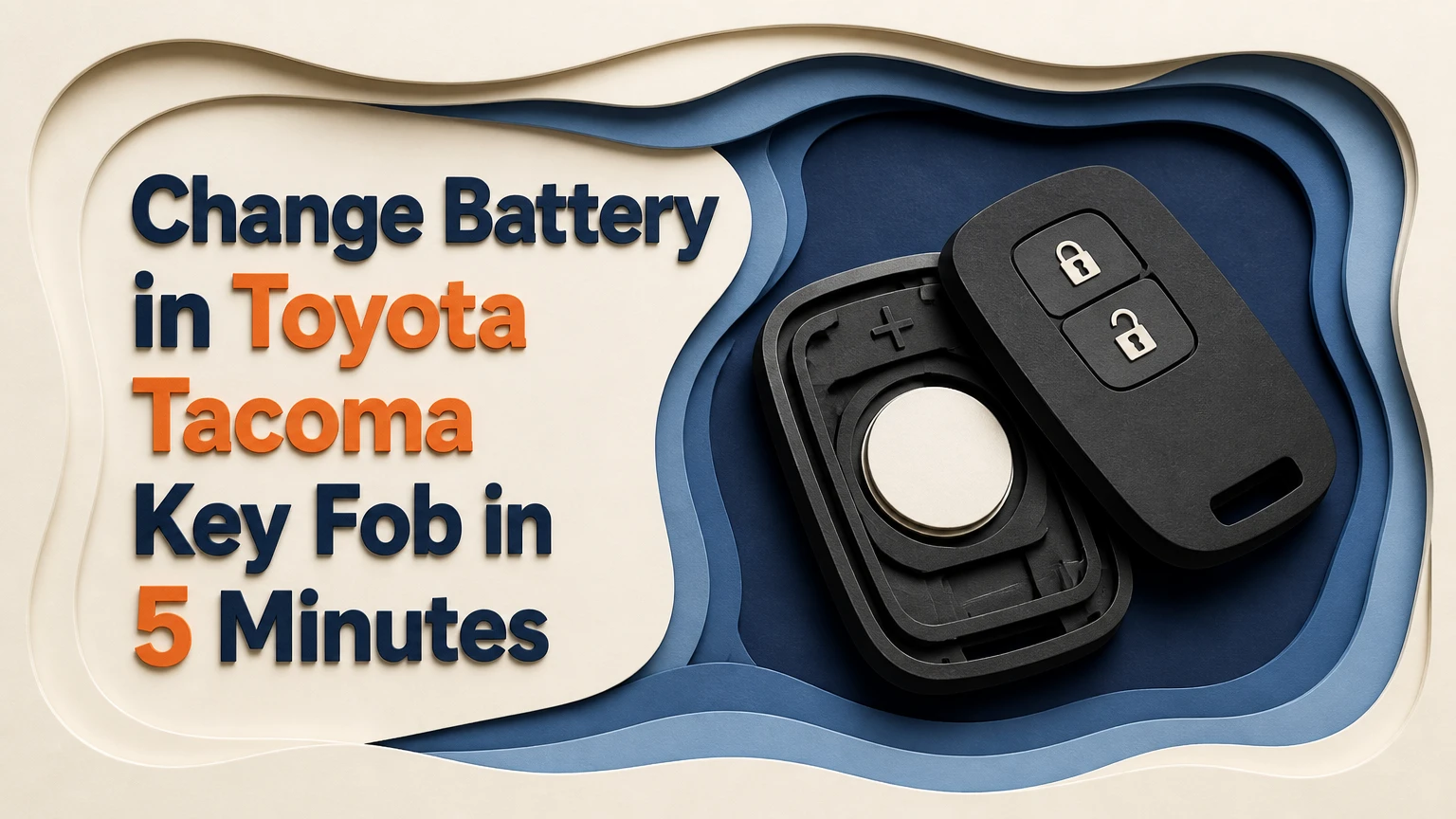
To change the battery in a Toyota Tacoma key fob, remove the mechanical key, separate the case at its built-in notch, replace the coin cell with the same stamped code, and reinstall it with the positive side facing outward. The job usually takes 2-5 minutes, requires no reprogramming, and depends most on identifying the correct fob type.
Key Facts
Toyota Tacoma key fobs commonly use CR2016, CR2032, or CR2450 lithium coin cells.
The number printed on the old battery is more reliable than the Tacoma model year alone.
A turn-key remote generally uses a thinner CR2016 cell, while many Smart Key fobs use CR2032.
Fourth-generation Tacoma proximity fobs commonly use CR2450, but verify the installed cell before buying.
Battery replacement normally does not erase remote buttons, immobilizer authorization, or vehicle pairing.
A dead Smart Key battery does not necessarily prevent the Tacoma from starting.
Which Battery Does a Tacoma Key Fob Use?
A Toyota Tacoma key fob most often uses a 3-volt lithium CR2016, CR2032, or CR2450 battery, depending on the fob housing and trim. Tacoma model year narrows the choice, but the code stamped on the original cell is the final check because replacement housings and regional configurations can differ.
| Tacoma application | Typical fob design | Common cell | Cell thickness | Verification point |
|---|---|---|---|---|
| 2005-2015 remote key | Integrated key and buttons | CR2016 or CR2032 | 1.6 or 3.2 mm | Read the installed cell |
| 2016-2023 turn-key truck | H-key remote | CR2016 | 1.6 mm | Confirm code before purchase |
| 2016-2023 push-button truck | Smart Key proximity fob | CR2032 | 3.2 mm | Check the original battery |
| 2024-2026 proximity fob | Fourth-generation Smart Key | CR2450 | 5.0 mm | Confirm against the owner manual and old cell |
The CR designation identifies the battery’s chemistry and approximate dimensions. The first two digits indicate diameter in millimeters, while the final two digits indicate thickness in tenths of a millimeter. Therefore, a CR2032 is 20 mm wide and approximately 3.2 mm thick.
A CR2016 is not a suitable substitute for a CR2032 merely because both batteries measure 3 volts. The thinner cell can lose spring pressure inside a CR2032 compartment, causing intermittent locking, short range, or a remote that works only when squeezed.
How to Identify Your Fob Before Opening It
Identify the ignition system first. A metal key that turns in the ignition usually indicates a conventional remote, while a Start button and proximity detection indicate a Smart Key system. Then inspect the outside of the fob for a Toyota part number or battery information.
Do not buy a battery solely from an online compatibility chart. Toyota has used multiple remote designs across the same generation, and a previous owner may have installed an aftermarket shell. Open the case carefully, photograph the battery orientation, and buy the exact code printed on the cell.
What the Battery Powers
The coin cell powers the Tacoma remote transmitter and, in a Smart Key, the proximity communication functions. Pressing Lock or Unlock sends a low-power radio signal to the truck, while passive entry periodically detects the fob when it is near the door handle.
The immobilizer transponder is a separate part of the security system. In many Toyota designs, the transponder can authorize engine operation even when the coin cell is exhausted, which is why a dead remote battery does not automatically mean a disabled truck.
A replacement battery does not create a new key, erase the rolling-code relationship, or alter the truck’s immobilizer registration. Reprogramming becomes a separate issue only when the remote is unpaired, the circuit board is damaged, or the key itself has been replaced.
What You Need Before Starting
A Tacoma key-fob battery change needs one replacement coin cell and one small prying tool. Use the emergency key blade when possible because its shape fits the case notch and reduces the chance of slipping into the circuit board.
| Item | Required quantity | Typical specification | Purpose |
|---|---|---|---|
| Replacement battery | 1 | CR2016, CR2032, or CR2450, 3 V | Powers the transmitter |
| Mechanical key | 1 | Factory emergency blade | Opens the housing |
| Plastic pry tool | 1 | 2-5 mm wedge | Protects the case finish |
| Small flat screwdriver | 1 | 1.5-3 mm tip | Backup opening tool |
| Isopropyl alcohol | 1 small bottle | 70% or higher | Cleans contaminated contacts |
| Soft cloth | 1 | Lint-free | Supports the fob and catches parts |
Before you begin: allow 5-10 minutes, work on a flat table, keep the old battery away from children and pets, and avoid static-heavy carpet. The battery costs typically $2-$6 for a reputable single or multipack cell; a dealer or locksmith charges more because labor and service overhead are included.
How Do You Change the Battery in a Toyota Tacoma Key Fob?
Changing a Toyota Tacoma key-fob battery requires six actions: remove the emergency key, open the case, protect the circuit board, release the old cell, install the matching replacement, and snap the housing closed. The complete process typically takes 2-5 minutes when the correct battery and pry point are known.
Step 1: Prepare the Fob Face-Down
Place the Tacoma fob button-side down on a clean, flat surface. Keep the case horizontal while opening it so loose button inserts, springs, or the circuit board do not fall onto the floor.
Check the replacement battery before disassembly. Confirm the code, inspect the package for damage, and avoid cells with corrosion, dents, or a torn wrapper.
Success checkpoint: the fob is stable, the replacement code matches the old code, and the buttons face the table.
Common mistake: opening the fob over a vehicle seat or gravel, where a dropped spring or button is difficult to find.
Step 2: Remove the Mechanical Key
Slide or hold the mechanical-key release switch, then pull the metal emergency blade straight out of the housing. On many Toyota Smart Key designs, removing the blade exposes a horizontal opening or notch used to separate the shell.
Do not twist the blade while extracting it. The release switch must remain in the unlocked position until the blade clears the slot.
Success checkpoint: the key blade is completely removed and the internal opening is visible.
Common mistake: prying around the outer seam before removing the blade, which can damage the case edge.
Step 3: Separate the Housing at the Notch
Insert the tip of the mechanical key into the exposed notch. Twist gently as though turning a small lock, using controlled pressure rather than bending the blade sideways.
If the fob has no suitable notch, use a thin plastic wedge at the seam. A metal screwdriver can open the case, but wrap its tip with tape or use it only after a plastic tool fails, because the painted perimeter scratches easily.
Success checkpoint: the two shell halves separate by a few millimeters without cracking or whitening the plastic.
Common mistake: forcing the seam from the button side. Start at the designed notch and work around the perimeter only after the first clip releases.
Step 4: Secure the Circuit Board and Buttons
Lift the upper shell slowly and observe the arrangement of the rubber or plastic buttons. Some Tacoma remotes contain a separate battery carrier, while others place the coin cell directly beside the circuit board.
Do not pull hard on the green circuit board. If it must be lifted, grip its plastic edge or carrier rather than touching soldered components. Keep the buttons in their original positions and photograph the layout if the rubber keypad moves.
Success checkpoint: the battery compartment is visible, and no button, spring, or board has shifted unexpectedly.
Common mistake: turning the opened fob upside down. Loose parts can fall out and be reinstalled incorrectly.
Step 5: Remove and Install the Coin Cell
Use a fingernail, plastic pry tool, or small screwdriver to release the battery from its retaining lip. Pry beneath the battery rim, not beneath the metal terminal attached to the circuit board.
Record the old battery’s orientation before removal. Install the new cell with the positive side, normally marked with a “+” and the battery code, facing the same outward direction. Handle the cell by its edge, then slide it beneath the retaining tab until it sits flat.
Success checkpoint: the coin cell is fully seated, the terminal spring contacts the correct face, and the battery cannot rattle.
Common mistake: inserting a CR2016 into a CR2032 compartment or forcing a CR2450 into a housing that was not designed for its thickness. Never bend the terminal to make an incompatible cell fit.
Step 6: Reassemble and Test the Remote
Align the shell halves, keypad, guide pins, and battery carrier before applying pressure. Press around the perimeter until every clip closes, then slide the mechanical key blade back into its channel until it locks.
Stand near the Tacoma and press Lock once. Test Unlock, the panic button if equipped, and the tailgate or hatch button where applicable. The exterior red LED should normally flash when a button is pressed, although LED behavior varies by fob design.
Success checkpoint: the housing seam is even, the key blade is retained, and the truck responds consistently from several feet away.
Common mistake: testing only one button. A displaced rubber keypad can make one command fail while the other buttons work.
Which Fob Type Requires the Most Care?
The push-button Smart Key deserves the most careful handling because its proximity antenna, battery carrier, and internal components occupy a tighter housing. Conventional turn-key remotes are usually simpler, but their thin CR2016 cells are easier to mis-seat because they provide less spring compression.
| Feature | Turn-key remote | Smart Key fob | Fourth-generation Smart Key |
|---|---|---|---|
| Ignition method | Metal key cylinder | Push-button start | Push-button start |
| Common battery | CR2016 | CR2032 | CR2450 |
| Passive entry | Usually absent | Common | Common |
| Emergency start method | Insert key and turn | Hold fob to Start button | Hold fob to Start button |
| Main handling risk | Loose thin cell | Damaged board or antenna | Tight battery carrier and clips |
A replacement shell can change the fit even when the circuit board is original. If the battery feels loose, do not add foil, paper, or adhesive; those materials can create unreliable contact, obstruct the case, or cause a short circuit.
Does a Battery Change Require Reprogramming?
A normal coin-cell replacement does not require Tacoma key-fob reprogramming. The remote’s electronic identity and the truck’s registered immobilizer data remain stored on the circuit board and vehicle, so removing power for several minutes does not normally erase them.
Reprogramming may be needed when the fob still fails after a verified new battery, especially if the remote was replaced, exposed to water, physically damaged, or previously unregistered. A dealer or automotive locksmith can determine whether the problem is pairing, transmitter failure, or vehicle-side reception.
Do not repeatedly press buttons while the battery is removed. Button presses cannot usually reprogram the fob, but they can complicate diagnosis by making a weak replacement cell appear intermittent.
How Much Does Replacement Cost?
A DIY Tacoma battery replacement typically costs $2-$6 and takes 2-5 minutes. Retail battery counters may charge about $5-$15 for a battery and fitting, while dealers and mobile locksmiths commonly charge approximately $10-$30 depending on labor, location, and whether diagnosis is included.
| Replacement option | Typical parts cost | Typical total cost | Typical time | Best use |
|---|---|---|---|---|
| DIY multipack | $2-$6 | $2-$6 | 2-5 minutes | Correct battery and intact case |
| Automotive parts retailer | $3-$8 | $5-$15 | 5-20 minutes | Basic installation assistance |
| Toyota dealer | $3-$10 | $5-$25 | 10-30 minutes | Factory support or diagnosis |
| Automotive locksmith | $3-$10 | $10-$30 | 10-30 minutes | Damaged, lost, or unpaired fob |
| New replacement fob | $50-$250+ | $150-$500+ programmed | 30-120 minutes | Lost or failed electronics |
Prices are typical U.S. consumer ranges, not fixed Toyota rates. A new fob, cutting service, or programming appointment is a different job from replacing a coin cell.
How to Start a Tacoma With a Dead Smart Key Battery
A Tacoma with a dead Smart Key battery can often start by holding the Toyota-emblem side of the fob directly against the engine Start button while pressing the brake pedal. The emergency key can unlock the driver door, but the exact contact location and dashboard instructions vary by model year.
Use this sequence:
- Pull the mechanical key from the fob.
- Unlock the driver door manually.
- Enter the truck and close the door.
- Press the brake pedal firmly.
- Touch the Toyota-logo side of the Smart Key to the Start button.
- Press the Start button with the fob while holding the brake.
- Replace the coin cell before relying on the truck normally.
Keep the fob away from phones, wireless chargers, metal toolboxes, and other electronic devices during the attempt. If the truck still does not recognize the key, check the vehicle battery, brake-light operation, and registered-key status before assuming the coin cell is the only fault.
Common Mistakes and How to Fix Them
The New Battery Is Installed Upside Down
If the LED remains dark after installation, reopen the case and compare the polarity with the original photograph. The side marked “+” usually faces outward, but the battery carrier determines the exact orientation.
The Wrong Thickness Was Installed
A CR2016, CR2032, and CR2450 all have different thicknesses. Replace the cell with the exact stamped code rather than choosing by voltage or diameter.
The Remote Works Only When Squeezed
Intermittent operation usually indicates poor terminal pressure, a loose battery, contamination, or a damaged retaining clip. Remove the battery, inspect the contacts, and install a correctly sized cell without bending the spring aggressively.
The LED Works but the Truck Does Not Respond
A flashing LED proves that the fob has some electrical activity, not that the radio signal is reaching the truck. Test from close range, move away from wireless interference, and compare the spare key. Continued failure points toward transmitter, vehicle receiver, or registration trouble.
Buttons Fall Out During Opening
Return each button to its molded position before closing the shell. The lock, unlock, panic, and tailgate buttons may have different shapes or alignment tabs, so forcing them into the wrong location can permanently deform the keypad.
The Fob Was Wet
Remove the battery immediately, open the housing, and let the components dry fully in a ventilated location. Do not apply heat from a hair dryer, and do not install a new cell until visible moisture and residue are gone. White or green corrosion usually requires professional board inspection.
When Should You Use a Dealer or Locksmith?
Use DIY replacement when the case is intact, the battery code is known, and the remote worked before the battery became weak. Choose a dealer when the fob is under warranty, the vehicle does not recognize a verified replacement battery, or factory diagnosis matters more than the lowest price.
An automotive locksmith is often the practical choice for a damaged shell, a missing mechanical key, an unpaired replacement remote, or a truck that cannot be moved easily. A retail battery counter can handle a straightforward swap, but staff may not diagnose immobilizer or transmitter faults.
How Long Should a Tacoma Key-Fob Battery Last?
A Tacoma key-fob battery typically lasts 2-4 years under ordinary use, although passive-entry Smart Keys can consume cells faster than conventional button remotes. Frequent short-range button presses, cold weather, storage near the truck, and a stuck button shorten service life.
Replace the battery when the operating range drops sharply, the LED becomes faint, buttons work inconsistently, or the truck displays a low-key-battery warning. A new battery that dies within days suggests a stuck switch, moisture damage, parasitic drain, or an incorrect cell.
FAQ
Can I Use a Rechargeable Coin Cell in a Tacoma Fob?
No. Use a disposable 3-volt lithium coin cell with the exact CR code specified for the fob. Rechargeable cells can have different voltage characteristics, dimensions, charging requirements, and discharge behavior, which may damage the transmitter or produce unreliable operation.
Why Does My Tacoma Say Key Battery Low After Replacement?
A low-battery warning after replacement usually means the cell is discharged, installed incorrectly, poorly contacted, or the warning has not cleared through normal driving. Recheck polarity and terminal pressure, then test the cell with a multimeter. A healthy new lithium cell should measure close to 3 volts without load.
Can I Change the Battery Without Opening the Fob?
No. The coin cell is housed inside the sealed plastic remote, so the case must be separated at its designed notch. Do not drill, cut, or force the outer shell because those methods can damage the weather seal, circuit board, or antenna.
Will a Spare Tacoma Key Still Work While the Main Fob Battery Is Dead?
Yes, a properly registered spare key should continue working independently. Each fob has its own battery and electronics, although a vehicle-side fault can affect both remotes. Testing the spare is a useful way to separate a dead main battery from a truck receiver problem.
Is a Tacoma Key Fob Waterproof?
Most Tacoma remotes tolerate limited everyday moisture, but they are not intended for immersion unless Toyota specifically rates that fob design for it. Water inside the housing can corrode contacts and the circuit board, so dry the fob immediately and inspect it before installing a battery.
Where Can I Get a Tacoma Key-Fob Battery Replaced?
Toyota dealers, automotive locksmiths, battery retailers, and some auto-parts stores can replace a Tacoma coin cell. DIY replacement is usually the least expensive option, while a dealer or locksmith is preferable when the remote is damaged, unpaired, or still unresponsive after a verified battery change.
The Bottom Line
To change battery in toyota tacoma key fob, match the replacement to the code printed on the old cell, open the case through its intended notch, keep the positive side oriented correctly, and test every button after reassembly. Most swaps cost $2-$6 and do not require programming. If the remote remains unreliable, diagnose the contacts, circuit board, vehicle battery, and key registration before buying a new fob.


