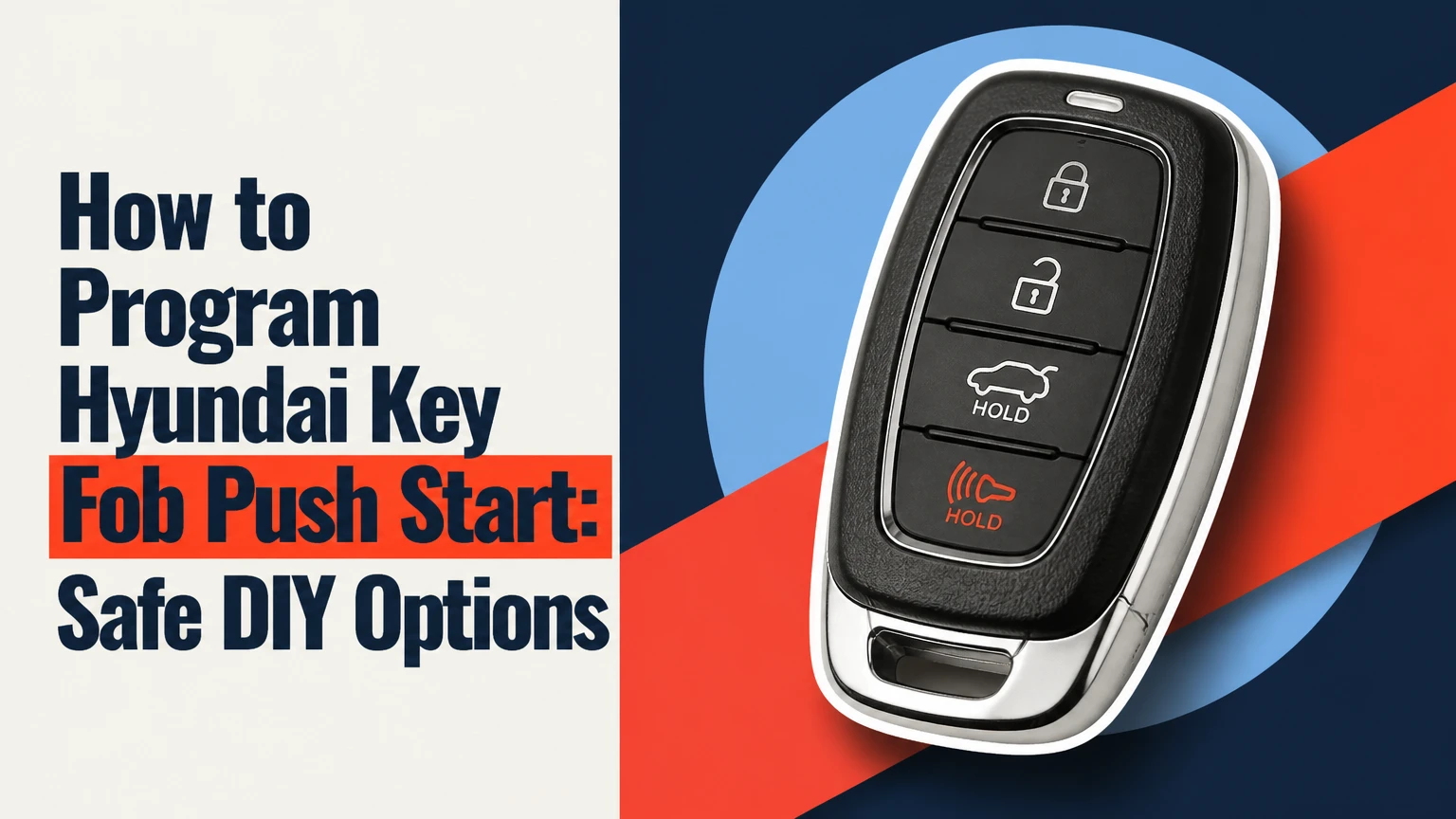
A Hyundai push-start smart key is normally programmed by enrolling the fob’s immobilizer identity in the vehicle with Hyundai GDS or a compatible automotive diagnostic tool. Most owners cannot complete that enrollment with a button sequence alone; the practical options are a Hyundai dealer, an automotive locksmith, or a model-compatible DIY immobilizer kit, with success determined primarily by exact year, model, market, and key compatibility.
Key Facts at a Glance
- A push-start Hyundai smart key usually requires diagnostic immobilizer access, not ignition-cylinder cycling.
- Pressing a fob against the Start/Stop button can help a Hyundai recognize a weak or dead fob battery, but it does not automatically program a new key.
- A replacement fob must match the vehicle’s part number, transponder generation, frequency, and market-specific compatibility.
- Some Hyundai key-learning procedures erase keys that are not reintroduced during the same session, so bring every working key.
- Typical US pricing is about $220-$400 for a mobile automotive locksmith and $350-$650 or more through a dealer.
- A stable vehicle battery and verified ownership are required for many immobilizer procedures.
What Does Programming a Push-Start Hyundai Key Actually Do?
Programming a Hyundai push-start key means adding the key’s authorized transponder identity to the vehicle’s immobilizer and smart-key system. The process is different from synchronizing remote lock buttons, replacing a CR2032 battery, or using the fob as an emergency starting device.
A proximity fob communicates with multiple vehicle antennas. The car sends a low-frequency wake-up signal, often around 125 kHz, and the fob returns an encrypted radio-frequency response, commonly in a 315 MHz or 433 MHz band depending on market and vehicle generation. The Body Control Module or Smart Key Unit validates the response before the immobilizer permits starting.
Hyundai owner manuals commonly describe the operating condition this way: “The vehicle can be started when the smart key is in the vehicle.” Hyundai Motor Company places that statement in model-specific owner information because the exact recognition rules, backup location, and warnings differ between vehicles.
Programming Is Not the Same as Button Synchronization
Remote-button synchronization may restore lock or unlock operation after a battery replacement on some older systems, but it does not enroll a new immobilizer transponder. A push-start Hyundai that unlocks its doors but refuses to start may have a recognized remote transmitter and an unrecognized immobilizer credential, although other faults can produce the same symptom.
Emergency starting is another separate function. Many Hyundai manuals instruct the driver to hold the smart key against the Start/Stop button when the fob battery is weak. That action uses a backup antenna or passive transponder path. It does not prove that a replacement key has been programmed.
Can You Program a Hyundai Push-Start Key Without a Scanner?
You generally cannot add a new push-start Hyundai smart key through a purely manual procedure. A dealer or locksmith normally connects an immobilizer-capable diagnostic device to the OBD-II port, authenticates access, and runs a vehicle-specific smart-key learning function.
Older Hyundai vehicles with a conventional metal ignition key may support an ignition cycling sequence, but that method does not transfer reliably to proximity push-button systems. Online instructions that say to turn the ignition on and off repeatedly often describe a different key architecture.
Some retail kits can perform a limited DIY enrollment. Their compatibility is narrower than their advertising may suggest because the kit must support the exact VIN range, immobilizer generation, software version, and key type. A generic OBD-II code reader cannot perform this task.
What Equipment Is Usually Required?
| Equipment or requirement | Typical specification | Why it matters | DIY availability |
|---|---|---|---|
| OBD-II diagnostic interface | Hyundai-compatible CAN interface | Connects the tool to the immobilizer network | Common, but capability varies |
| Immobilizer software | Hyundai smart-key learning function | Adds or deletes authorized keys | Required |
| Vehicle power support | About 12.4-14.4 V during programming | Prevents interruption during security writing | Strongly recommended |
| Security authentication | PIN, online authorization, or tool token | Restricts unauthorized key enrollment | Model-dependent |
| Correct replacement fob | Matching part number, FCC ID, frequency, and chip | Prevents rejected or incompatible keys | Must be verified before purchase |
| Ownership documentation | Registration, title, or insurance record | Often required by dealers and locksmiths | Required in many locations |
A professional scan tool such as Hyundai GDS, Autel MaxiIM, Launch X-431 IMMO equipment, or an equivalent locksmith platform may support the procedure, but coverage changes by model year and region. A tool brand alone is not proof of compatibility.
How to Program Hyundai Key Fob Push Start With a Compatible Tool
A compatible scan tool can enroll a replacement Hyundai smart key, but the menu names and security steps vary by vehicle. Use the vehicle’s service information and the tool’s current Hyundai coverage list rather than treating the sequence below as a universal procedure.
Step 1: Identify the Vehicle and Replacement Key
Record the Hyundai’s model year, model, trim, engine or powertrain, market, and VIN. Compare the replacement fob’s Hyundai part number, FCC ID, frequency, button layout, and transponder generation with the original key or a dealer parts lookup.
Do not rely on shell shape alone. Two fobs can look identical while using different immobilizer chips or regional frequencies.
Success checkpoint: The tool or seller confirms the exact VIN and key reference.
Common mistake: Buying a visually matching used fob without checking whether it can be reset and reused.
Step 2: Prepare Every Working Key
Collect the new fob and every currently working key before opening the learning function. On many immobilizer systems, the enrollment process can replace the stored key list rather than append one key permanently.
Remove unrelated key rings and keep other vehicle keys away from the cabin. Replace a questionable fob battery with the specified CR2032 or CR2025 cell, observing polarity.
Success checkpoint: Every key that must continue working is physically available.
Common mistake: Leaving the spare at home and discovering after completion that the vehicle no longer authorizes it.
Step 3: Stabilize Vehicle Power and Connect the Tool
Switch off the radio, climate control, lamps, chargers, and other accessories. Connect a regulated 12-volt support charger if the service procedure permits it, then connect the diagnostic interface to the OBD-II port under the driver-side dashboard.
Avoid using a weak jump pack as a substitute for a regulated power supply. Voltage instability during immobilizer writing can interrupt communication with the Smart Key Unit or Body Control Module.
Success checkpoint: The scan tool identifies the VIN and communicates with the relevant control module.
Common mistake: Beginning with a battery voltage near 12.0 volts, especially after repeated start attempts.
Step 4: Enter the Hyundai Smart-Key Learning Function
Select the vehicle manually or confirm automatic VIN identification. Menu labels may appear as Immobilizer, Smart Key System, Key Teaching, Smart Key Code Saving, or Key Registration.
The tool may request a security PIN, online authorization, or proof-of-ownership-linked credential. A six-digit PIN is not universal across all Hyundai models and markets, and some tools cannot retrieve security data without a subscription or manufacturer connection.
Success checkpoint: The tool identifies the correct immobilizer function and displays the exact key-learning instructions.
Common mistake: Choosing an immobilizer menu for a conventional key when the vehicle uses a proximity Smart Key Unit.
Step 5: Present the Fob as the Tool Instructs
When the tool begins its timed learning window, follow the vehicle-specific physical instruction exactly. Some Hyundai procedures ask the owner to hold the fob against the Start/Stop button, while others use a designated interior antenna location or simply require the fob inside the cabin.
The Start/Stop button contact method is often a backup recognition technique. It can allow a weak-battery fob to communicate through the passive transponder, but pressing a new fob against the button does not independently enroll that fob without the diagnostic learning command.
Success checkpoint: The tool reports a learned key, registration success, or a comparable confirmation.
Common mistake: Assuming the key was programmed because the dashboard briefly recognizes it.
Step 6: Register the Remaining Keys in the Same Session
Repeat the presentation step for every additional key when the tool asks whether another key should be registered. Keep the process within the stated timer, which may be only a few seconds for each key.
Do not exit early unless all required keys have been accepted. Hyundai procedures differ, but omitting an existing key can leave it deleted from the active authorization list.
Success checkpoint: The tool displays the expected number of registered keys.
Common mistake: Testing only the new key before closing the session.
Step 7: Close the Session and Test Each Function
Finish the procedure through the tool, disconnect the interface only after the program confirms completion, and follow any instruction to cycle the driver door or power state. Test passive entry, lock, unlock, trunk release, alarm response, Start/Stop operation, and the mechanical emergency blade.
Test each key separately from outside the vehicle. Confirm that the engine starts, shuts down, and restarts after the vehicle is locked.
Success checkpoint: Every enrolled key starts the Hyundai and operates its intended buttons.
Common mistake: Treating a successful engine start as proof that remote buttons and proximity functions are also working.
Which Replacement Key Should You Buy?
The correct replacement key is the one matched to the Hyundai VIN and immobilizer generation, not necessarily the one with the closest-looking shell. FCC ID, Hyundai part number, frequency, button count, transponder type, and market specification all affect compatibility.
| Key characteristic | Typical example | Verification method | Risk if mismatched |
|---|---|---|---|
| FCC ID | SY5DMFNA04 or TQ8-FOB-4F07 | Read the original fob label or circuit board | Remote functions may fail |
| Frequency | 315 MHz or 433 MHz | Match market and part data | Vehicle may not receive commands |
| Battery | CR2032 or CR2025, 3 V | Check manual or old battery | Weak range or no response |
| Hyundai part number | Vehicle-specific OEM number | Dealer catalog or VIN lookup | Key may reject during learning |
| Button layout | 3, 4, 5, or 6 buttons | Compare original equipment | Missing remote-start or trunk functions |
| Key condition | New, virgin, or resettable used unit | Ask locksmith or supplier | Used key may remain locked to another car |
A used fob can be economical when a qualified locksmith confirms that its transponder can be reset or reused for the target Hyundai. A “new shell” containing a locked used circuit board does not solve the programming problem.
What About Hyundai Digital Key?
Hyundai Digital Key is a separate credential system for supported vehicles, phones, NFC cards, and compatible smartwatches. Adding a phone or card normally uses the Hyundai or vehicle infotainment setup and may require the primary smart key to be present, so Digital Key enrollment is not a substitute for programming a physical fob.
Compatibility depends on model year, trim, smartphone hardware, regional availability, and Hyundai Bluelink or Digital Key software. Confirm the exact vehicle manual before buying an NFC card or changing phone settings.
Dealer, Locksmith, or DIY Kit: Which Option Fits?
A mobile automotive locksmith is usually the lowest-cost professional option when the vehicle is accessible and the locksmith has confirmed Hyundai coverage. A dealership is the safer choice for a new vehicle, an unusual model year, an immobilizer fault, or a situation involving warranty responsibility.
| Option | Typical cost | Typical time | Best fit | Main limitation |
|---|---|---|---|---|
| Hyundai dealer | $350-$650+ | 1-3 hours, excluding booking | New, leased, or complex vehicle | Highest price; towing may be needed |
| Automotive locksmith | $220-$400 | 30-90 minutes onsite | Spare key or all-keys-lost service | Quality and tool coverage vary |
| Compatible DIY kit | $120-$220 | 20-60 minutes | Supported VIN with one working key | Compatibility and recovery risk |
| Used fob plus professional enrollment | $80-$250 total before labor | 30-90 minutes | Verified resettable fob | Locked or wrong-generation units fail |
| Insurance or roadside benefit | Policy-dependent | Same day to several days | Covered loss or lockout | Coverage limits and exclusions apply |
Costs are typical US consumer ranges, not fixed Hyundai prices. Parts, emergency travel, laser-cut mechanical blades, taxes, regional labor rates, and all-keys-lost surcharges can change the final amount.
When Is DIY Reasonable?
DIY is reasonable when one working key remains, the VIN is supported by the kit, the replacement fob is verified, the vehicle battery is healthy, and the owner accepts the possibility of needing professional recovery. DIY is a poor choice when all keys are lost, the car is immobile, the tool requires uncertain online security access, or the vehicle is a recent high-value model.
Hyundai GDS or professional locksmith equipment reduces compatibility uncertainty, but it does not remove the need for the correct key. Diagnostic access cannot make an incompatible fob acceptable.
What If the Only Key Is Lost?
All-keys-lost Hyundai programming should normally be handled by an automotive locksmith or dealer because the vehicle may require security access, a mechanical emergency blade, and a complete key reset. A mobile locksmith can often work at the vehicle’s location, while a dealer may require towing if no authorized key can start or move the car.
Ask the provider four questions before dispatch:
- Does the technician support the exact Hyundai year, model, trim, and market?
- Is the quoted price for the fob, cutting, programming, travel, and taxes?
- Will every newly supplied key be registered during the same session?
- What happens if the aftermarket fob fails the compatibility check?
Have the VIN, registration, government identification, and vehicle location ready. Providers commonly require ownership evidence before releasing immobilizer service.
Why Does Hyundai Key Programming Fail?
Hyundai key enrollment commonly fails because of incompatible fob hardware, insufficient vehicle voltage, incorrect security authorization, poor diagnostic communication, or an interrupted timed sequence. The failure message is less useful than identifying which layer failed: power, communication, security, transponder recognition, or remote-control operation.
| Symptom | Likely cause | Immediate check | Appropriate recovery |
|---|---|---|---|
| Tool will not power on | Blown OBD or accessory fuse | Test the diagnostic port with a known device | Repair the fuse circuit before retrying |
| VIN reads but immobilizer fails | Unsupported software or security access | Check tool coverage and subscription | Use Hyundai GDS or a qualified locksmith |
| New key rejected | Wrong FCC ID, part number, frequency, or chip | Compare the fob against VIN data | Replace with a verified unit |
| Pairing times out | Weak fob battery or wrong presentation point | Install a fresh battery and follow screen prompts | Repeat only after confirming instructions |
| Engine starts, buttons fail | Remote transmitter mismatch or unfinished session | Test after closing the session and cycling vehicle power | Reprogram or replace the fob |
| All keys stop working | Keys omitted during a reset-style procedure | Confirm how many keys the tool accepted | Re-enroll every valid key professionally |
Expert Rules That Prevent Expensive Failures
- Do not interrupt a security write. Never disconnect the OBD interface, switch off the vehicle battery, or allow the support charger to drop out while the tool is writing key data.
- Treat the key list as disposable until proven otherwise. If the tool says “erase,” “delete,” or “register all keys,” assume every key must be present.
- Verify the part before opening the packaging. Suppliers may refuse returns on programmed, cut, or electronically paired fobs.
- Separate starting from remote operation. A car that starts with the fob touching the button may still have a failed battery, antenna, remote transmitter, or incomplete pairing.
- Do not trust a generic OBD reader. Reading diagnostic trouble codes is not the same as accessing the immobilizer security function.
How Do You Use a Hyundai Fob With a Dead Battery?
A Hyundai smart key with a dead battery may still start the vehicle through the backup recognition method described in the owner manual. Place the fob at the specified Start/Stop button or backup antenna location, press the brake, and operate the button as instructed for that model.
Replace the battery with the specified type, usually a 3-volt CR2032 or CR2025, then check whether passive entry and remote buttons return. If the vehicle still does not recognize the fob, the problem may involve a damaged transmitter, antenna, immobilizer fault, or an unprogrammed key rather than the battery alone.
A dead fob battery does not erase the key’s enrollment. Battery replacement and key programming are separate services.
What Should You Check After Programming?
After programming, test every feature under normal operating conditions rather than relying on the scan tool’s success message. The vehicle should recognize each key inside the cabin, allow the engine to start, and operate the programmed lock, unlock, trunk, alarm, and remote-start functions.
Check these items:
- Passive unlock at the driver and passenger doors, if equipped.
- Lock button, unlock button, trunk or liftgate release, and panic alarm.
- Engine start with the fob in a pocket or bag inside the cabin.
- Backup starting with the fob against the designated location.
- Mechanical emergency blade in the driver-door cylinder.
- Dashboard warning messages after the vehicle is locked and restarted.
- Operation of every original and replacement key.
If the engine starts but a warning remains, photograph the message and record the exact key part number before attempting another enrollment. Repeated programming attempts can complicate diagnosis when the real fault is an antenna, BCM, Smart Key Unit, or low-voltage problem.
Frequently Asked Questions
Can I program a Hyundai smart key by pressing the Start button?
No. Pressing a Hyundai smart key against the Start/Stop button is usually a backup recognition method for a weak or dead fob battery. Actual enrollment of a new proximity key normally requires an immobilizer-capable diagnostic tool, security authorization, and a vehicle-specific learning procedure.
Does changing the Hyundai key fob battery require reprogramming?
Usually, no. Replacing the CR2032 or CR2025 battery does not normally delete the fob’s stored identity. If the remote stops working afterward, check battery polarity, contact springs, casing damage, and vehicle-side faults before paying for programming.
Can a used Hyundai key fob be programmed?
Sometimes. A used Hyundai fob must have compatible hardware and a transponder that can be reset or reused. A locksmith can identify whether the unit is locked to another vehicle; a new outer shell does not make a locked circuit board programmable.
How many Hyundai keys can be programmed?
The allowable number varies by model, immobilizer generation, and market. The scan tool displays the accepted key count during enrollment, and owners should bring every key they want to keep active because some procedures replace the stored key list.
Is a Hyundai dealer required for key programming?
No. A qualified automotive locksmith can program many Hyundai push-start vehicles using compatible immobilizer equipment. A dealer is preferable when the vehicle is new, covered by warranty, unusually recent, affected by a module fault, or unsupported by local locksmith tools.
Why does my Hyundai say Key Not Detected after programming?
“Key Not Detected” can result from a dead fob battery, wrong fob frequency, incompatible transponder, blocked antenna, electromagnetic interference, low vehicle voltage, or incomplete enrollment. Try the manual’s backup recognition location once, then have the key and immobilizer system tested rather than repeatedly pressing the Start button.
The Bottom Line
The correct answer to how to program Hyundai key fob push start is usually diagnostic enrollment, not a manual button sequence. Verify the VIN, fob part number, FCC ID, frequency, and immobilizer compatibility first; bring every working key, stabilize vehicle voltage, and use Hyundai GDS, a verified DIY kit, or a qualified automotive locksmith. For all-keys-lost situations or newer vehicles, professional service is the safest route.


