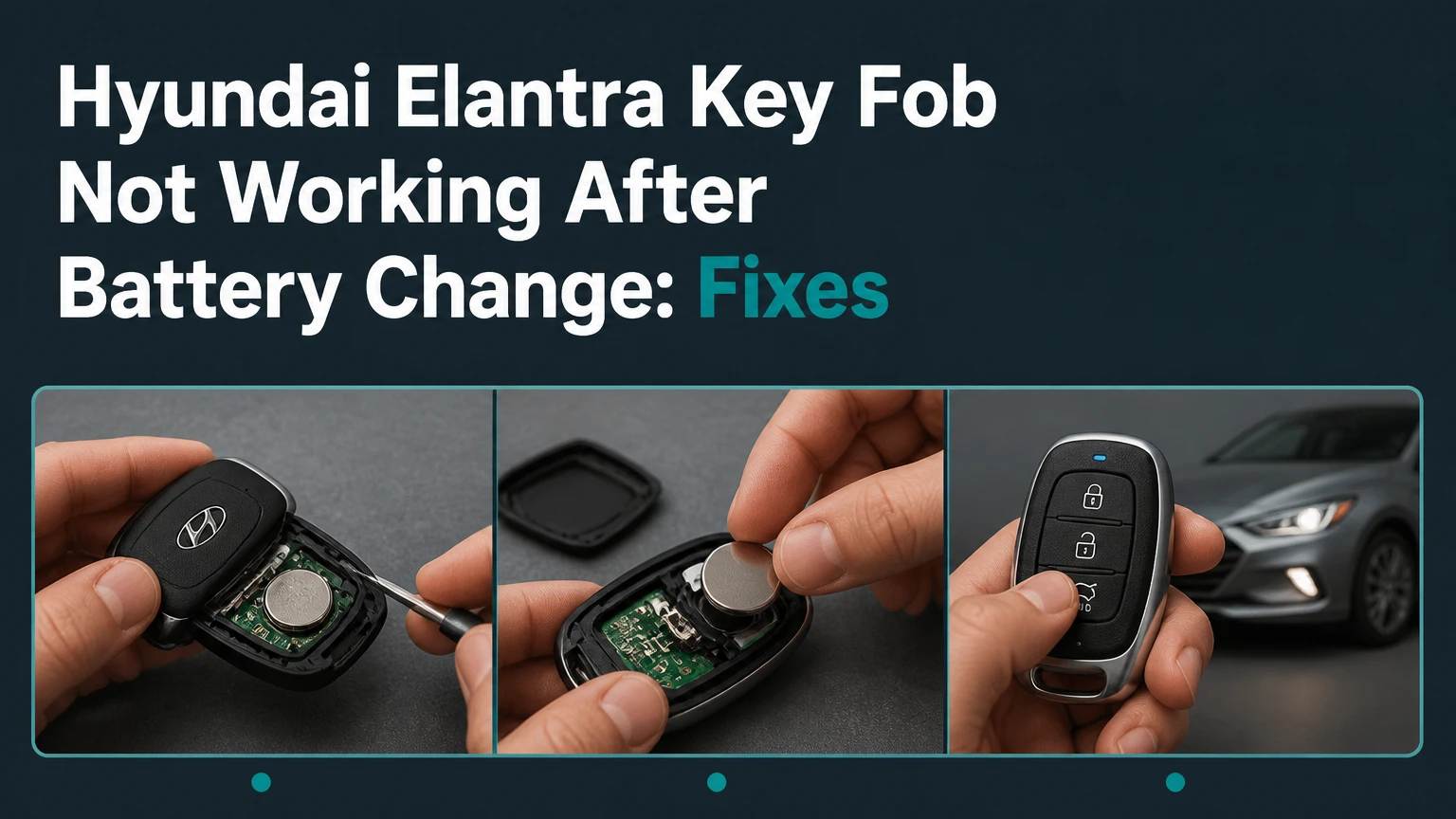
A Hyundai Elantra key fob not working after battery change usually has a reversed or poorly seated battery, bent contacts, a damaged case, or a depleted replacement cell. Battery removal alone normally does not erase the fob’s vehicle pairing, so test power and physical contact before attempting programming or buying another remote.
Key Facts at a Glance
- Most Elantra remote and smart keys use a CR2032 lithium coin cell, but the existing battery number and owner’s manual take priority.
- The battery’s positive and negative faces must match the markings inside the specific fob case.
- A flashing fob LED proves that the transmitter has some power, but it does not prove that the vehicle receives or accepts the signal.
- Removing a battery generally does not require rolling-code reprogramming on a Hyundai Elantra.
- A push-button Elantra can often start with a weak smart-key battery by placing the fob against the Start/Stop button, following the vehicle manual.
- A replacement fob usually needs vehicle-specific programming, while a battery replacement normally does not.
Why Did the Hyundai Elantra Fob Stop Working After the Battery Change?
The most likely cause is an open electrical circuit inside the key fob, not lost programming. A coin cell can sit upside down, miss a spring contact, or fail to press firmly against the terminal after the case is clipped together. A new battery can also be defective, discharged, or the wrong thickness.
Hyundai Elantra fobs contain several separate functions. The buttons operate a radio transmitter for locking and unlocking, while a passive immobilizer transponder authorizes starting on equipped vehicles. Smart keys add proximity detection for passive entry and push-button operation. These systems can fail differently.
For example, the lock button may stop working while the mechanical key still opens the door, or the doors may unlock while the vehicle refuses to detect the smart key. Those symptoms point to different tests.
What Does the Fob LED Tell You?
The LED is a useful first checkpoint, but it is not a complete diagnosis. Press a button while watching the indicator in a dim room.
| LED result | Most likely meaning | Next test |
|---|---|---|
| No flash on any button | No power, reversed cell, open contact, or damaged PCB | Reopen the case and inspect polarity |
| Bright flash on every button | Fob has operating power | Test beside the vehicle and check the car |
| Dim or intermittent flash | Weak cell, poor contact, or cracked solder joint | Install a verified new cell |
| Flash on one button only | Damaged switch or button membrane | Test another button and inspect the switch |
| Flash after pressing case together | Loose contact or case pressure problem | Reseat cell and inspect terminal tension |
A transmitter LED does not confirm radio frequency, antenna integrity, or vehicle reception. A fob tester used by an automotive locksmith can confirm whether the remote actually emits a signal.
Which Battery Does an Elantra Key Fob Use?
A CR2032 is the common battery for many Hyundai Elantra remote and proximity fobs, but model year alone cannot guarantee the correct cell. The number printed on the old battery, the molded tray marking, the replacement-fob documentation, and the Hyundai owner’s manual are more reliable than an online year chart.
| Fob description | Common battery | What to verify | Typical replacement price |
|---|---|---|---|
| Older conventional remote | CR2032 or, on some variants, CR1620 | Number printed on removed cell | $2-$8 |
| Flip or switchblade remote | CR2032 on many versions | Tray depth and terminal position | $2-$8 |
| Proximity smart key | CR2032 on many versions | Hyundai manual and fob label | $2-$8 |
| Aftermarket replacement remote | CR2032 or listed substitute | Seller’s exact part number | $3-$15 |
Battery chemistry matters. A CR2032 is a 3-volt lithium coin cell with a 20 mm diameter and approximately 3.2 mm thickness. A CR2025 has the same diameter but is thinner, so it may fit loosely or provide unreliable contact in a tray designed for a CR2032.
Do not stack two coin cells. The combined voltage can damage the transmitter, create heat, and deform the case.
How Do You Fix a Hyundai Elantra Key Fob Not Working After Battery Change?
Fix the problem in this order: verify the battery, restore firm contact, inspect the circuit board, test the LED, and then separate a fob fault from a vehicle fault. The basic inspection takes about 5-10 minutes and needs a clean work surface, a plastic pry tool, and the correct coin cell.
Before You Start
| Requirement | Typical value | Reason |
|---|---|---|
| Diagnostic time | 5-10 minutes | Covers opening, testing, and reseating |
| Difficulty | Low | No programming equipment for battery inspection |
| Replacement cell | 1 verified CR2032 or specified type | Avoids testing with an unknown battery |
| Tools | Plastic pry tool, cotton swab, bright lamp | Reduces PCB and case damage |
| Cleaning fluid | 90% or higher isopropyl alcohol | Removes oil without water residue |
| Safety condition | Dry hands and nonconductive surface | Limits short circuits and static damage |
Step 1: Recheck Battery Polarity
Open the Hyundai Elantra fob and compare the battery orientation with the plus and minus markings molded into the housing. The engraved face usually carries the positive symbol, but the positive face may point toward the cover or the circuit board depending on the fob design.
Remove the cell, wait several seconds, and reinstall it with the marked polarity aligned to the case. Press the battery gently into the retaining clip rather than forcing the board or terminal.
You will know it worked when: the LED flashes consistently after one button press.
Common mistake: copying the orientation from a photograph without checking the replacement fob’s own polarity markings.
Step 2: Test the Replacement Battery
A coin cell can be new but unusable. Long storage, damaged packaging, or contact with oily fingers can reduce performance. If available, measure the cell with a multimeter; a fresh CR2032 commonly measures close to 3.0 volts without load, although open-circuit voltage alone does not prove capacity.
Wipe the battery faces with a dry lint-free cloth. If corrosion or grease is present on the terminals, apply a small amount of 90% or higher isopropyl alcohol to a cotton swab, then allow the parts to dry completely.
You will know it worked when: the LED becomes bright and responds to repeated presses without flickering.
Common mistake: using a CR2025 because its diameter matches, even though its reduced thickness leaves the terminal loose.
Step 3: Restore Contact Pressure
Inspect the metal spring and tabs under bright light. Battery replacement can flatten a spring, dislodge a clip, or leave the cell sitting above rather than beneath a retaining tab.
Use a plastic pick or a very small flat tool to lift a contact by a fraction of a millimeter. Do not lever against the green printed circuit board, scrape solder joints, or bend a surface-mounted component. The battery should fit securely without case pressure that cracks the holder.
You will know it worked when: lightly pressing the cell or moving the case no longer interrupts the LED.
Common mistake: bending the terminal too far, which can break its solder anchor or prevent the case from closing.
Step 4: Inspect the Case and Circuit Board
Check that every rubber button is correctly positioned and that the case halves close evenly. A displaced membrane can prevent the switch from being pressed, while a cracked housing can let the battery move away from its contacts.
Look for white or green corrosion, liquid residue, cracked solder, missing components, or scratches across copper traces. Do not wash the board, spray household cleaner, or use a metal screwdriver across exposed contacts.
You will know it worked when: each button has a distinct click or tactile response and the case stays closed without flexing.
Common mistake: assuming a perfectly clean-looking board is electrically sound. A cracked battery-holder solder joint may be visible only under magnification.
Step 5: Perform a Low-Risk Power Reset
If the cell was installed correctly but the fob remains unresponsive, remove the battery and hold a button for approximately 10-15 seconds. This discharges residual energy and can clear an unusual temporary state, although it does not repair a damaged transmitter or create a new vehicle pairing.
Reinstall the battery and retest the LED. This step is optional and should follow polarity and contact checks rather than replace them.
You will know it worked when: the LED returns after the cell is reinstalled and the buttons produce consistent flashes.
Common mistake: treating the power reset as a universal Hyundai programming procedure. It is a power-cycle test, not a guaranteed resynchronization method.
Step 6: Test the Fob at the Vehicle
Stand close to the driver’s door and press lock or unlock once. Then test from several meters away, keeping the fob away from a mobile phone, metal tool, laptop, or other transmitter.
If the LED flashes but the Elantra does not respond, test the spare fob if one is available. Also try the interior lock switch and the mechanical key. These comparisons reveal whether the problem is the remote, the vehicle receiver, the door-lock system, or the vehicle battery.
You will know it worked when: the locks respond repeatedly from a normal distance rather than only once at the door.
Common mistake: repeatedly pressing the button while standing beside the car and interpreting a single response as a reliable repair.
Does Changing the Battery Erase Elantra Key-Fob Programming?
Changing the battery normally does not erase the Hyundai Elantra key fob’s stored identity or immobilizer authorization. The remote transmitter retains its coding in nonvolatile memory, so a routine cell replacement should not require pairing. A dead battery can prevent communication, but it does not usually delete the code.
The often-repeated ignition cycling sequence is not a universal Hyundai Elantra programming method. Some vehicles use manual pairing routines, but Hyundai procedures vary by generation, market, transmitter type, and security system. Many modern Elantras require a scan tool or locksmith equipment to register a replacement smart key.
| Situation | Battery replacement needed | Programming usually needed |
|---|---|---|
| Same working fob, old cell removed | Yes | No |
| New aftermarket remote | No | Yes, if compatible |
| Lost all keys | No | Yes, plus security verification |
| Damaged shell with original electronics | Sometimes | Usually no |
| New smart key for push-button Elantra | No | Yes |
Hyundai owner manuals commonly direct owners to replace the smart-key battery when operation becomes unreliable. The manual’s battery instruction does not mean that a new key can be programmed at home.
How Do You Start an Elantra With a Dead Smart-Key Battery?
A push-button Hyundai Elantra can often start when the smart-key battery is weak by placing the fob directly against the engine Start/Stop button while pressing the brake. The exact backup-reader location differs by model year, so the owner’s manual is the controlling source.
Enter the vehicle using the mechanical key if the remote does not unlock the doors. Sit in the driver’s seat, hold the brake, and press the smart key against the Start/Stop button while pressing the button. Some models specify a particular side or end of the fob.
If the vehicle still displays “Key not detected,” check the brake-light operation, vehicle 12-volt battery, fob orientation, and spare key. The backup transponder reader can authorize starting even when remote locking is unavailable, but a fully damaged or unregistered key will not become valid through contact with the button.
What If the LED Flashes but the Elantra Still Does Nothing?
A flashing LED with no vehicle response indicates that the fob has some power, but it does not identify the failed component. The remote may transmit on the wrong frequency, have a damaged antenna or button switch, or be blocked by a receiver, fuse, vehicle battery, or body-control-module fault.
Use this isolation sequence:
- Test every fob button.
- Try the spare fob at the same door.
- Test the mechanical key in the driver’s door.
- Check whether the interior lock switch works.
- Confirm that the vehicle battery powers the interior lights.
- Move away from suspected radio interference.
- Have a locksmith test the transmitter with an RF fob tester.
| Test result | Likely fault area | Practical action |
|---|---|---|
| Both fobs fail, interior locks work | Vehicle receiver, fuse, or interference | Diagnose vehicle electronics |
| One fob fails, spare works | Original fob or battery contacts | Repair or replace original fob |
| LED absent, spare works | Original fob power circuit | Reinspect cell and PCB |
| Remote works only beside car | Weak transmitter or receiver issue | RF test and vehicle diagnosis |
| Remote works, engine will not start | Immobilizer or smart-key authorization | Security-system diagnosis |
A vehicle 12-volt battery near discharge can create misleading key symptoms. If the instrument cluster is dim or repeatedly resets, charge and test the vehicle battery before condemning the fob.
Can One Elantra Key-Fob Button Fail by Itself?
One button can fail independently because each rubber pad presses a separate tactile switch on the circuit board. A fob that locks but does not unlock usually has a worn switch, contaminated membrane, damaged trace, or a button that no longer reaches the switch.
Press the affected button directly on the circuit board only during inspection, with the battery installed and the board protected from short circuits. If the switch works without the rubber pad, reposition or replace the membrane. If the switch itself does not respond, a locksmith may repair the board, but replacement is often more economical for common fobs.
Do not assume programming caused a single-button failure. Programming problems generally affect the whole remote or prevent vehicle authorization, whereas physical switch wear often affects one command.
Which Elantra Key Replacement Option Is Best?
A Hyundai dealer is the safest choice for exact OEM compatibility, an automotive locksmith is usually the best value for diagnosis and programming, and an online remote is the lowest-cost option only when the part number, frequency, blade, and immobilizer compatibility are confirmed.
| Option | Typical total cost | Typical time | Programming capability | Main limitation |
|---|---|---|---|---|
| Hyundai dealer | $180-$450 | 1-3 hours or appointment | OEM equipment | Highest labor and part cost |
| Automotive locksmith | $100-$300 | 30-90 minutes | Often mobile, model-dependent | Quality varies by provider |
| Online compatible fob | $35-$150 before labor | 2-7 days shipping | Usually requires separate service | Wrong part risk |
| Used OEM fob | $25-$120 before labor | 1-3 days plus service | May be locked to another car | Compatibility and condition |
Typical prices vary by country, model year, key type, local labor rates, and whether all keys are present. A locksmith should verify the FCC ID or Hyundai part number before quoting programming.
The cheapest online listing is not automatically compatible. Matching appearance is insufficient because frequency, immobilizer hardware, button count, blade design, and smart-key protocol can differ.
When Should You Stop Troubleshooting?
Stop DIY inspection when the battery holder is loose, the circuit board has corrosion, the case will not close, the fob is visibly cracked, or the vehicle requires a new key registration. Mechanical force can turn a simple battery problem into a replacement-fob bill.
Call an automotive locksmith when the fob LED remains absent after polarity, battery, and contact checks, when the transmitter needs RF testing, or when a replacement must be programmed at the vehicle. Contact a Hyundai dealer when security ownership verification, immobilizer diagnosis, or a vehicle-specific technical bulletin is involved.
A locksmith cannot always program every Elantra generation, and a dealer is not always the fastest diagnostic route. Ask both providers whether the quoted price includes the fob, cutting, programming, tax, and emergency call-out charges.
Typical Repair Costs and Timeframes
A routine battery correction usually costs only the price of one coin cell and takes under 10 minutes. A damaged transmitter or vehicle-side fault requires a wider budget because diagnosis, programming, and security components are separate charges.
| Repair or service | Typical parts cost | Typical labor or service cost | Typical completion time |
|---|---|---|---|
| CR2032 battery replacement | $2-$8 | $0-$20 | 5-10 minutes |
| Contact or shell inspection | $0-$15 | $20-$60 | 15-30 minutes |
| Fob RF diagnosis | $0-$20 | $20-$75 | 10-30 minutes |
| Compatible replacement fob | $35-$250 | $50-$150 | 30-90 minutes |
| Dealer smart-key replacement | $120-$350 | $60-$150 | 1-3 hours |
| Vehicle receiver diagnosis | $0-$100 initial | $100-$250 typical | 1-4 hours |
These are typical consumer ranges, not Hyundai-published prices. Dealers and locksmiths may charge more for a no-key situation, mobile service, imported vehicles, or a damaged immobilizer system.
Common Mistakes That Make the Problem Worse
- Installing the wrong cell: A CR2025 may fit physically but fail to maintain pressure in a CR2032 tray.
- Touching both battery faces repeatedly: Skin oil can contaminate contacts, especially in a fob with light spring pressure.
- Using a sharp metal pry tool: A slip can scratch PCB traces or bridge battery terminals.
- Forcing the case shut: Resistance usually means a displaced membrane, terminal, or incorrectly seated battery.
- Buying by appearance alone: Similar Hyundai fobs can use different frequencies and security systems.
- Repeating random sync sequences: Unverified ignition cycling can waste time and does not replace model-specific programming.
- Ignoring the vehicle battery: A weak 12-volt battery can make both remotes appear defective.
One practitioner rule is especially useful: diagnose the fob and vehicle independently. If the LED is bright, the spare fob works, and the interior locks operate, the original transmitter deserves attention. If both remotes fail simultaneously, inspect the Elantra before purchasing keys.
FAQ
Will a Hyundai Elantra fob work after sitting without a battery?
Usually, yes. The fob’s stored code normally remains in nonvolatile memory while the battery is removed, so reinstalling the correct cell should restore operation without programming. If the fob was already damaged, lost synchronization through a separate fault, or replaced with incompatible electronics, battery installation alone will not solve the problem.
How far should an Elantra key fob work from the car?
A healthy remote commonly works from approximately 10-30 meters in open conditions, but buildings, metal objects, radio interference, battery condition, and vehicle receiver placement change the practical range. A sudden drop to operation only beside the door indicates weak power, transmitter damage, or a vehicle-side reception problem.
Can a dead key-fob battery trigger an immobilizer problem?
A dead remote battery can prevent button operation and proximity detection, but it does not normally erase immobilizer authorization. A push-button Elantra may still start through its backup reader when the fob is held against the Start/Stop button. A persistent no-start condition requires checks of the fob, vehicle battery, brake signal, and immobilizer system.
Is an aftermarket Elantra key fob safe to buy?
An aftermarket fob can work when its Hyundai part number, FCC ID, frequency, button layout, blade, and vehicle compatibility match the original. Appearance alone is unreliable. Buy from a seller that accepts returns and confirm that a locksmith or dealer can program that exact remote before ordering.
Why does the spare key work when the new battery does not?
The spare key working proves that the vehicle receiver and basic locking system are probably functioning. The failing fob likely has reversed polarity, poor terminal pressure, a defective cell, damaged switches, or incompatible electronics. Compare the two fobs’ part numbers and battery trays before attempting programming.
The Bottom Line
A Hyundai Elantra key fob not working after battery change is usually fixed by correcting polarity, installing the specified coin cell, and restoring firm terminal contact. Battery removal generally does not erase programming. If the LED remains dark after those checks, or if the LED flashes while both fobs fail at the vehicle, use an automotive locksmith or Hyundai dealer to test the transmitter and vehicle receiver before buying a replacement.


