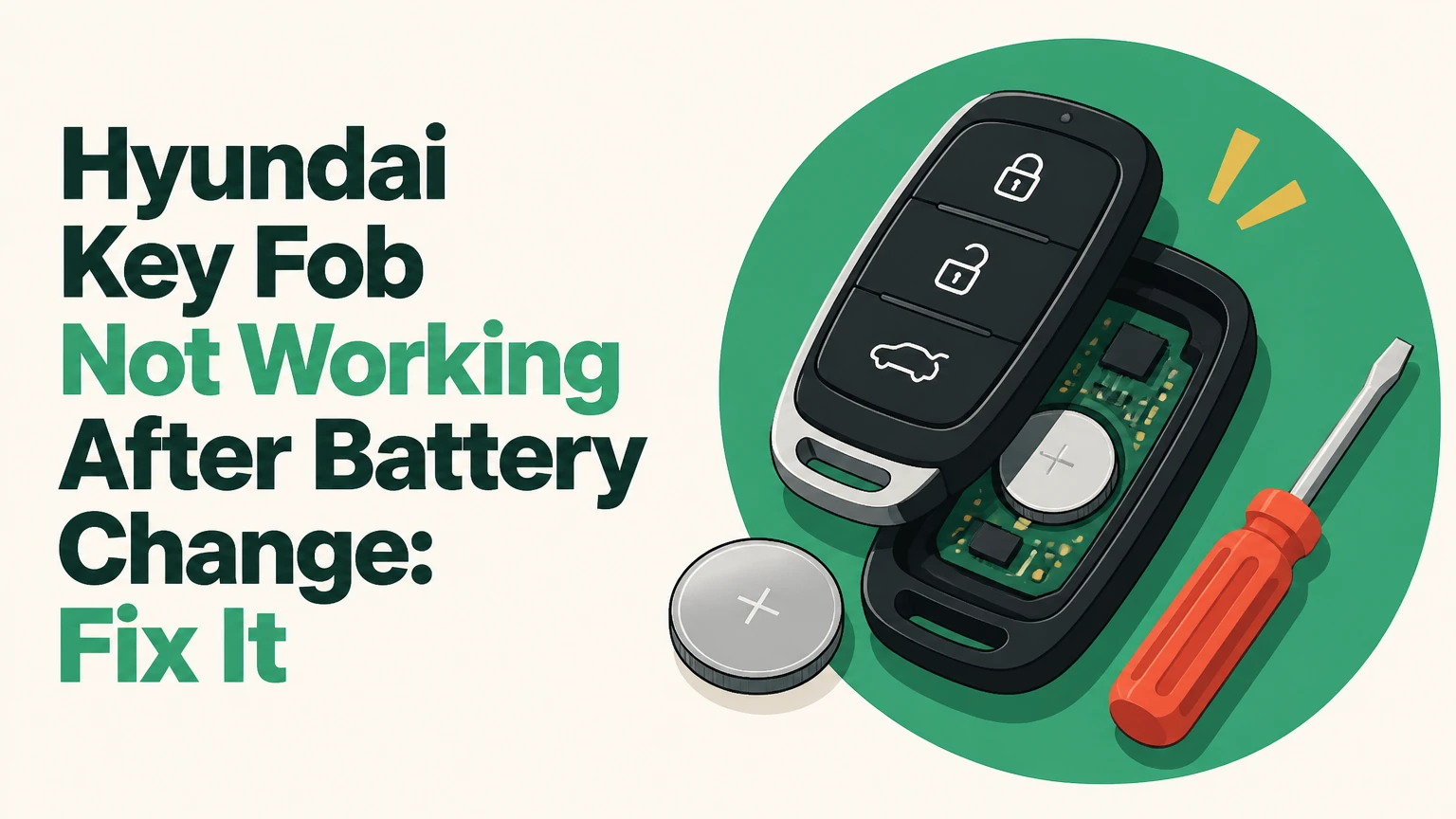
A Hyundai key fob not working after battery change usually has a reversed battery, an insulating film, poor contact, the wrong cell, or a damaged case rather than erased programming. Reinstall the specified battery, test the fob close to the vehicle, and use the backup start position if the car has push-button ignition.
Key Facts at a Glance
- A Hyundai key fob battery replacement normally does not erase the fob’s vehicle programming.
- The positive side of a coin cell is usually the flat side printed with the battery specification, but the correct orientation depends on the fob holder.
- Hyundai smart-key emergency starting commonly requires pressing the Start/Stop button with the smart key itself.
- A working fob LED proves that the transmitter has some electrical power, not that the battery has sufficient voltage or that the vehicle receiver works.
- Manual door locking and unlocking is not a universal Hyundai key-fob programming procedure.
- If both programmed fobs fail at the same time, inspect the vehicle’s 12-volt battery, receiver, fuse supply, and radio-frequency interference before buying another fob.
Before You Start
The basic inspection takes 5-10 minutes and usually costs $3-$8 for a quality coin cell. You need the correct battery listed on the old cell or in the Hyundai owner’s manual, a plastic pry tool or small flat screwdriver, a clean dry cloth, and optionally a multimeter set to DC voltage.
| Item | Typical specification | Why it matters |
|---|---|---|
| Replacement battery | CR2032, CR2025, or CR2016 | Hyundai fob design determines the correct cell |
| Nominal voltage | 3 volts | Lower voltage can reduce transmitter range |
| Inspection time | 5-10 minutes | Covers opening, reseating, and testing |
| Replacement cost | $3-$8 | Typical retail price for a branded cell |
| Multimeter reading | About 3.0 volts new | A no-load reading does not prove load capacity |
| Pry tool | Plastic preferred | Reduces case and circuit-board damage |
Do not use pliers across both battery faces, scrape the circuit board, or bend contacts aggressively. Keep coin cells away from children and pets; swallowed lithium coin batteries can cause severe internal injury within hours.
Step 1: Start the Hyundai Without the Remote Buttons
A Hyundai with push-button ignition can often start when the smart-key battery is dead by placing the fob directly against the Start/Stop button or in the vehicle’s designated backup-reader area. The exact location differs by model year, so the owner’s manual takes priority over generic online instructions.
- Sit in the driver’s seat and close the doors.
- Press the brake pedal.
- Hold the smart key against the Start/Stop button, with the button side or marked end touching the switch.
- Press the Start/Stop button once.
- If the car displays “Key not detected,” try the center-console, wireless-charging-pad, or cupholder location shown in the manual.
- Keep other electronic keys, phones, and metal objects away from the fob during the test.
You will know the backup reader worked when the engine starts or the instrument cluster changes from a key-detection warning to the normal ignition state. The backup reader recognizes the fob’s immobilizer transponder separately from the coin-cell-powered lock and unlock transmitter.
A turn-key Hyundai uses a different arrangement. Remove the concealed mechanical blade from the fob, unlock the driver’s door, and insert the ignition key. The mechanical blade may trigger the alarm because it does not authenticate the remote transmitter; start the vehicle with the programmed key to silence it.
Step 2: Confirm the Battery Type and Orientation
The replacement battery must match the original cell’s size and voltage, and the marked positive face must contact the positive side of the Hyundai holder. Most Hyundai smart keys use a CR2032, while some older or thinner remote designs use CR2025 or CR2016, so the battery number should never be assumed from the vehicle model alone.
| Battery | Diameter | Thickness | Typical Hyundai application |
|---|---|---|---|
| CR2032 | 20 mm | 3.2 mm | Many modern smart keys |
| CR2025 | 20 mm | 2.5 mm | Some thinner remote housings |
| CR2016 | 20 mm | 1.6 mm | Selected older or compact remotes |
| Incorrect substitute | 20 mm | Variable | May cause loose or excessive case pressure |
Open the case at its designed seam. Photograph the old battery before removing it, then compare the new cell with the original. Peel away every clear protective film or adhesive label, because a film on the negative face can electrically insulate the battery even when the polarity appears correct.
Look at the holder rather than relying on a universal “positive side up” rule. In many Hyundai fobs, the printed “+” face points outward, but some housings orient the cell differently. The holder’s embossed symbol, contact arrangement, and the old battery position provide the reliable answer.
You will know the installation is correct when the cell sits flat, the retaining clip holds its edge, and the case closes without unusual force. A thicker CR2032 inserted into a holder designed for CR2025 can deform the case, keep buttons pressed, or damage the circuit board.
Step 3: Restore Battery Contact Without Damaging the Fob
A Hyundai remote remains dead when its metal spring contacts do not press firmly against the coin cell, even if the battery is new and installed with correct polarity. The common causes are a flattened spring tab, dirt or skin oil on the contact, a loose retaining clip, or a battery that is too thin for the holder.
- Remove the cell and inspect both metal contacts under bright light.
- Wipe the battery faces with a clean, dry, lint-free cloth.
- Check for white, green, or dark corrosion around the holder.
- If a tab is visibly flattened, lift it less than 1 millimeter with a plastic pick or precision screwdriver.
- Reinstall the battery and verify that it cannot rotate freely.
- Refit the rubber button mat and circuit board before snapping the housing together.
The success checkpoint is a firm battery fit with no rattling and a case seam that closes evenly. The common mistake is bending the contact upward too far; excessive pressure can crack the solder joint or prevent the housing from closing.
Do not bridge the battery terminals with a screwdriver. A short circuit can discharge the cell rapidly and damage the board. Light corrosion may be cleaned by a qualified technician, but liquid cleaner inside a sealed remote is a poor home repair because residue can migrate under surface-mounted components.
Step 4: Test the Fob at Different Distances
A Hyundai key fob that works only beside the vehicle usually has low battery voltage, a poor contact, a damaged antenna trace, or radio-frequency interference. A fob with no LED response after correct installation has a power, button, circuit-board, or battery fault rather than a synchronization problem.
Test in this order:
- Press lock or unlock 30 centimeters from the driver’s door.
- Test again from 3-5 meters away.
- Try every button, including trunk and panic.
- Watch the red indicator LED if the fob has one.
- Test away from a wireless charger, laptop, phone, Bluetooth transmitter, or other key.
- Compare the result with the spare key.
| Test result | Most likely location | Next action |
|---|---|---|
| LED off, buttons dead | Battery, contacts, board | Reopen and inspect power path |
| LED on, no vehicle response | Wrong fob, receiver, programming, interference | Test spare and backup start |
| Works at 30 cm only | Weak cell, contact resistance, antenna damage | Install verified battery and inspect case |
| One button fails | Rubber pad, switch, or board trace | Inspect button mat and switch |
| Both fobs fail | Vehicle battery, fuse, receiver, interference | Check 12-volt system and vehicle diagnostics |
| Remote works, engine will not start | Immobilizer or vehicle fault | Use backup start, then seek diagnosis |
The LED is a useful clue, not a definitive battery test. A light-emitting diode consumes very little current, so it can flash while the transmitter voltage collapses under load.
Does Battery Replacement Erase Hyundai Key Programming?
Replacing a Hyundai key fob battery normally does not delete the fob’s stored vehicle identification or immobilizer pairing. The battery powers the remote buttons, while the immobilizer transponder and vehicle-side authorization system use a separate function, so battery removal alone is not equivalent to key deletion.
Programming may actually be required when the fob is a newly purchased replacement, the original circuit board was replaced, the vehicle lost all authorized keys, or the remote has a documented synchronization fault. Procedures vary by model, market, year, and security system. Hyundai owners should not assume that a generic ignition-button sequence applies to every vehicle.
The often-repeated advice to turn the ignition to ACC and hold Unlock for 10-20 seconds is not a universal Hyundai procedure. Some older vehicles support owner synchronization, while many Hyundai smart-key systems require diagnostic equipment and security authorization. Manual locking and unlocking with the hidden blade can operate the door mechanically, but it generally does not program a proximity fob.
Common Failure Modes After a Battery Change
The fastest diagnosis comes from matching the symptom to the failure mechanism rather than immediately purchasing a replacement key.
| Symptom | Likely cause | Practical repair | Typical time |
|---|---|---|---|
| No LED and no buttons | Reversed cell or open contact | Reinstall and adjust contact | 5-10 minutes |
| LED flashes but range is poor | Weak or wrong-thickness cell | Fit specified 3-volt cell | 5 minutes |
| Buttons feel stuck | Board or rubber mat misaligned | Reseat both parts | 5-15 minutes |
| Case will not snap shut | Thick battery or displaced board | Verify cell size and seating | 5-10 minutes |
| One fob fails, spare works | Fob damage or local programming issue | Repair or program that fob | 30-90 minutes |
| Both fobs fail suddenly | Vehicle-side power or receiver problem | Test 12-volt battery and fuses | 30-120 minutes |
| Fob stopped after water exposure | Corrosion or shorted board | Professional electronic inspection | 1-3 days |
The Circuit Board or Button Mat Shifted
Many Hyundai housings contain a loose circuit board, rubber button membrane, and plastic alignment posts. If the board is offset by a few millimeters, the buttons may feel soft, remain continuously pressed, or fail to actuate the tiny switches.
Place the board into its alignment features, position the rubber mat over every switch, and close the housing without force. A cracked shell can prevent consistent battery pressure; a replacement shell may solve the mechanical fault while retaining the original programmed board.
The New Cell Is Old, Damaged, or Counterfeit
Branded batteries can still be old stock or have been stored in heat. A multimeter reading near 3.0 volts at rest is useful, but a battery that drops sharply when the transmitter operates may need replacement. Install one fresh cell from a reliable retailer before diagnosing the car.
The Vehicle’s 12-Volt Battery Is Weak
A low vehicle battery can disable remote-entry functions, produce “Key not detected” warnings, or prevent the receiver from responding. Measure the vehicle battery after the car has rested: approximately 12.6 volts indicates a fully charged conventional lead-acid battery, while readings near 12.2 volts indicate substantial discharge. Charging and load testing are safer than guessing.
Water, Static, or Case Damage Affected the Electronics
A fob that was submerged, crushed, or repeatedly dropped may have a broken antenna trace, contaminated switch, or cracked solder joint. Battery replacement cannot repair those faults. Do not bake the fob, flood it with contact cleaner, or scrape corrosion from the board unless you have appropriate electronics-repair experience.
When Should You Use a Locksmith or Hyundai Dealer?
An automotive locksmith is usually the lower-cost option for a damaged shell, replacement remote, or key programming, while a Hyundai dealer is better suited to warranty work, immobilizer faults, unavailable key data, or vehicle-side module diagnosis. The best choice depends on whether the failure is inside the fob or inside the car.
| Service path | Typical price | Typical time | Best use |
|---|---|---|---|
| Battery and contact repair | $3-$8 | 5-15 minutes | Polarity or contact fault |
| Replacement shell | $10-$30 | 30-90 minutes | Cracked housing with good board |
| Automotive locksmith | $80-$250 | 30-90 minutes | Fob programming or replacement |
| Hyundai dealer key service | $200-$500 | 1-3 hours plus waiting | Security, warranty, module diagnosis |
| Vehicle electrical diagnosis | $100-$180 | 1-2 hours | Receiver, fuse, or 12-volt fault |
Prices are typical United States ranges and vary by model, key frequency, region, and whether a mobile service is required. Ask for an itemized quote that separates the key, cutting, programming, diagnostic fee, and emergency call-out charge.
A locksmith cannot always program every late-model Hyundai. Some systems require manufacturer security access, an available working key, or vehicle-specific credentials. Conversely, a dealer may recommend a complete fob replacement when a shell or contact repair would preserve the original programmed circuit board.
Alternate Situations and Their Correct Fixes
The Spare Key Works
If the spare key locks and unlocks the Hyundai normally, the vehicle receiver and most vehicle-side functions are probably operating. Concentrate on the failed fob’s battery fit, button assembly, shell, antenna, and programming status.
Neither Key Works
If both keys fail after a vehicle battery discharge, check the 12-volt battery, relevant fuses, aftermarket alarms, and strong radio interference. If the car starts with the backup-reader procedure but neither remote operates, the fault may be limited to remote reception or both transmitter batteries.
The Fob Was Replaced, Not Merely Repaired
A new aftermarket shell does not require programming when the original circuit board is transferred correctly. A new electronic fob does require vehicle pairing in most Hyundai applications, even when its shape and button layout look identical.
The Alarm Sounds After Mechanical Unlocking
The concealed blade unlocks the door without sending the remote’s disarm signal, so follow safe steps to stop the car alarm if it sounds. Start the Hyundai with the authorized key or hold the smart key at the Start/Stop button; the alarm should stop once the immobilizer recognizes the key.
Expert Rules That Prevent Repeat Failures
- Photograph the original battery position before removal. This prevents polarity mistakes when the holder has no clear marking.
- Use the old cell’s number, not a generic model-year chart. Hyundai changed key hardware during model refreshes and across regional markets.
- Treat range loss as a voltage or contact clue before treating it as programming failure. Programming faults usually affect recognition consistently, while weak batteries often create distance-dependent symptoms.
- Do not force a case closed. Uneven resistance usually indicates a displaced board, wrong battery thickness, or trapped rubber membrane.
- Test the spare before authorizing a dealer replacement. One failed fob points toward the fob; two failed fobs point toward the vehicle or a shared environmental cause.
- Preserve the original circuit board when replacing a cracked shell. The board contains the identity that may already be paired with the Hyundai.
Frequently Asked Questions
Can I drive a Hyundai if the key fob battery is dead?
Yes, many push-button Hyundai vehicles can start when the smart key battery is dead by holding the fob against the Start/Stop button or placing it in the model’s backup-reader location. A turn-key Hyundai can usually be started with the mechanical ignition key, provided the immobilizer recognizes that key.
How far should a Hyundai key fob work after a new battery?
A healthy Hyundai remote commonly works from roughly 10-30 meters in open conditions, although body position, buildings, interference, and model design change the result. Operation only within 30 centimeters indicates a weak battery, poor contact, antenna damage, or transmitter fault rather than normal range.
Why does my Hyundai say key not detected after changing the battery?
The “Key not detected” warning can result from reversed polarity, a loose cell, an incorrect battery thickness, a damaged transponder, radio interference, a weak vehicle battery, or an unprogrammed replacement fob. Hold the fob against the Start/Stop button first, then test the spare and vehicle battery.
Can I program a Hyundai key fob myself?
Some older Hyundai remotes support owner synchronization through a documented ignition procedure, but many smart-key systems require a scan tool and security authorization. Because procedures differ by year and market, use the specific owner’s manual or a qualified automotive locksmith rather than relying on a universal internet sequence.
Should I buy a new Hyundai key or only a replacement shell?
Buy a shell when the original circuit board, battery contacts, and buttons work but the plastic housing is cracked. Buy a complete programmed key when the board is water-damaged, the transmitter fails after verified battery installation, or the replacement shell cannot hold the original components securely.
What should I check if the new battery drains quickly?
Check for a stuck button, a displaced rubber membrane, moisture, a shorted contact, or a battery installed with excessive case pressure. If the Hyundai fob repeatedly drains fresh cells within days or weeks, stop replacing batteries and have the circuit board tested for leakage or switch failure.
The Bottom Line
A Hyundai key fob not working after battery change is usually fixed by correcting the cell orientation, removing protective film, restoring contact pressure, or fitting the specified CR2032, CR2025, or CR2016 battery. Battery replacement normally does not erase programming. Use the backup start method immediately, test the spare key, and reserve locksmith or dealer programming for a confirmed electronic, security, or vehicle-side fault.


