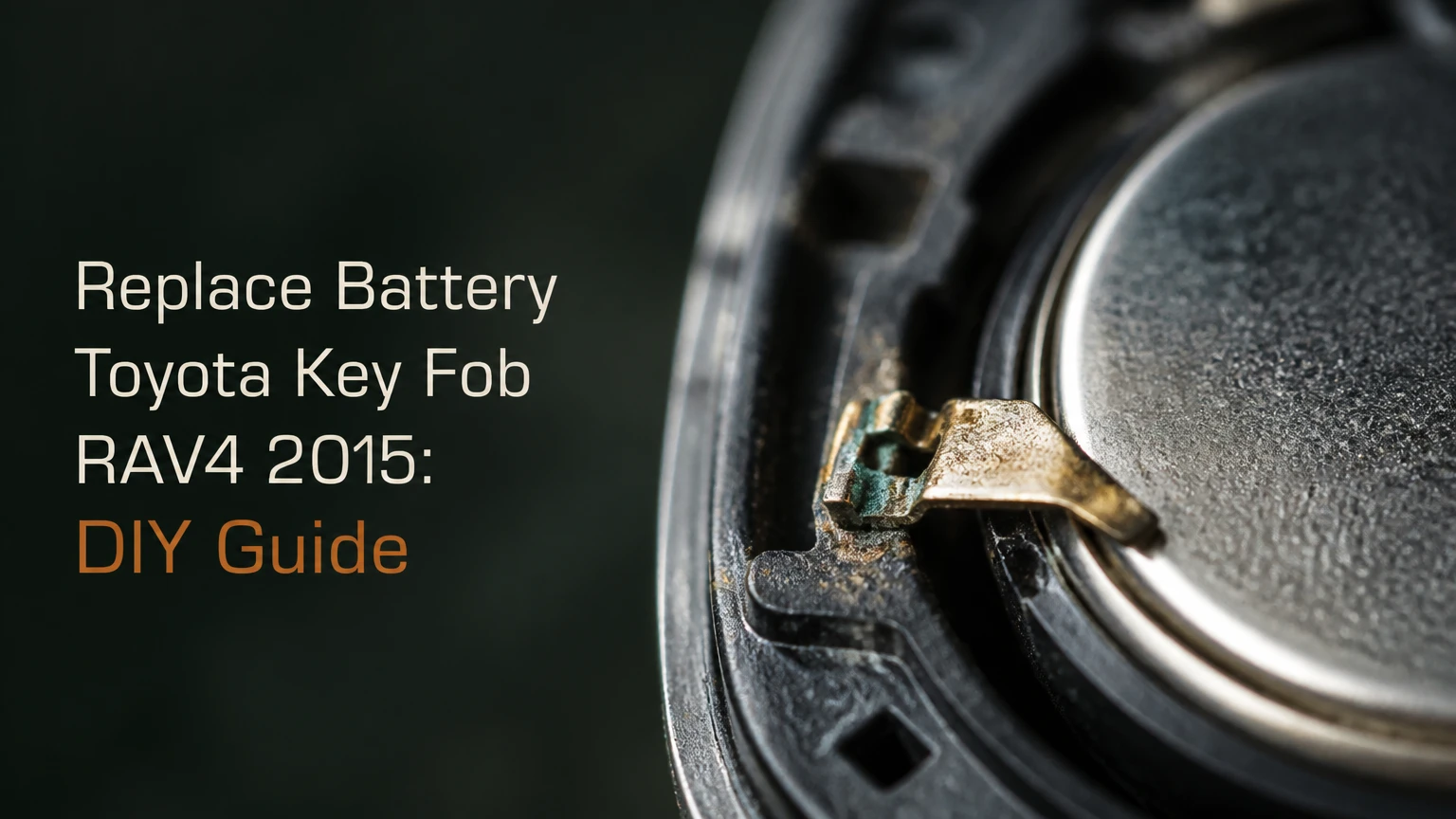
To replace battery toyota key fob rav4 2015, first identify the ignition system and fob design. A 2015 Toyota RAV4 Smart Key with push-button start typically uses a CR2032, while a standard remote-head key with turn-key ignition typically uses a CR2016. The job takes about 2-5 minutes and normally requires no reprogramming.
Key Facts at a Glance
- A 2015 Toyota RAV4 Smart Key fob typically takes one 3-volt CR2032 lithium coin cell.
- A 2015 Toyota RAV4 standard remote-head key typically takes one 3-volt CR2016 lithium coin cell.
- Push-button start identifies the Smart Key system; a metal key that turns the ignition identifies the standard remote.
- The positive side usually faces upward, but the battery holder markings are the final authority.
- Replacing the coin cell does not normally erase the fob’s vehicle programming.
- Typical DIY cost is $2-$7, and the replacement usually takes less than five minutes.
Which Battery Does a 2015 Toyota RAV4 Key Fob Use?
A 2015 Toyota RAV4 uses different coin-cell batteries depending on whether the vehicle has push-button start or a traditional ignition cylinder. Confirm the battery by opening the fob or checking the number printed on the old cell, because replacement housings, imported vehicles, and aftermarket remotes can differ from the factory configuration.
| Fob configuration | Ignition system | Typical battery | Cell thickness | How to recognize it |
|---|---|---|---|---|
| Toyota Smart Key | Push-button start | CR2032 | 3.2 mm | Oval fob with removable emergency key |
| Standard remote-head key | Turn-key ignition | CR2016 | 1.6 mm | Metal key blade permanently attached |
| Aftermarket replacement fob | Either system | Verify printed cell number | Varies by housing | Brand and part number may differ |
| Previously modified fob | Either system | Read installed battery | Varies | Holder or shell may not be original |
CR2032 and CR2016 both provide a nominal 3 volts and have a 20-millimeter diameter. Their thickness differs by 1.6 millimeters, so a CR2032 should not be forced into a holder designed for a CR2016. The thicker cell can distort the retaining clip, prevent the housing from closing, or damage the circuit board.
How can you identify the fob without opening it?
Press-button start is the fastest identification method. A Smart Key normally has a small “PUSH” slider that releases a mechanical emergency key, while the standard remote has a fixed metal blade and a thicker key head attached to it.
Do not choose the battery from the vehicle trim level alone. The 2015 RAV4 model year can include different equipment packages, and an aftermarket replacement may have been installed during the vehicle’s ownership. Read the coin-cell marking whenever possible.
What Does the RAV4 Key-Fob Battery Power?
The RAV4 key-fob battery powers the remote circuit that sends coded lock, unlock, panic, and liftgate commands to the vehicle. In a Smart Key system, the battery also supports proximity functions, while the mechanical key and the immobilizer transponder provide separate functions that do not depend on the coin cell in exactly the same way.
A button press causes the fob electronics to transmit a short coded radio signal. The vehicle checks that signal before operating the locks. Toyota’s Smart Key system also detects an authorized fob near the vehicle for passive locking, unlocking, and push-button starting, although operating behavior depends on the vehicle’s settings and the fob’s condition.
A weak cell often reduces remote range before the fob stops working completely. Typical early symptoms include a shorter locking distance, intermittent passive unlocking, or a need to press a button twice. Those symptoms do not prove the battery is the only fault, because water intrusion, damaged contacts, and vehicle-side receiver problems can produce similar behavior.
How long does a 2015 RAV4 key-fob battery last?
A key-fob battery commonly lasts about 2-4 years in a Smart Key and about 3-6 years in a button-operated standard remote. Actual life changes with temperature, button usage, storage conditions, battery age, and whether the fob remains close to the vehicle for long periods.
| Symptom | Likely battery condition | Immediate check | Typical response |
|---|---|---|---|
| Remote range falls below 10 feet | Low voltage or aging cell | Test with a new cell | Replace battery |
| Lock and unlock work intermittently | Weak cell or dirty contact | Inspect holder and battery | Clean and replace |
| Red indicator does not flash | Dead cell, bad contact, or damaged board | Check polarity and contacts | Re-seat or replace |
| Passive entry fails but buttons work | Low Smart Key battery or vehicle setting | Test spare fob | Replace and retest |
| New battery dies within days | Shorted board, stuck button, or moisture | Inspect shell and contacts | Seek locksmith or dealer |
The battery’s expiration date matters. A newly purchased cell can still be several years old, and coin cells lose usable capacity during storage even when their package remains sealed. Choose a reputable lithium battery with intact packaging rather than a loose, unmarked cell.
What Should You Prepare Before Replacing the Battery?
Prepare the correct coin cell, a clean work surface, and a plastic pry tool or small flat-head screwdriver. The replacement requires no key-fob programming in the normal case, but you should keep the old battery available until the new cell’s number and orientation are confirmed.
Before You Start
- Time: 2-5 minutes
- Difficulty: Easy, with moderate risk of plastic-scratching
- Parts: One CR2032 or CR2016 lithium coin cell
- Tools: Mechanical key, plastic pry tool, or precision flat-head screwdriver
- Optional: Clean gloves, cotton swab, isopropyl alcohol, multimeter
- Prerequisite: Photograph the open fob before removing the old battery
Work over a table rather than a vehicle seat. Standard remote-head keys can release small rubber buttons or an inner module when the shell separates. Keep the fob buttons facing upward or downward according to the opening method below, and place removed parts in a shallow tray.
Which battery orientation is correct?
The positive side normally faces upward, with the printed “+” marking visible, but the molded symbol inside the battery holder overrides any general rule. Photograph the old installation before removal and compare the new cell’s position with the holder’s polarity mark.
How Do You Replace a Smart Key CR2032 Battery?
Replace a 2015 Toyota RAV4 Smart Key battery by removing the emergency key, opening the shell at the internal notch, exchanging the CR2032 with its positive side in the original orientation, and snapping the housing closed; for a different smart-key design, Audi Q3 battery-change steps explain how access and polarity markings determine the procedure. The complete procedure typically takes 3-5 minutes when the plastic clips are undamaged.
Step 1: Remove the emergency key
Slide the small release marked “PUSH” and pull the mechanical key from the fob. Set the key beside the housing rather than using force against the slider.
Success checkpoint: The key slides out smoothly, exposing the narrow opening in the fob.
Common mistake: Pulling without moving the release slider can damage the mechanism.
Step 2: Separate the Smart Key housing
Insert the tip of the mechanical key or a plastic pry tool into the notch inside the key slot. Twist gently to separate the two shell halves; use several small movements around the seam instead of one large twist.
Success checkpoint: The shell opens without bending the outer plastic or leaving deep tool marks.
Common mistake: Driving a wide screwdriver deeply into the housing can strike the circuit board.
Step 3: Expose the CR2032 holder
Lift the rear cover carefully. Depending on the fob revision, the circuit board, rubber button mat, or battery holder may remain in the front half. Do not pull the board by its components or scrape across its soldered contacts.
Success checkpoint: The coin cell and its retaining clip are visible, and the old battery orientation is recorded.
Common mistake: Removing the rubber button mat and losing its alignment with the molded buttons.
Step 4: Install the new battery
Release the CR2032 from the holder with a fingernail or a nonmetallic tool. Slide the replacement under the retaining lip and press it down until it sits flat, with the positive side matching the original orientation and holder marking.
Success checkpoint: The cell is level, secure, and not pressing against the housing seam.
Common mistake: Forcing a CR2016 into a CR2032 holder or bending the spring contact.
Step 5: Close and test the fob
Reinstall the board and button mat in their molded positions. Align the rear cover, press around the perimeter until the clips engage, slide the emergency key back into place, and test lock and unlock from several feet away.
Success checkpoint: The casing seam is closed evenly and every button has normal spring-back.
Common mistake: Testing only the panic button, which can create unnecessary noise and does not confirm every function.
How Do You Replace a Standard Remote-Head CR2016 Battery?
Replace a standard 2015 Toyota RAV4 remote-head key battery by opening the outer key shell, separating the inner remote module if necessary, installing a CR2016 in the original orientation, and securing both covers. Keep the button side controlled during disassembly because small button components can fall out.
Step 1: Control the key head
Place the key on a soft, clean surface with the remote-button side supported according to the shell design. Locate the seam or pry notch near the key-ring end, where many standard Toyota remote heads provide access.
Success checkpoint: The key head is stable and the buttons cannot scatter when the cover separates.
Common mistake: Opening the housing over carpet, where a loose button or spring is difficult to find.
Step 2: Open the outer cover
Insert a precision flat-head screwdriver or plastic pry tool into the slot. Twist only enough to release the rear cover, then work along the seam rather than levering against the metal blade.
Success checkpoint: The rear cover lifts away without cracking the perimeter clips.
Common mistake: Twisting at the wrong seam and damaging the key blade housing instead of the remote module.
Step 3: Open the inner module
Some standard remote-head keys contain a second sealed plastic module. Release its small side clips carefully and separate the module without crushing the rubber button pad.
Success checkpoint: The CR2016 holder is visible and the button mat remains aligned.
Common mistake: Treating a glued or tightly sealed aftermarket module like a clipped factory module. Stop if the casing begins to split irregularly.
Step 4: Exchange the CR2016
Lift the old thin cell from its clip and install one CR2016 of the same diameter and thickness. Match the positive marking inside the holder, then verify that the battery does not bow or sit above the module’s seating surface.
Success checkpoint: The cell is flat and the retaining contact touches it firmly.
Common mistake: Substituting CR2032 for CR2016 because both cells are labeled 3 volts.
Step 5: Reassemble and test
Close the inner module first, return it to the key head, and press the outer cover into place. Test lock, unlock, and any liftgate button while standing near the vehicle.
Success checkpoint: The shell closes flush, the buttons move freely, and the vehicle responds consistently.
Common mistake: Pinching the rubber button mat between the inner and outer covers.
How Much Does RAV4 Key-Fob Battery Replacement Cost?
A do-it-yourself replacement typically costs $2-$7 and takes 2-5 minutes. A hardware or auto-parts counter may replace a purchased battery at little or no labor charge, while a locksmith or Toyota dealer may charge more if inspection, shell repair, or programming is included.
| Replacement route | Typical battery cost | Typical total cost | Typical time |
|---|---|---|---|
| DIY, single cell | $2-$5 | $2-$7 | 2-5 minutes |
| DIY, two-cell package | $4-$8 | $4-$8 | 2-5 minutes |
| Hardware or auto-parts counter | $3-$8 | $3-$15 | 5-15 minutes |
| Automotive locksmith | $3-$10 | $10-$25 | 10-30 minutes |
| Toyota dealership | $3-$10 | $15-$45 | 10-30 minutes |
Costs vary by location, battery brand, and whether the shop diagnoses a second fault. A replacement battery will not repair a broken button membrane, corroded circuit board, failed receiver, or lost vehicle key programming.
Does Replacing the Battery Erase Key-Fob Programming?
Replacing the coin cell normally does not erase the 2015 Toyota RAV4 key fob’s pairing or immobilizer registration. The battery powers the fob, while the vehicle’s stored authorization data remains in the vehicle, so a correctly installed replacement should work immediately.
Programming becomes a separate issue when the entire fob is replaced, the transponder is lost, or the vehicle has a communication fault. If the old fob worked before the battery swap and the indicator light responds after the swap, inspect polarity and contacts before assuming reprogramming is required.
What should you do if the new battery does not work?
Use a fixed diagnostic sequence rather than repeatedly opening and closing the housing:
- Confirm the cell number. Compare CR2032 or CR2016 with the old battery and the holder marking.
- Confirm polarity. The positive face usually points upward, but the molded holder symbol controls.
- Check seating. Ensure the cell lies flat under the retaining lip.
- Inspect contacts. Look for a flattened spring, cracked solder joint, or displaced metal tab.
- Check the indicator. If the fob has a red LED, press a button and observe whether it flashes.
- Clean contamination. Wipe contact surfaces with a cotton swab lightly dampened with isopropyl alcohol, then let them dry.
- Test the spare fob. A working spare separates a vehicle-side problem from a single-fob problem.
- Measure voltage if available. A new lithium cell should read close to its nominal 3 volts without load.
Do not aggressively bend a battery contact. A wooden toothpick can lift a slightly flattened spring, but a broken or detached contact requires board repair or fob replacement.
Can You Start a 2015 RAV4 With a Dead Smart Key Battery?
A 2015 Toyota RAV4 with push-button start can usually be started even when the Smart Key coin cell is dead. Use the mechanical key to unlock the driver’s door, then hold the Toyota-emblem side of the Smart Key directly against the engine-start button while pressing the brake and the button.
The exact emergency-start method should match the vehicle owner’s manual and the instructions printed for the fob system. The procedure works because the vehicle can detect the fob’s passive transponder at close range, even when the coin cell cannot provide normal remote or proximity range.
A standard turn-key RAV4 does not need an electronic remote battery to crank the engine with its metal key. The coin cell operates the lock and unlock buttons, while the mechanical key operates the ignition cylinder.
Is the mechanical key a complete replacement for the battery?
The mechanical key provides emergency door access and, on a turn-key vehicle, ignition operation, but it does not restore remote locking, passive entry, or remote liftgate controls. Replace the coin cell when convenient rather than relying on manual locking indefinitely.
When Should You Use a Locksmith or Toyota Dealer?
Use a locksmith or Toyota dealer when the shell is cracked, the circuit board is corroded, the key is lost, the vehicle does not recognize a replacement fob, or the battery drains repeatedly within days. A simple cell replacement is usually appropriate for DIY work when the existing fob still functions intermittently and the housing opens normally.
| Situation | Best first option | Reason | Avoid doing this |
|---|---|---|---|
| Weak range, intact shell | DIY battery replacement | Low cost and low complexity | Do not buy a complete fob |
| Broken shell, working electronics | Locksmith | Shell transfer may preserve programming | Do not glue over moving buttons |
| Lost or additional Smart Key | Locksmith or dealer | Registration may be required | Do not assume a cheap online fob is ready |
| Water damage or corrosion | Locksmith electronics service | Board inspection is needed | Do not install a new cell into wet housing |
| Vehicle ignores two known-good fobs | Vehicle diagnostic service | Receiver or vehicle power issue is possible | Do not keep buying batteries |
An honest limitation matters here: changing the battery cannot correct a failed radio transmitter, damaged immobilizer transponder, vehicle battery problem, or malfunctioning door receiver. Battery replacement is a power repair, not a universal key-fob repair.
What Mistakes Damage a Toyota Key Fob?
The most expensive mistakes are using the wrong cell thickness, prying directly against the circuit board, closing the shell over a displaced button mat, and assuming every 2015 RAV4 fob uses the same battery. These errors can turn a $5 maintenance task into a shell, contact, or complete-fob replacement.
- Installing the wrong thickness: CR2032 and CR2016 share a 20-millimeter diameter but not the same height.
- Reversing polarity: A backwards cell can prevent operation and may stress the electronics.
- Using excessive metal-tool force: Deep prying can scratch the board or break soldered contacts.
- Losing the button mat: A misplaced rubber membrane causes buttons to feel dead or remain pressed.
- Ignoring moisture: Dampness and white or green corrosion indicate a board problem, not simply low battery power.
- Using a loose cell: Unpackaged batteries may be counterfeit, expired, or contaminated.
- Leaving the fob pressed against another object: Continuous button pressure can drain the battery while stored in a bag or console.
A practitioner rule of thumb is to photograph the open housing before touching the battery. The image preserves polarity, button placement, and board orientation, which prevents the most common reassembly errors.
Frequently Asked Questions
Will a CR2032 work in a 2015 RAV4 that specifies CR2016?
A CR2032 may fit the same 20-millimeter diameter space, but its 3.2-millimeter thickness is double the CR2016’s 1.6 millimeters. Do not substitute it unless the holder and fob manufacturer explicitly specify CR2032. Confirm the number printed on the old battery and use the same type.
Why does my RAV4 key fob work only when I stand close to the car?
A short operating range usually indicates a weak coin cell, dirty contact, damaged antenna, or radio interference. Replace the battery first, then test the fob outside the vehicle and compare it with the spare. If both fobs have poor range, investigate the vehicle rather than repeatedly changing batteries.
Do I need to reset the RAV4 after installing a new battery?
You normally do not need to reset or reprogram a 2015 Toyota RAV4 after replacing only the key-fob battery. The existing authorization remains stored. If the fob worked before the replacement, check polarity, contact pressure, and battery seating before seeking programming.
Can I replace the battery while the RAV4 is locked?
Yes. A Smart Key’s mechanical emergency key can unlock the driver’s door, and a standard remote-head key can operate the lock and ignition mechanically. Replace the battery after gaining access, then test the electronic functions from outside the vehicle.
How can I tell whether the fob or the RAV4 is faulty?
Test a spare fob, observe the remote LED, install a verified battery, and check the vehicle’s 12-volt battery condition. If one fob fails while the spare works, the failed fob needs inspection. If both fail together, a vehicle receiver, setting, or power problem becomes more likely.
The Bottom Line
To replace battery toyota key fob rav4 2015, match the cell to the fob rather than relying only on the model year. Use a CR2032 for the typical push-button Smart Key and a CR2016 for the typical turn-key remote-head key, verify the printed battery number, install it with the correct polarity, and test every button before leaving the work area. A careful DIY replacement costs about $2-$7 and normally preserves the existing programming.


